
Understanding the Trust Score
Applies to: All plans with proctoring enabled
Where you see it: Candidate report, candidate list
Overview
The Trust Score is a whole number between 0 and 100 that summarises how a candidate behaved during a proctored assessment.
It does not predict whether a candidate cheated. It counts specific proctoring events that were recorded during the session, applies a fixed penalty to each, and subtracts the total from 100. The same session will always produce the same score. There is no machine learning model and no per-customer tuning.
Every point deducted traces back to a timestamped event you can open and inspect.
Important: The Trust Score is an advisory indicator. It should always be reviewed alongside the supporting evidence in the candidate's proctoring report.
How the Trust Score is calculated
The formula is:
Trust Score = (1 − Σ Violation Scores) × 100
Where each violation score is:
Violation Score = min(1, Count ÷ Tolerance) × Weight
In plain terms:
- For each type of violation, we count how many times it occurred during the session.
- That count is divided by the tolerance for that violation. A single event below the tolerance produces a partial penalty, not the full one.
- Each factor's penalty is capped at its own weight, so no single behaviour can consume more than its share.
- The penalties are added together, the total is capped at 100%, and the result is rounded to the nearest whole number. The score never falls below 0.
Violation weights and tolerances
| Violation | Weight | Tolerance | Events for full penalty |
|---|---|---|---|
| Face detection violation | 0.30 | 2 | 2 events |
| Tab switching | 0.25 | 3 | 3 events |
| AI plugin detected | 0.25 | 2 | 2 events |
| Copy or paste attempt | 0.15 | 2 | 2 events |
| Full-screen exit | 0.15 | 2 | 2 events |
| Mouse out of window | 0.10 | 3 | 3 events |
| Speaking detected | 0.10 | 6 | 6 events |
These values are the same for every customer and every assessment. They are published here so that any score in your dashboard can be reproduced by hand.
Two notes on scope:
- Face detection violations are scored as a single category. Whether the camera recorded no face, an additional face, or a different face, the event carries the same 0.30 weight. The distinction is preserved in the violation timeline for your review, but it does not change the score.
- Not every proctoring signal affects the score. Checks such as focus guard, IP proctoring, location tracking, multiple-monitor detection and photo ID verification are recorded on the candidate record and appear in the violation timeline, but they do not deduct Trust Score points. The seven factors above are the complete list of what does.
A worked example
A candidate switches tabs 3 times and exits full screen once. Nothing else is flagged.
- Tab switching: min(1, 3 ÷ 3) = 1, so penalty = 1 × 0.25 = 0.25
- Full-screen exit: min(1, 1 ÷ 2) = 0.5, so penalty = 0.5 × 0.15 = 0.075
- Total penalty = 0.325
Trust Score = (1 − 0.325) × 100 = 67.5, rounded to 68. That places the attempt in the Potential violation band.
Score bands and the proctoring flag
The Green, Yellow or Red proctoring flag you see on the candidate record is derived directly from the Trust Score. The two always agree, because the flag is simply the band the score falls into.
| Trust Score | Flag | Status shown |
|---|---|---|
| 91 to 100 | Green | No violation |
| 41 to 90 | Yellow | Potential violation |
| 0 to 40 | Red | Violation |
Because the score is always a whole number, a score of exactly 90 is a Yellow, Potential violation, and a score of exactly 41 is the lowest Yellow. Green begins at 91.
The status is a summary label, not a decision. A "Violation" status means the session produced enough recorded events to warrant review. It does not mean the candidate cheated, and it does not remove them from your pipeline.
The score reflects only the checks you enabled
This is the single most common source of confusion, so it is worth stating directly.
Testlify lets you choose which proctoring checks to switch on for each assessment. A check that is turned off records no events. An event that is never recorded cannot deduct any points.
A Trust Score of 100 means "no violations were detected among the checks you enabled." It does not mean "this candidate did nothing wrong."
For example, if tab proctoring is disabled for an assessment, a candidate can switch tabs freely and still score 100 with a "No violation" status, because the assessment was never configured to watch for that behaviour.
This is not a rare edge case. Across the platform, 83.4% of scored attempts come through at exactly 100. Some of those are genuinely clean sessions. Others are sessions where very little was being watched. The score alone cannot tell you which, so check the assessment's proctoring configuration before you read a 100 as a clean bill of health.
Two practical consequences:
- Trust Scores are only comparable between candidates who took the same assessment with the same proctoring configuration. Comparing a score from a lightly proctored assessment against a fully proctored one is comparing two different measurements.
- If you want the score to be meaningful, enable the checks that matter for your role. For a remote technical assessment, that usually means face detection, tab proctoring, copy-paste tracking, and AI plugin detection at minimum.
You can review which checks were active for any assessment under Assessment settings → Anti-cheating.
What the Trust Score is not
We are deliberate about the claims we make here, because overstating them would not serve you.
It is not a cheating verdict. Each signal is an observation. A face detection violation means the webcam frame contained no detectable face, or more than one. That can be a candidate leaning out of frame, poor lighting, or a low-quality camera, as easily as it can be someone leaving the desk.
It is not a prediction of job performance or honesty. It describes one test session and nothing beyond it.
It does not auto-reject anyone. Testlify never rejects a candidate on the basis of a Trust Score. The score is advisory and surfaced to a human reviewer alongside the evidence.
It is not AI-generated. The score is arithmetic over a recorded event log. No machine learning model or predictive algorithm produces the number. The AI plugin check itself works by matching known browser-extension signatures, not by modelling candidate behaviour.
It is not a published accuracy figure. We do not quote a "cheating detection accuracy" percentage, because a genuine accuracy figure would require verified ground truth on who actually cheated, which no proctoring vendor has. What we publish instead is the exact arithmetic, so you can audit every score yourself.
Separately, note that some proctoring settings can be configured to terminate an assessment on violation. That is a rule you set explicitly per check, and it operates independently of the Trust Score.
Fairness and known limitations
Proctoring signals do not fall evenly across candidates. Some of what the score measures is behaviour. Some of it is circumstance. It is worth being clear about which is which before you build a hiring decision on top of it.
Camera-based signals are sensitive to conditions outside the candidate's control. Face detection depends on lighting, camera quality, and the candidate's physical position relative to the lens. A candidate testing on an old laptop in a poorly lit room is more likely to trigger a face detection violation than a candidate with a good webcam in a bright home office. That difference tracks with access to equipment and private space, not with honesty. It is also the heaviest single factor in the score, at 0.30, so it is worth checking the timeline whenever it drives a low result.
Environment signals penalise candidates without a quiet room. Speaking detection registers voices in the room. A candidate sharing accommodation, or with caregiving responsibilities, is more exposed to it than a candidate testing alone.
Assistive technology can register as a violation. Screen readers, magnifiers and other accessibility tools may involve focus changes or window behaviour that some checks record.
We do not currently publish a measurement of this effect. We have no verified data on how Trust Score outcomes vary across candidate populations, and we would rather say so than imply a fairness audit exists when it does not.
What we recommend in the meantime:
- Treat low scores driven only by camera or environment signals as a prompt to ask, not a reason to reject.
- Offer an alternative for candidates who need one. If a candidate tells you in advance that they cannot meet the conditions a check assumes, the fair response is an adjusted or supervised assessment, not a penalty.
- Enable checks proportionate to the role. Full proctoring on a low-stakes screening test generates noise and falls hardest on the candidates least able to control their testing conditions.
- Keep a human in the loop on every adverse decision. This is both the fair approach and, in a growing number of jurisdictions, the required one.
How to review the evidence behind a score
Every point of deduction is traceable.
- Open the candidate's report.
- Go to the Proctoring tab.
- Review the violation timeline. Each entry carries a timestamp, the type of event, and the number of occurrences.
- Cross-reference against the retained evidence for that session: webcam snapshots, dual-camera captures if enabled, the session recording, and the IP, device and location metadata captured at the start and end of the attempt.
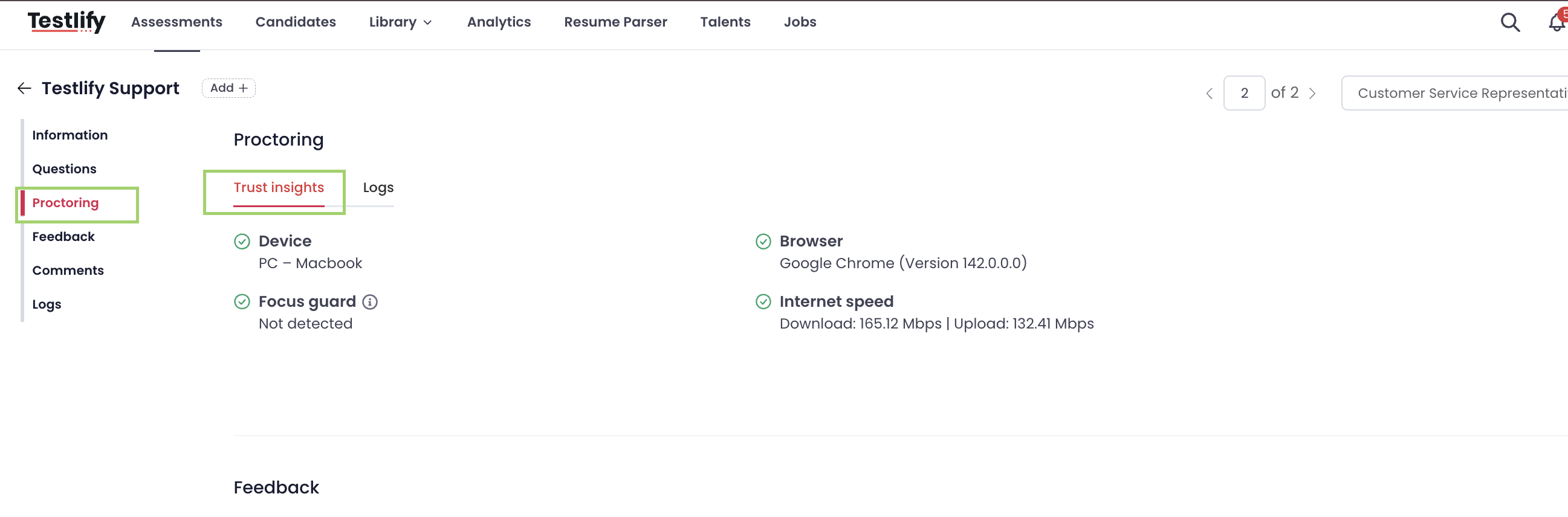
If a hiring manager or a candidate challenges a score, this timeline is your answer. You do not have to take the number on faith.
Recommended review process
The Trust Score is best used as a triage tool, not a filter.
- 91 to 100, Green. Proceed normally. No review typically required.
- 41 to 90, Yellow. Open the violation timeline before making a decision. Most scores in this band are explained by one or two benign events.
- 0 to 40, Red. Review the session evidence in full. If the behaviour is unexplained, the fair next step is usually to offer a re-test under supervision rather than to reject outright.
Two habits worth adopting:
- Decide your review threshold before you see the candidates, not after.
- Record why you accepted or discounted a flagged session. It takes seconds and it is what makes the process defensible later.
Platform data, as of 30 July 2026
We publish these figures so you can see the scale the score operates at.
| Measure | Count |
|---|---|
| Candidate attempts with a proctoring outcome recorded | 561,837 |
| Candidate attempts with a Trust Score | 115,234 |
The two numbers differ because the Trust Score was introduced in 2026. Attempts completed before then carry a proctoring outcome but no score.
Of the 115,234 scored attempts, 83.4% scored exactly 100 and 16.6% carried at least one deduction.
How to read these numbers, and how not to. These are detection rates, not accuracy rates. A detection rate tells you how often a signal fired. An accuracy rate would tell you how often a fired signal correctly identified misconduct. We publish the first and not the second, because computing the second requires verified ground truth on which candidates actually cheated, and no proctoring vendor holds that data.
Two further cautions: these rates are shaped by which checks customers enable, not by candidate behaviour alone; and a clean 100 can mean a clean session or an unwatched one.
If you want figures that are decision-grade for your own hiring, ask us for a benchmark on your completed assessments. Your distribution against these baselines will tell you whether your current proctoring configuration is producing signal or noise.
Frequently asked questions
How reliable is the Trust Score?
The calculation is exact and repeatable, because it is arithmetic over a recorded event log rather than a model output. The reliability question that actually matters is how reliable each underlying signal is, and that varies by signal. Hard signals such as copy-paste and AI plugin detection are high-confidence. Camera-based signals such as face detection are more sensitive to lighting and hardware. This is why the score is advisory and the evidence is always attached.
Can candidates see their Trust Score?
No. The Trust Score is visible only to workspace users reviewing candidate reports. Because the full evidence timeline is retained, you are able to review and explain any score if a candidate raises a question.
Can the Trust Score change after submission?
No. The score is computed once the attempt is submitted and the session log has been processed. It does not change afterwards.
Why does a candidate sometimes receive a score of 100 even if something looked suspicious?
Almost always because the relevant proctoring check was not enabled for that assessment. Only enabled checks contribute to the Trust Score.
Is the Trust Score AI-generated?
No. The Trust Score is calculated using predefined mathematical rules over recorded proctoring events. No machine learning model or predictive algorithm produces the score.
Can I compare Trust Scores across different assessments?
Only if both assessments used the same proctoring configuration. Different enabled proctoring settings produce different scoring conditions.
What is the false positive rate?
We do not publish one, because we cannot compute one honestly. A false positive rate requires knowing which flagged candidates were genuinely not cheating, which requires verified ground truth we do not have and cannot obtain. This is why the score is advisory, why the underlying evidence is always attached, and why we recommend reviewing the timeline rather than acting on the number alone.
Does the Trust Score disadvantage some candidates?
Camera and environment signals are sensitive to equipment quality, lighting and whether a candidate has a quiet private space, none of which measure honesty. We do not publish a fairness measurement because we do not have verified data on it. See the fairness and known limitations section above for how we recommend handling this.
Can we get statistics on how the score performs in our own hiring?
Yes. We can run a benchmark on a sample of your completed assessments showing the score distribution and how often each individual signal fires in your candidate population, set against the platform baselines published above. Contact your account manager to arrange it.