
How to Add a Skill or Category in a Test
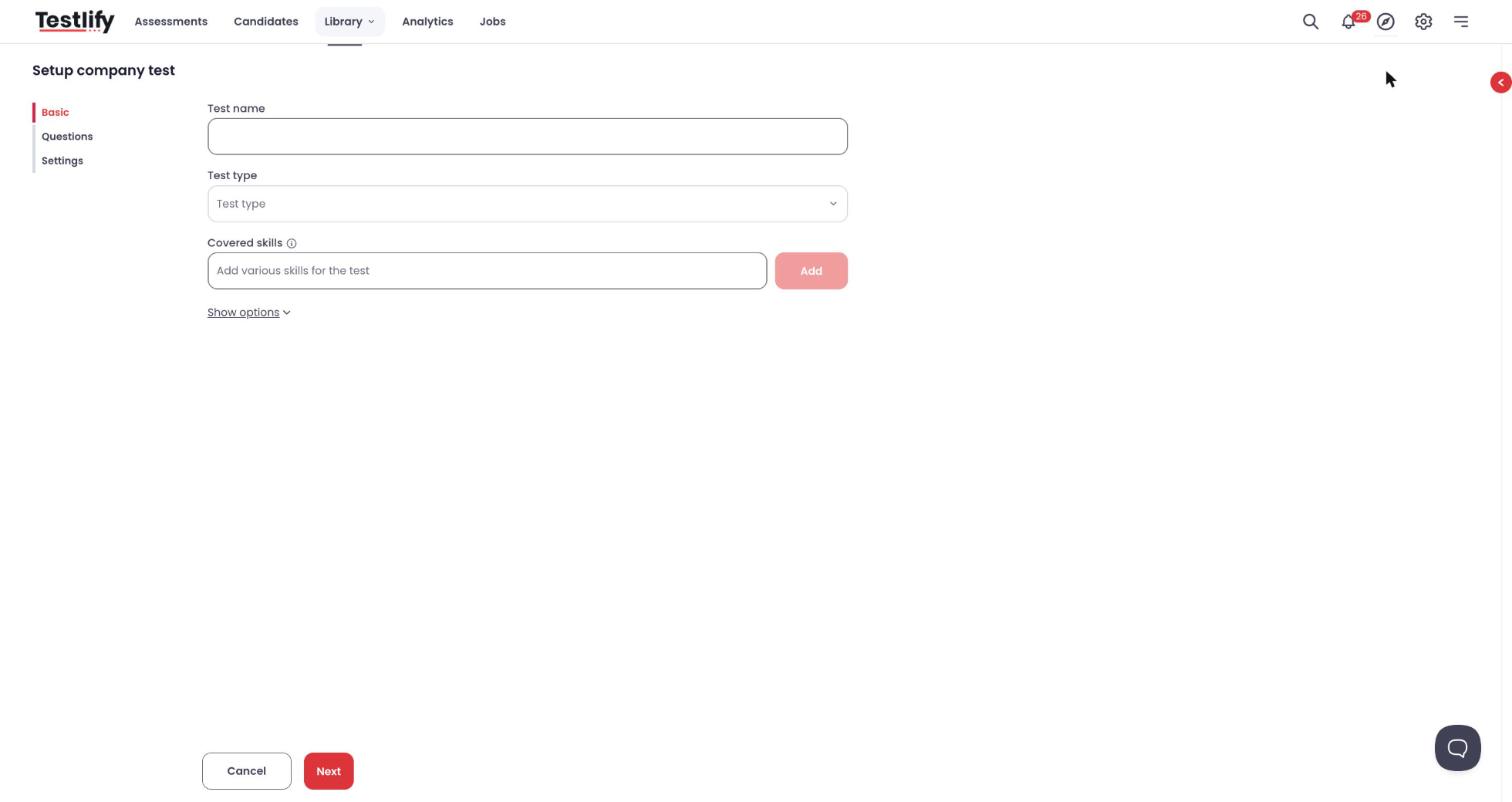
Add skills to a company test in the Covered skills field on the Basic step of Setup company test. Skills let you group the test’s questions by skill.
Before you start
You need permission to create or edit company tests.
Add skills to a company test
- Go to Library > Tests.
- Click Create company test, or click the ⋯ menu on an existing company test and select Edit.
- On the Basic step, enter the Test name and choose the Test type.
- In Covered skills, type a skill and click Add. Repeat for each skill.
- Click Next to add questions, then save the test.
Tips for naming skills
- Set a difficulty in brackets, for example JavaScript (Intermediate).
- Nest one sub-skill with an arrow, for example Parent → Child.
Still need help?
Contact support@testlify.com.