
How to Use Presets to Control Question Selection in Company Tests and Assessments
This article explains how you can use Presets in Company Tests to control which questions are delivered to candidates based on difficulty, skills, question type, or custom counts, and how to apply those presets within an Assessment.
What are Presets?
Presets allow you to define rules for selecting questions from a Company Test. Once created, a preset can be reused and applied to assessments to ensure candidates receive the intended set of questions.
You can create multiple presets under a single Company Test, each with different configurations.
Step 1: Create a Preset in a Company Test
- Go to Company Tests and open the required test.
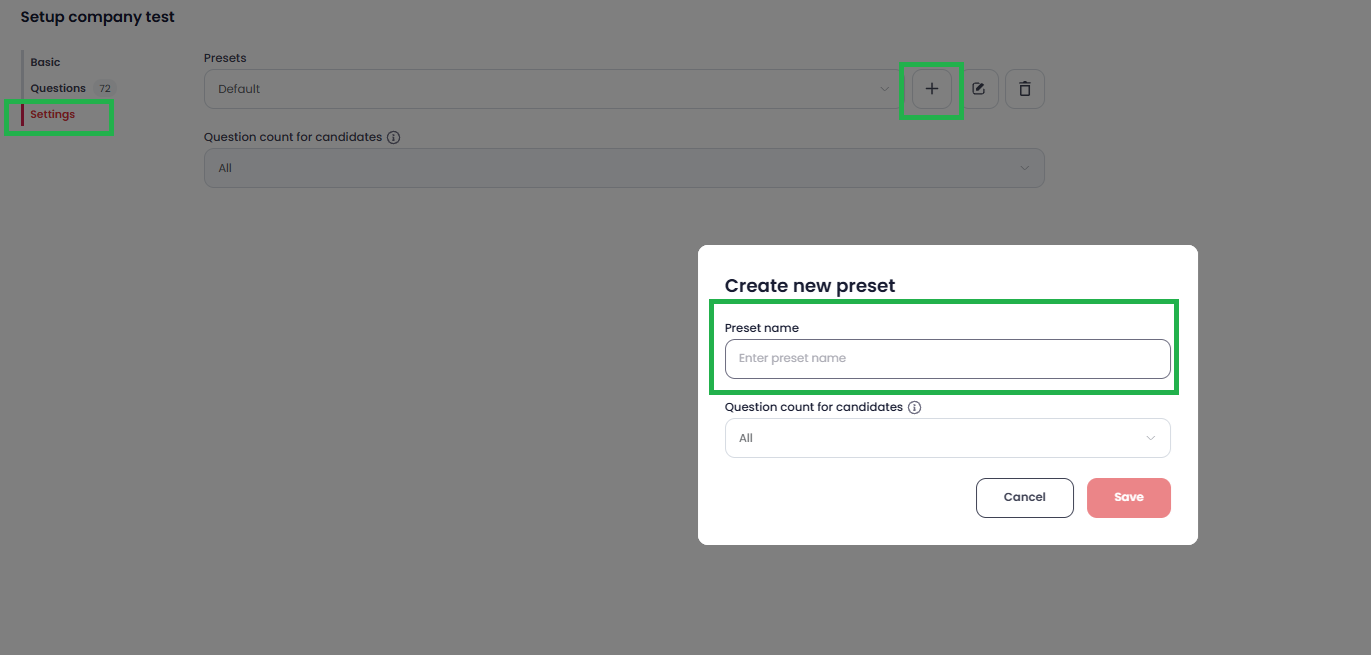
- Navigate to the Settings tab.
- Click the Add (+) icon next to Preset.
-
Enter a name for the preset (e.g., Easy–Intermediate Mix, Skill-Based Preset).
Step 2: Configure Question Selection Rules
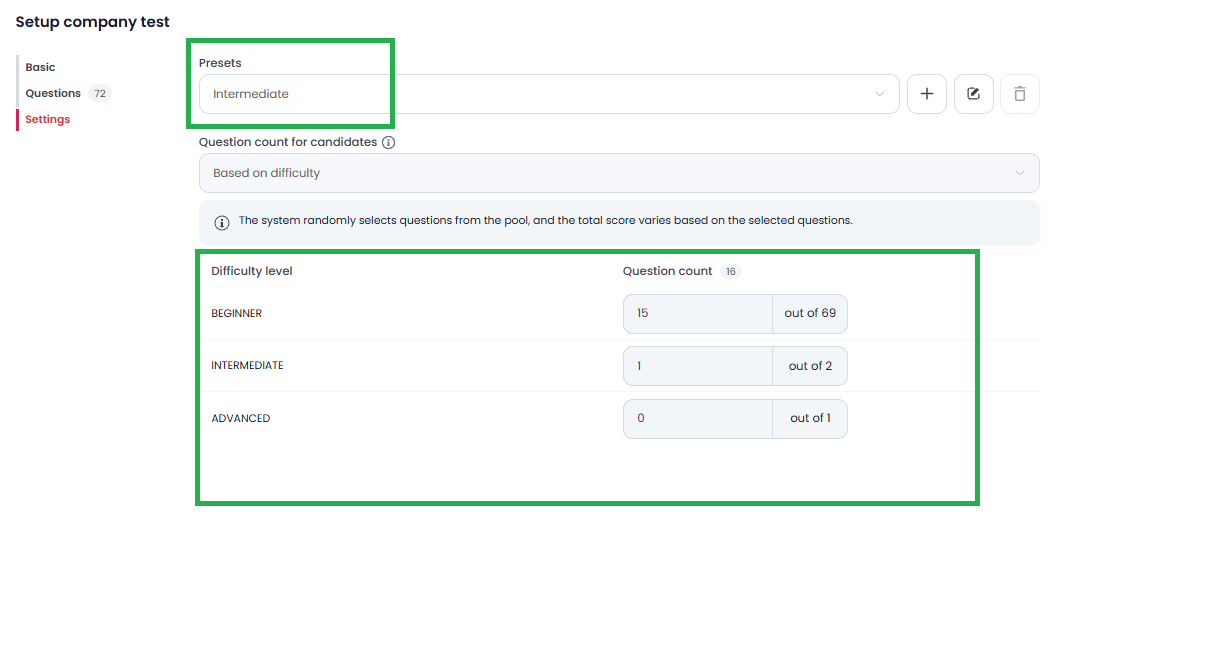
Under Question Count for Candidates, choose how questions should be selected:
-
Based on Difficulty Level
Select the number of questions from Easy, Medium, and Hard categories.
-
Custom Count
Manually define the total number of questions to be picked.
-
Based on Skills
Choose questions mapped to specific skills.
-
Based on Question Type
Select questions based on types (e.g., MCQ, Coding, Video, etc.).
Configure the required counts and click Save Preset.

Step 3: Add Multiple Presets (Optional)
- You can create multiple presets under the same Company Test.
- Each preset can have a unique name and different question selection rules.
-
Once all presets are created, click Save Company Test.
Step 4: Add the Company Test to an Assessment
- Open the required Assessment.
- Go to the Questions section.
-
Add the relevant Company Test to the assessment.
Step 5: Apply a Preset in the Assessment
- Under Assessment Questions, locate the added Company Test.
- Click the three-dot (⋮) menu next to the Company Test.
- Select Edit.
- Choose the required Preset from the list.
- Save the changes.
The selected preset will now determine which specific questions are assigned to candidates during the assessment.


Important Notes
- Presets help ensure consistent question distribution across candidates.
- Changes to presets apply only after saving the Company Test and Assessment.
- Multiple assessments can reuse the same Company Test with different presets.
If you have any questions or need help setting this up, feel free to reach out to our support team at support@testlify.com