
How to Download Assessment and Test Questions
Testlify allows you to download questions from an entire assessment or from an individual test or custom question section. You can export the questions in PDF, CSV, or Excel format for review and sharing with your team.
Download Questions from an Assessment
To download questions included in an assessment:
- Navigate to Assessments and open the relevant assessment.
- Click the three-dot menu in the top-right corner.
-
Select Download assessment.
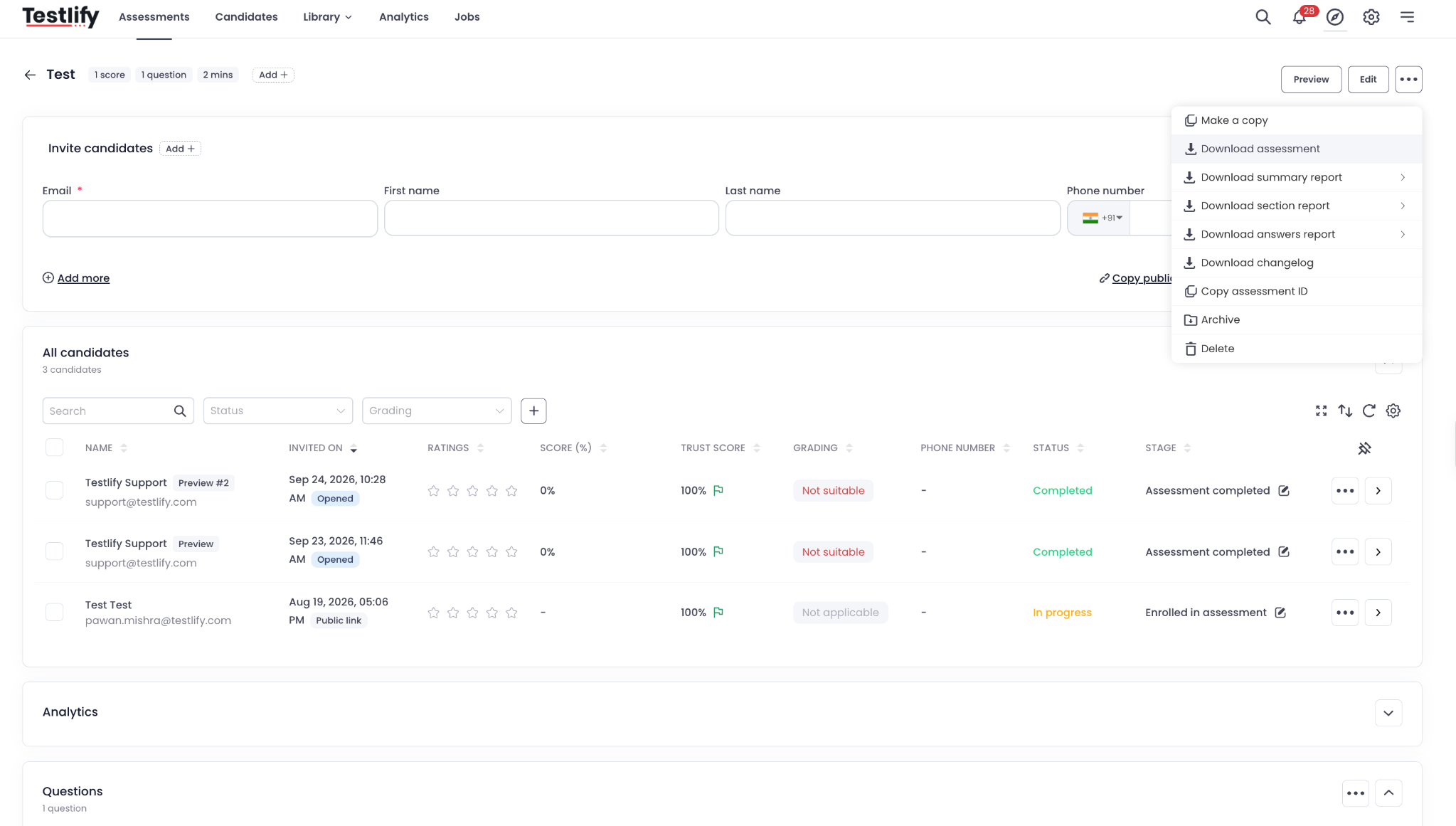
- In the download window, select your preferred file format: PDF, CSV, or Excel.
-
Click Download.
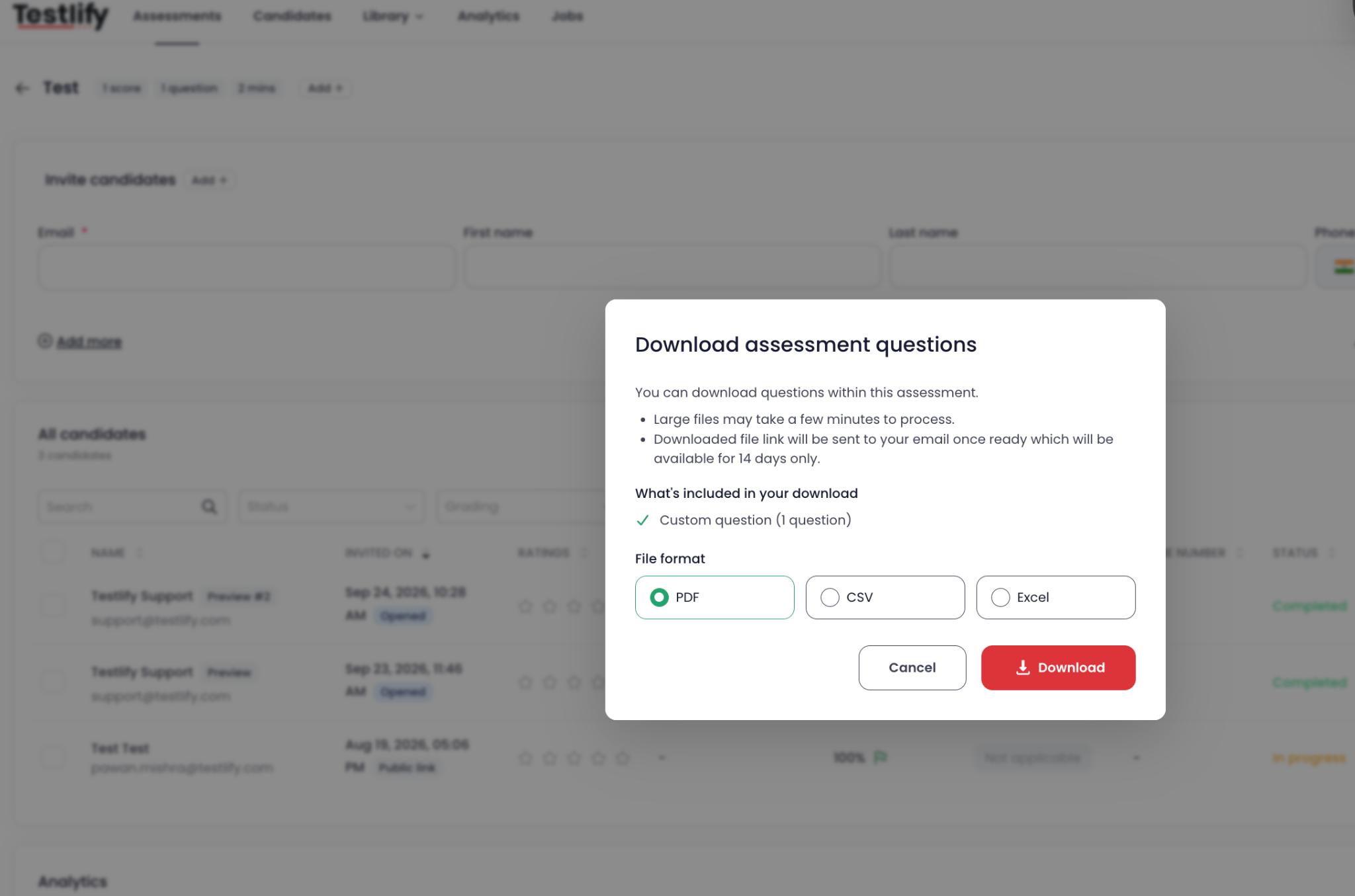
The download will be processed, and a link will be sent to your registered email address once the file is ready. The link will remain available for 14 days.
Download Questions from an Individual Test or Custom Question Section
You can also download questions from a specific test or custom question section within an assessment.
- Open the relevant assessment.
- Scroll to the Questions section.
- Click the three-dot menu in the Questions section.
-
Select Download questions.
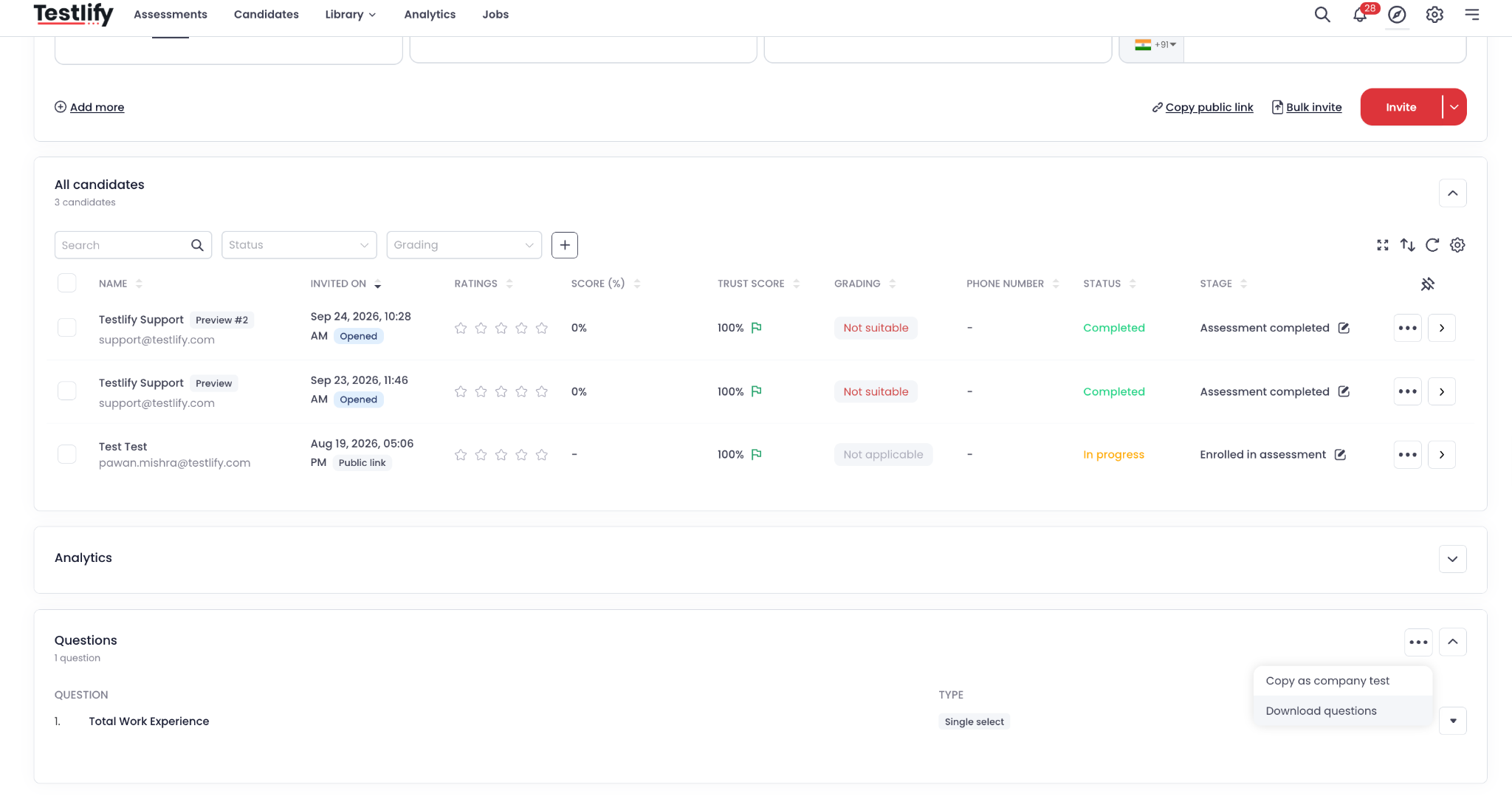
- In the download window, choose PDF, CSV, or Excel.
-
Click Download.
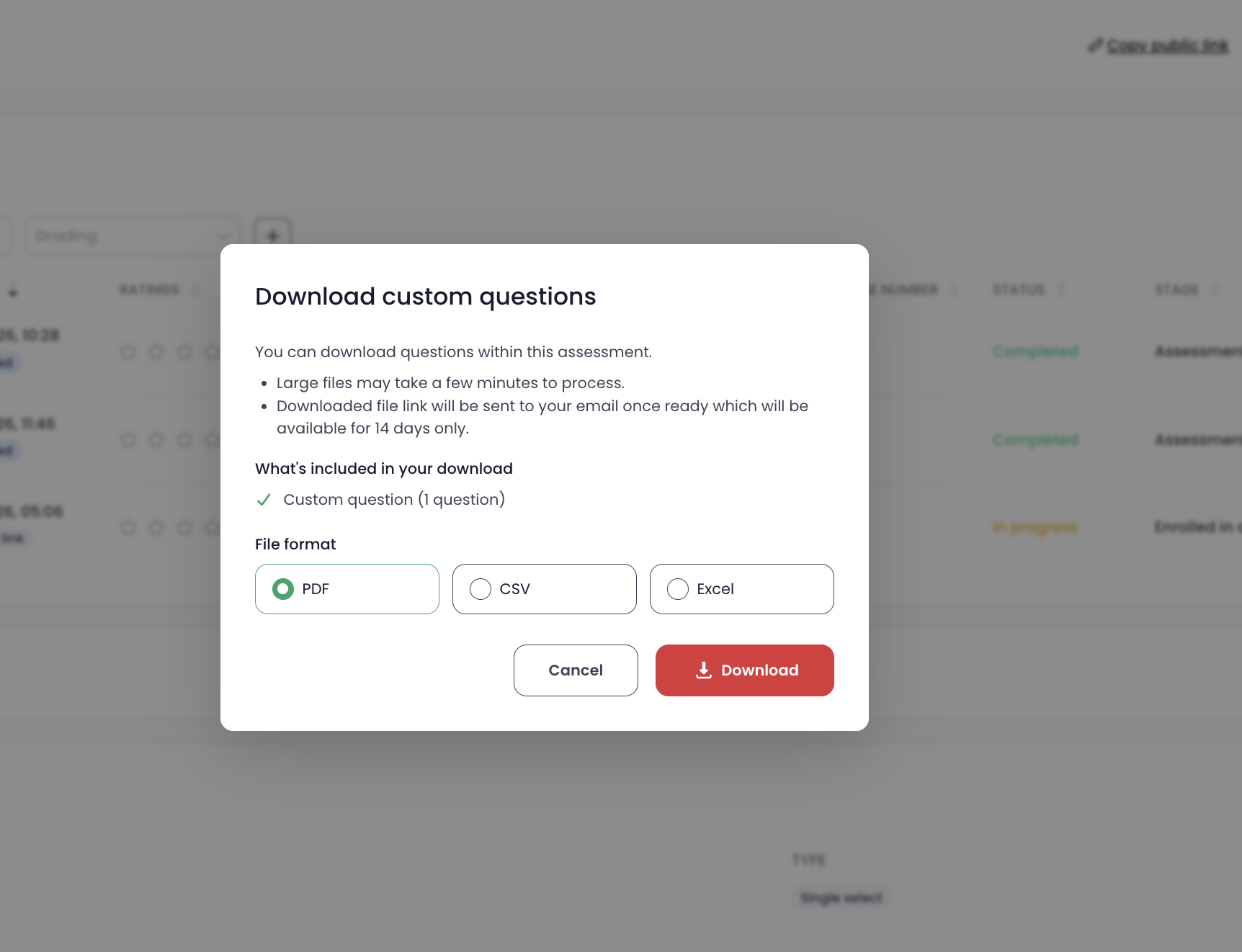
The file will be processed, and a download link will be sent to your registered email address when it is ready. The link will be available for 14 days.
Download Questions from the Test Library
You can download questions for supported tests directly from the Test Library.
- Navigate to Library → Tests library.
- Find the test you want to download.
- Click the three-dot menu on the test card.
-
Select Download test.
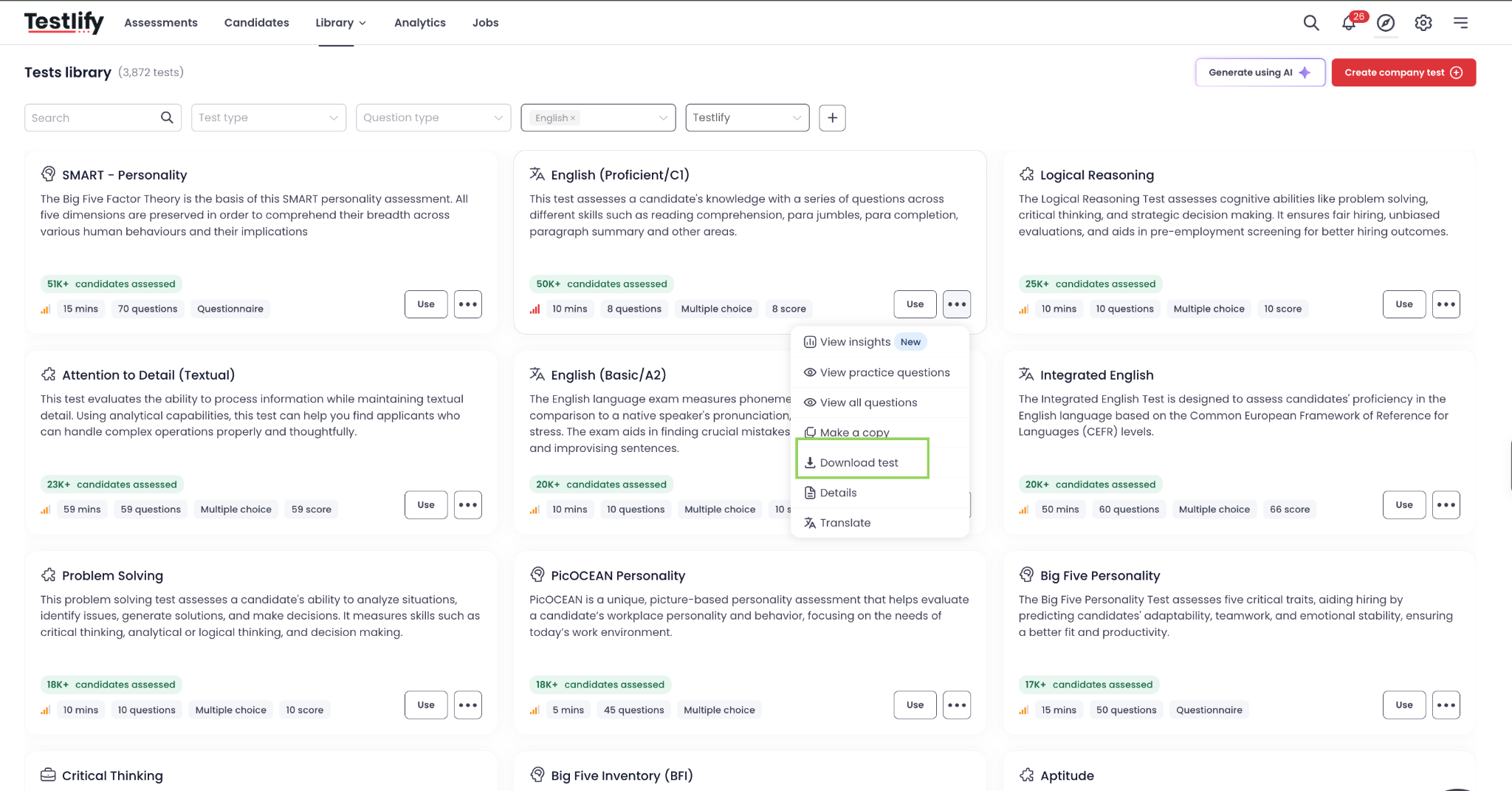
- Choose your preferred format: PDF, CSV, or Excel.
- Click Download.
The download window will indicate whether the selected test is available for download. If access to a platform test is restricted, use the Contact us option displayed in the window to request access.

Important Notes
- Available download options may vary depending on the type of content and your access permissions.
- Large files may take a few minutes to process.
- Download links are sent to your registered email address once the files are ready.
- Download links remain valid for 14 days.
- Platform test downloads may require additional access.
These options make it easier to review assessment content, share questions with hiring managers, and prepare assessment materials for internal review.