
Integration Search & Requesting a New Integration
Overview
The Integrations page allows you to:
- View integrations already connected to your workspace.
- Search through supported integrations.
- Request a new integration that is not currently available.
Accessing the Integrations Page
- Log in to your workspace.
-
Navigate to Workspace Settings.
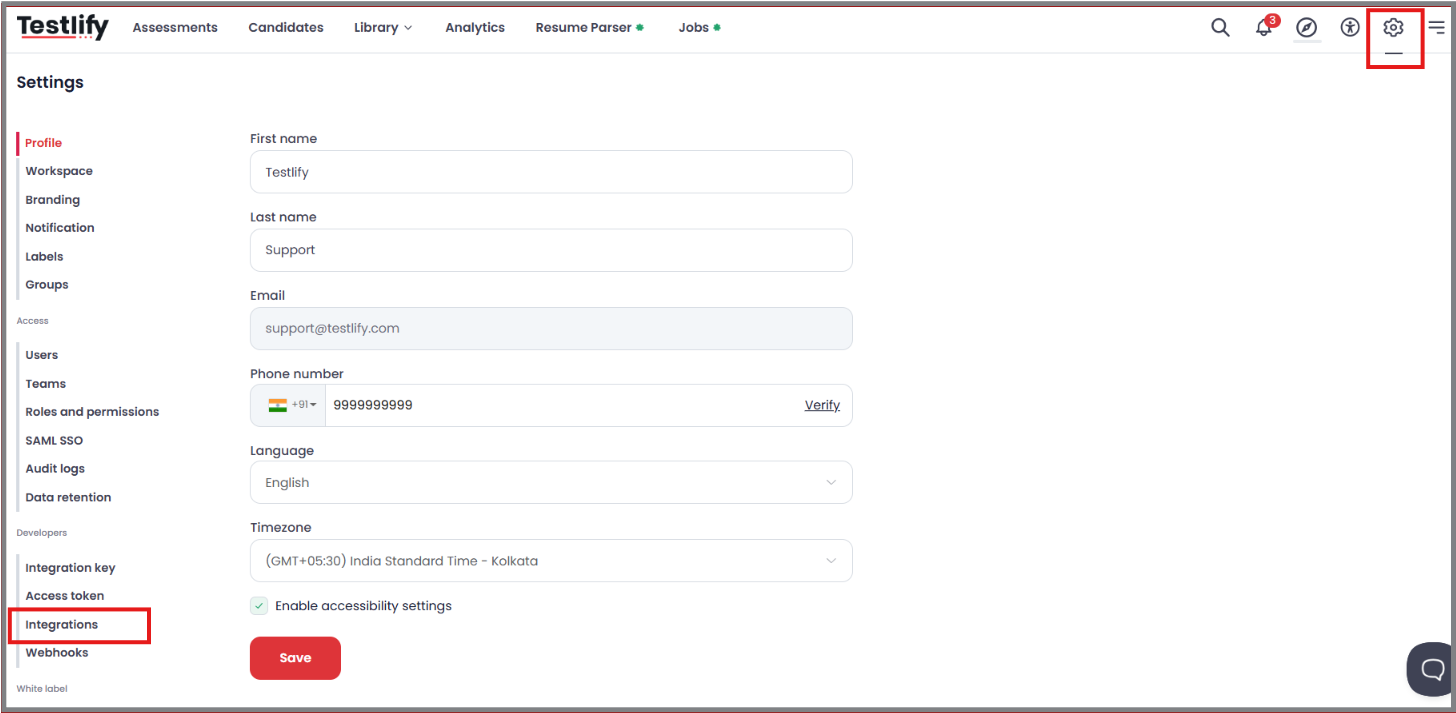
- Select Integrations from the menu.
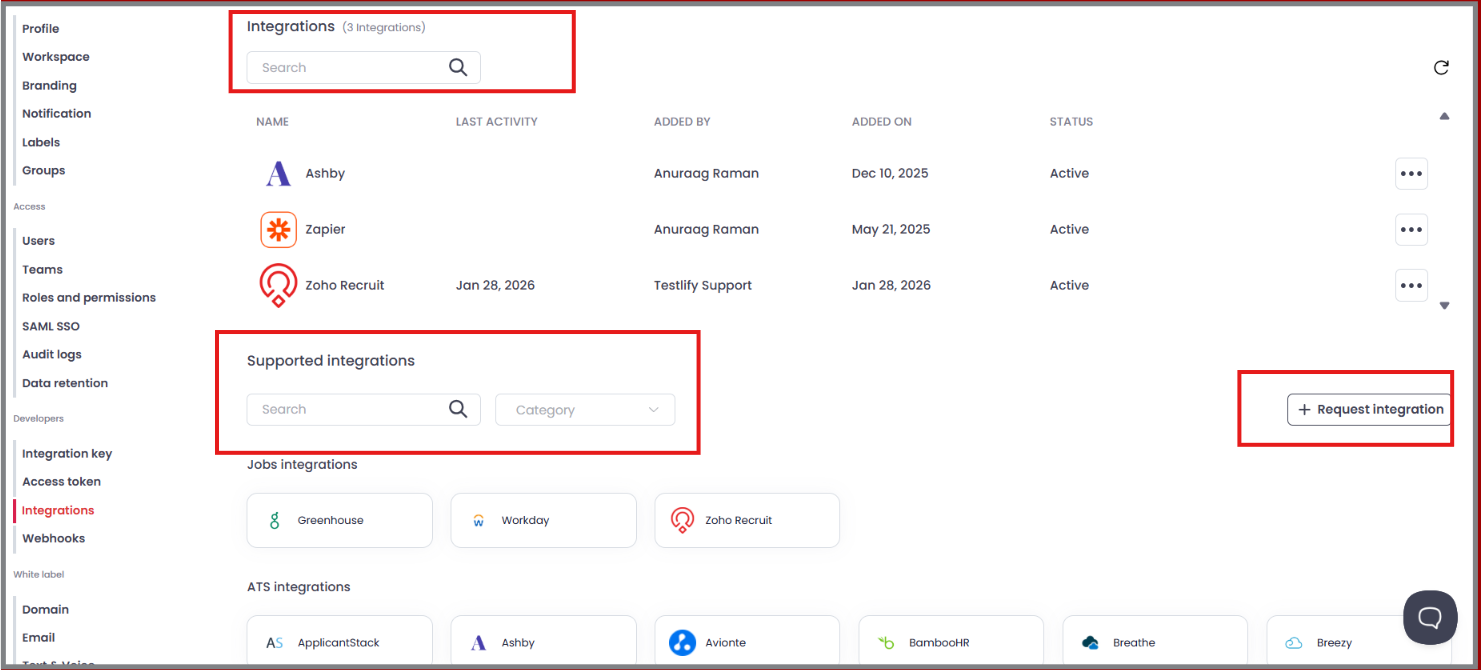
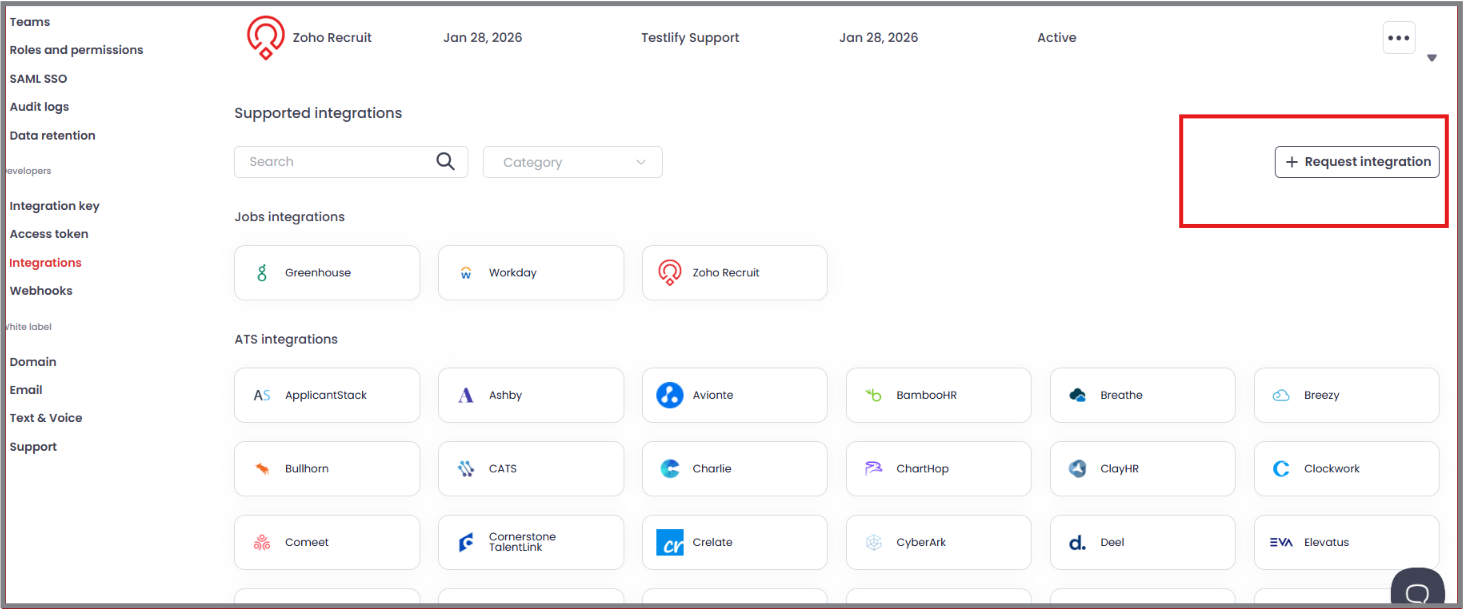
You will now see the Integrations page, which includes two search sections and the option to request a new integration.
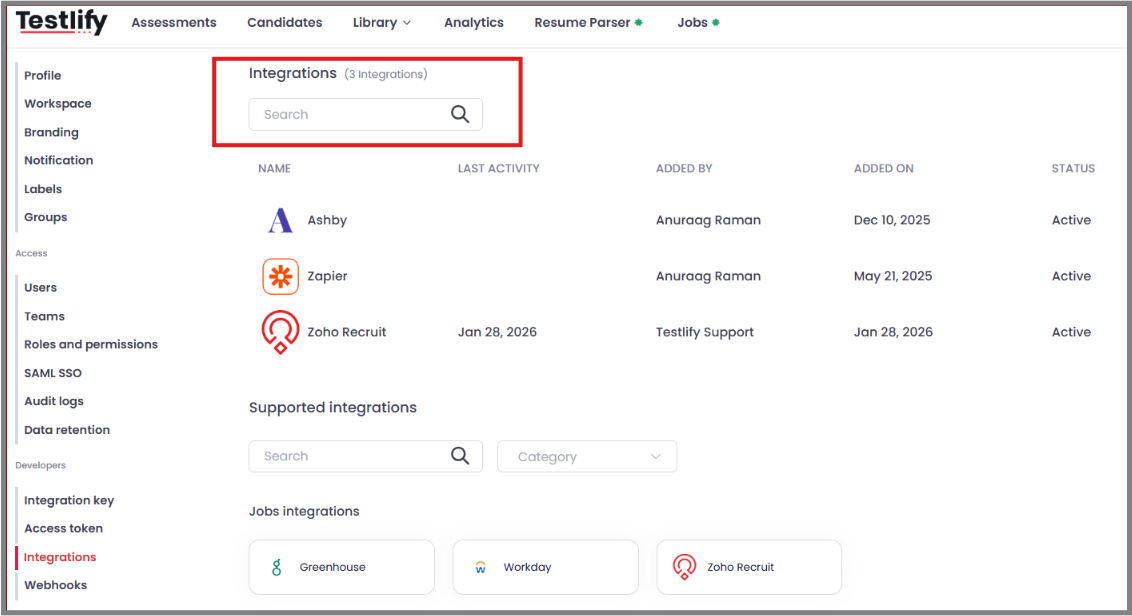
Search Existing Integrations
Use the search bar at the top of this section to quickly find an integration that has already been configured in your workspace.
Simply enter the integration name to locate it.
Supported Integrations
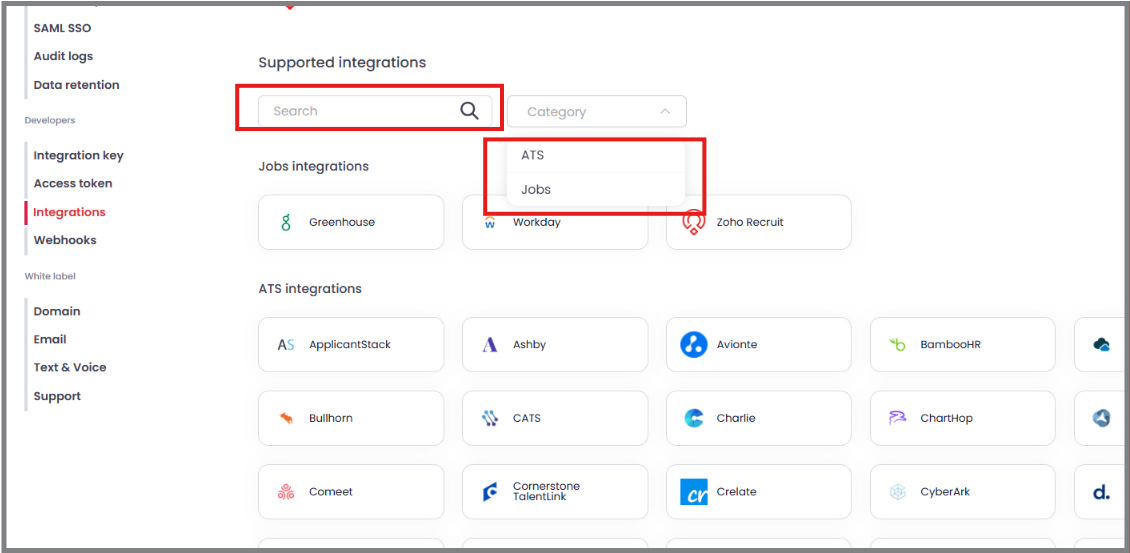
The Supported Integrations section contains all integrations currently supported by the platform.
Search by Name
Use the search bar to find a supported integration by entering its name.
Search by Category
You can also browse supported integrations by category:
- ATS – Applicant Tracking System integrations.
- Jobs – Job board and job-related integrations.
Request a New Integration
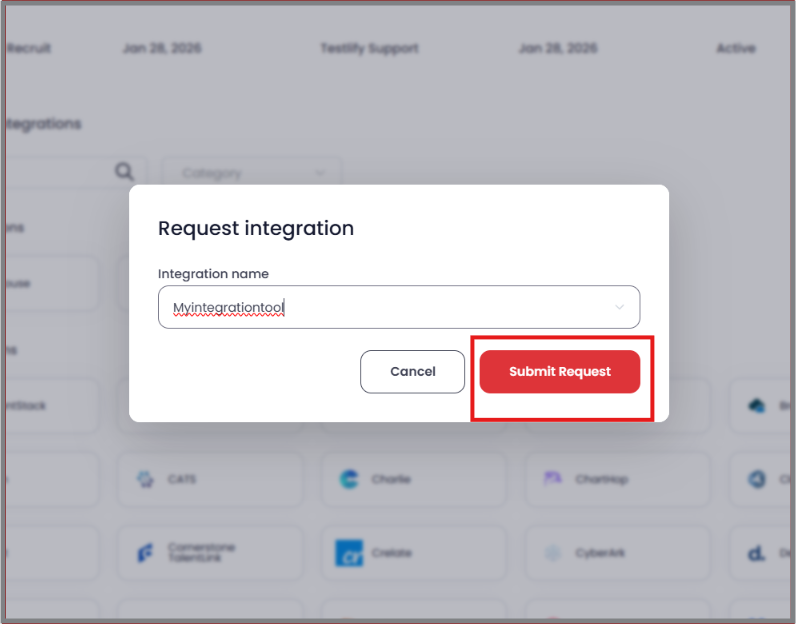
If the integration you need is not currently supported, you can submit a request for it directly from the Integrations page.
Need Help?
If you have questions about existing integrations, need assistance connecting an integration, or would like an update on a submitted integration request, please contact our support team at support@testlify.com.