
Display Question-Level Marks for Negative Marking Assessments
Introduction
In assessments that use negative marking, candidates may need to weigh the risk of answering a question incorrectly against the potential reward. By default, question-level marks are not displayed during the assessment, and candidates only see the negative marking policy in the assessment instructions.
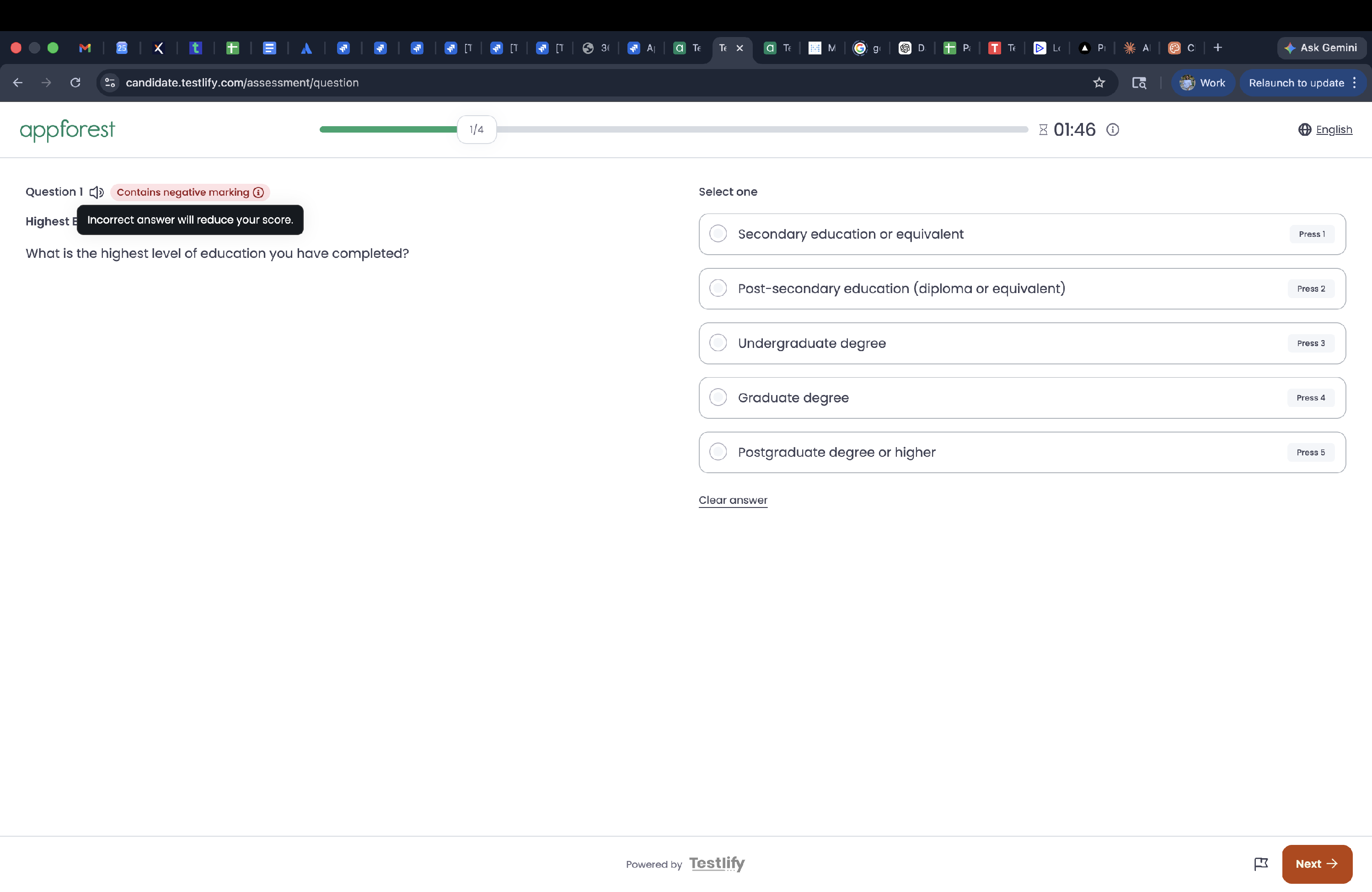
You can enable the Show negative marking indicator setting to provide additional visibility during the test.
Steps
- Open the assessment`s seeting you want to configure.
-
Navigate to the Configuration tab.
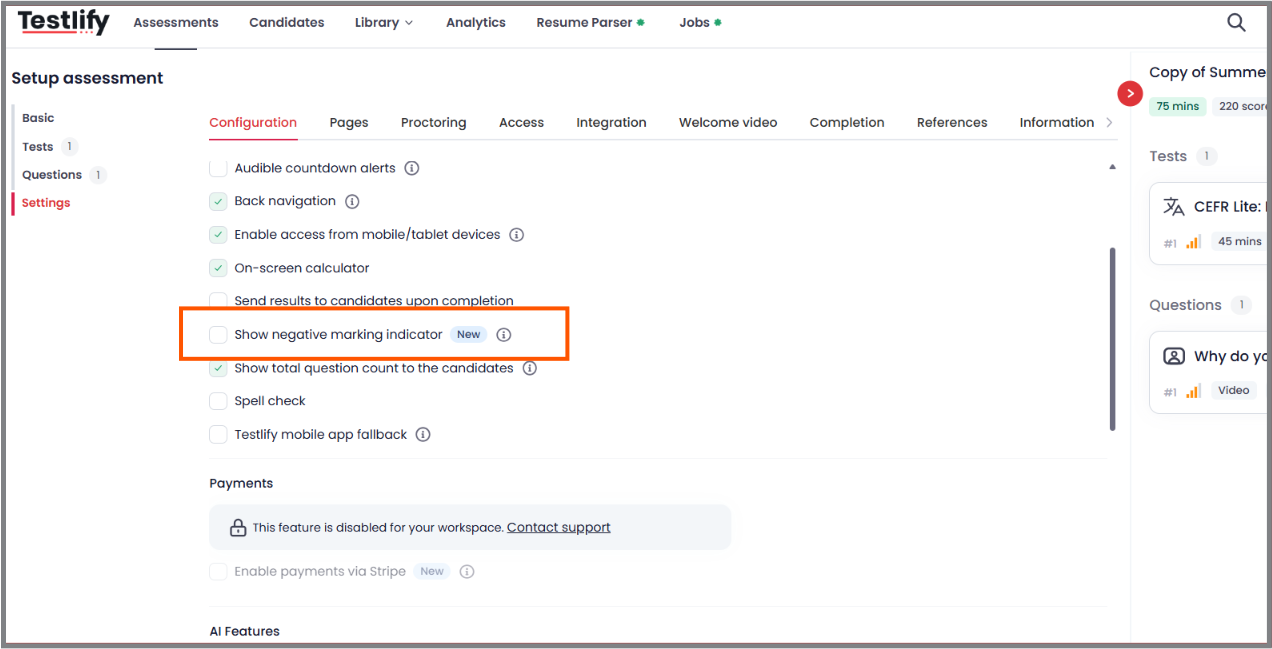
- Enable Show negative marking indicator.
- Save your changes.
Conclusion
The Show negative marking indicator setting helps provide candidates with greater visibility into negative marking during an assessment, allowing them to make more informed decisions when answering questions.
Summary
- Question-level marks are not displayed to candidates by default.
- The negative marking policy is shown in the assessment instructions before the test begins.
- Enable Show negative marking indicator from the Configuration tab to display negative marking information during the assessment.