Shareable Cultural Fit Reports
Overview
The Shareable Cultural Fit Report feature allows you to securely share Cultural Fit insights with stakeholders through a dedicated public link. Recipients can view the complete Cultural Fit report without requiring access to your Testlify workspace.
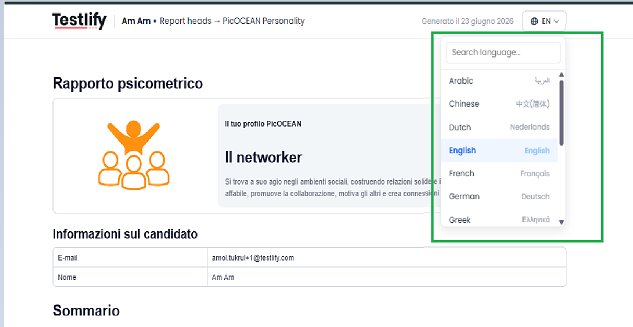
In addition, the report supports multiple languages and allows users to download the report in their preferred language.
Accessing a Shareable Cultural Fit Report
You can access Cultural Fit reports using a shareable link.
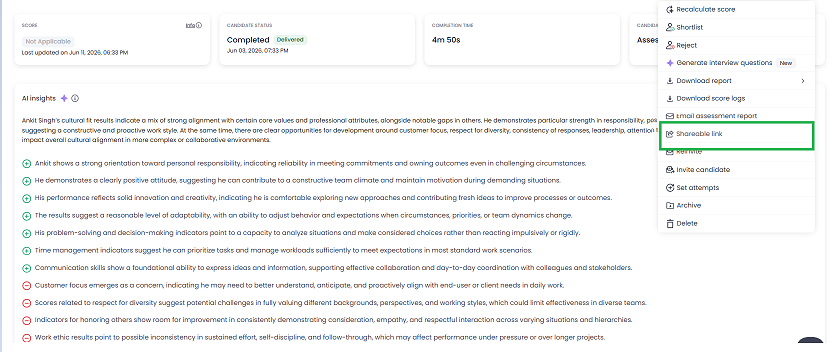
Choose Expiry of This Link and Copy the Shareable Link
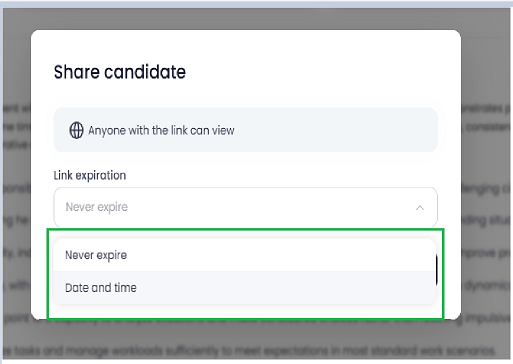
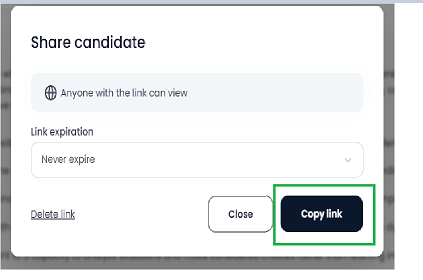
- Paste the copied shareable link into your browser's address bar and press Enter.
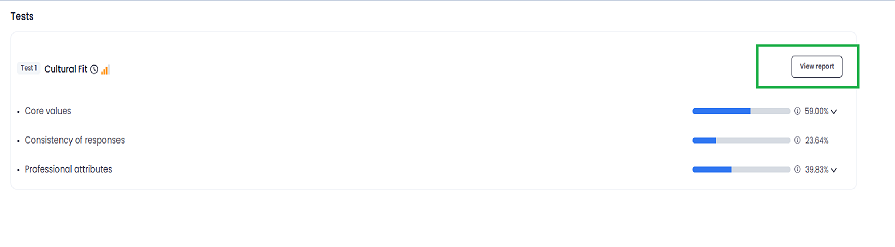
- Once the link opens, click on View Report to access the complete Cultural Fit Report.
- Open the Cultural Fit Report and look at the top-right corner. There you will find a tab to switch the language.
- Use that tab to change the report language as needed.