
References Tab in Assessment Settings (Candidate background check)
Overview
Reference checks let you collect references from candidates and send each referee a short questionnaire, all inside the assessment workflow. You set this up in two parts:
- Create a reference check assessment. This is the questionnaire referees answer.
- Turn on reference collection in the candidate assessment and link the reference check assessment to it.
Part 1: Create a reference check assessment
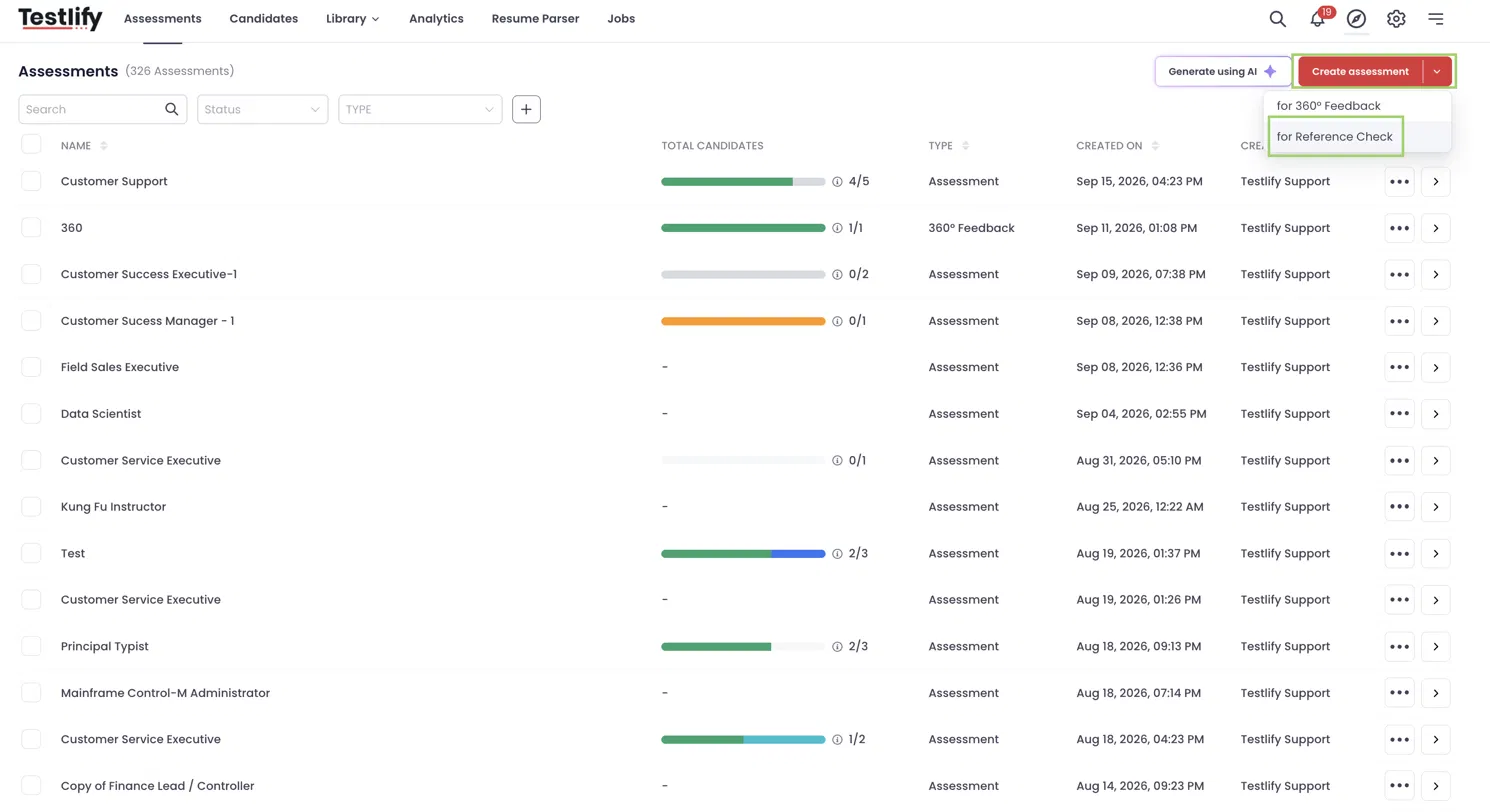
- Go to Assessments.
- Click the dropdown arrow next to Create assessment and select Reference Check.
- Add the questions you want referees to answer, then save. From this page, you can also invite referees manually by entering their details along with the candidate's name, email, and relation, or use Bulk invite.
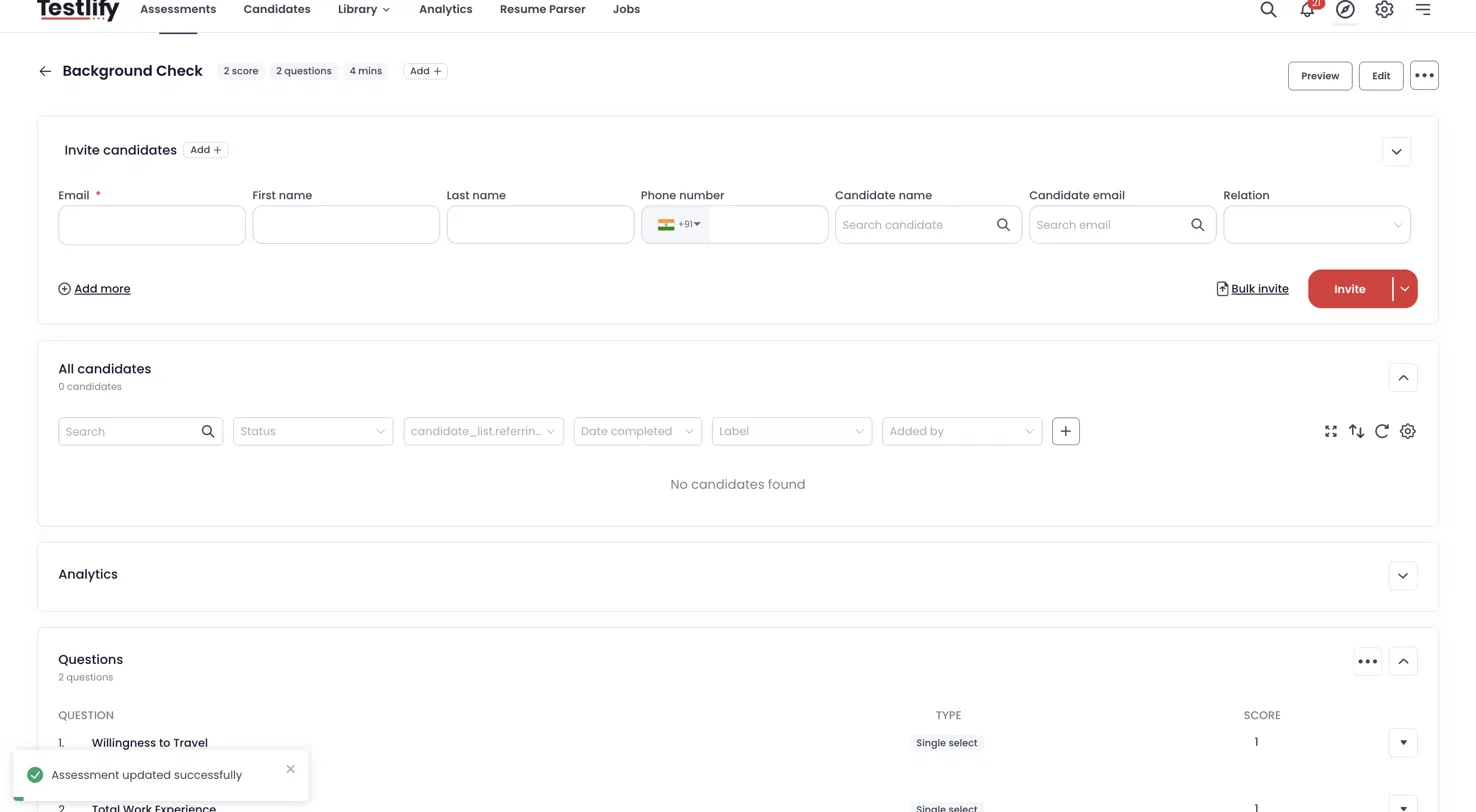
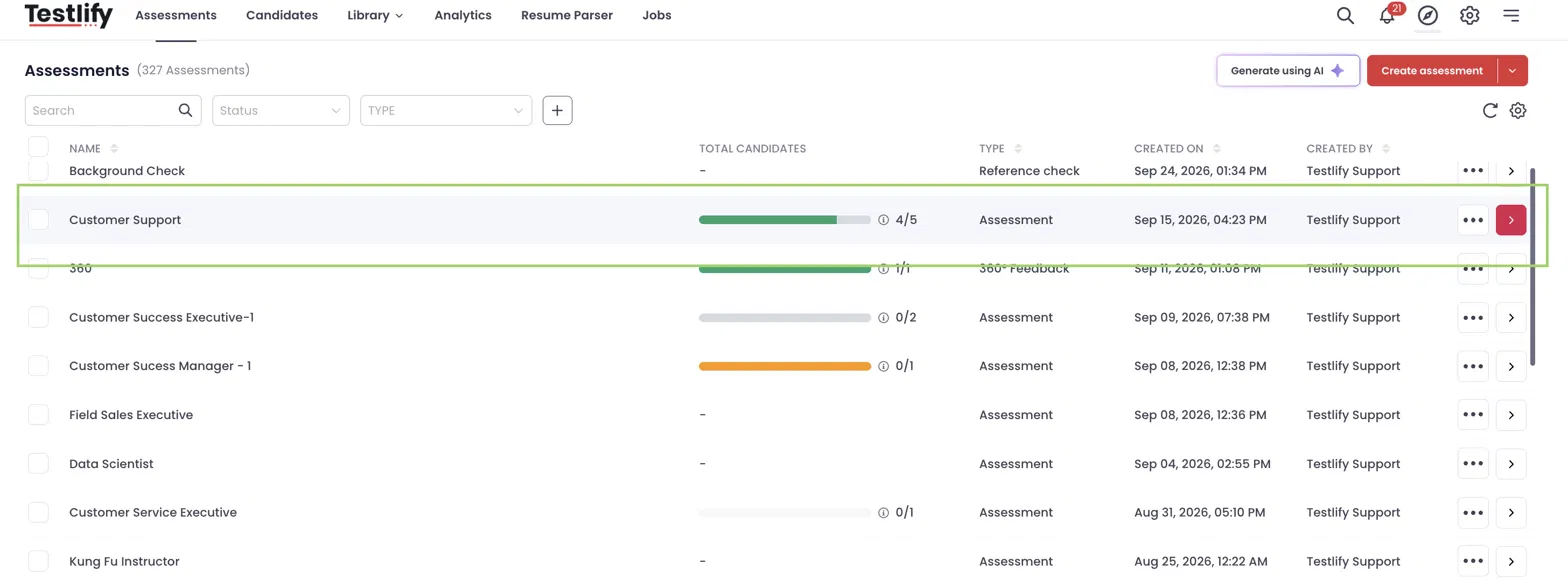
The new assessment appears in your assessment list with the type Reference check.
Part 2: Set up reference collection in the candidate assessment
Step 1: Open the References tab
- Open the candidate assessment you want to collect references for.
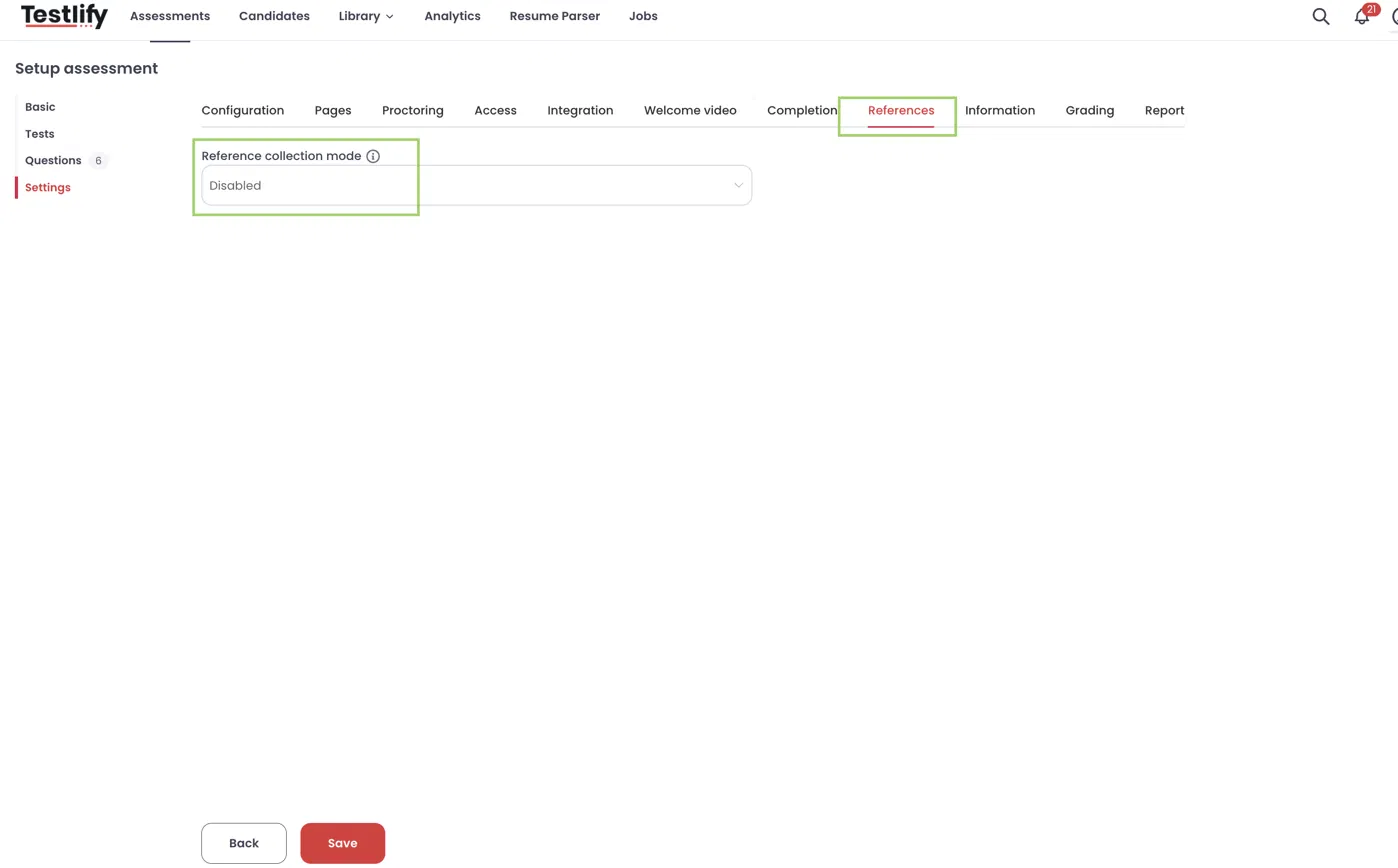
- Go to Settings → References. The tab appears after the Completion tab. Reference collection mode is set to Disabled by default.
Step 2: Choose a reference collection mode
Select when candidates are asked for references.
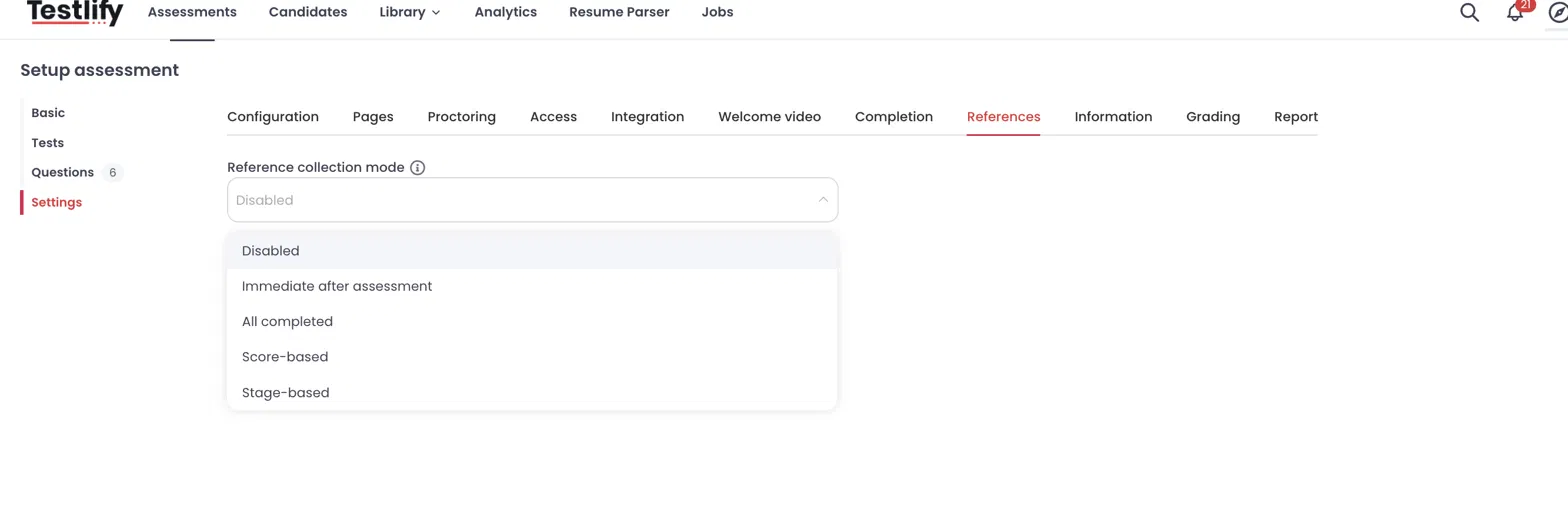
| Mode | When candidates are asked | Configuration fields |
|---|---|---|
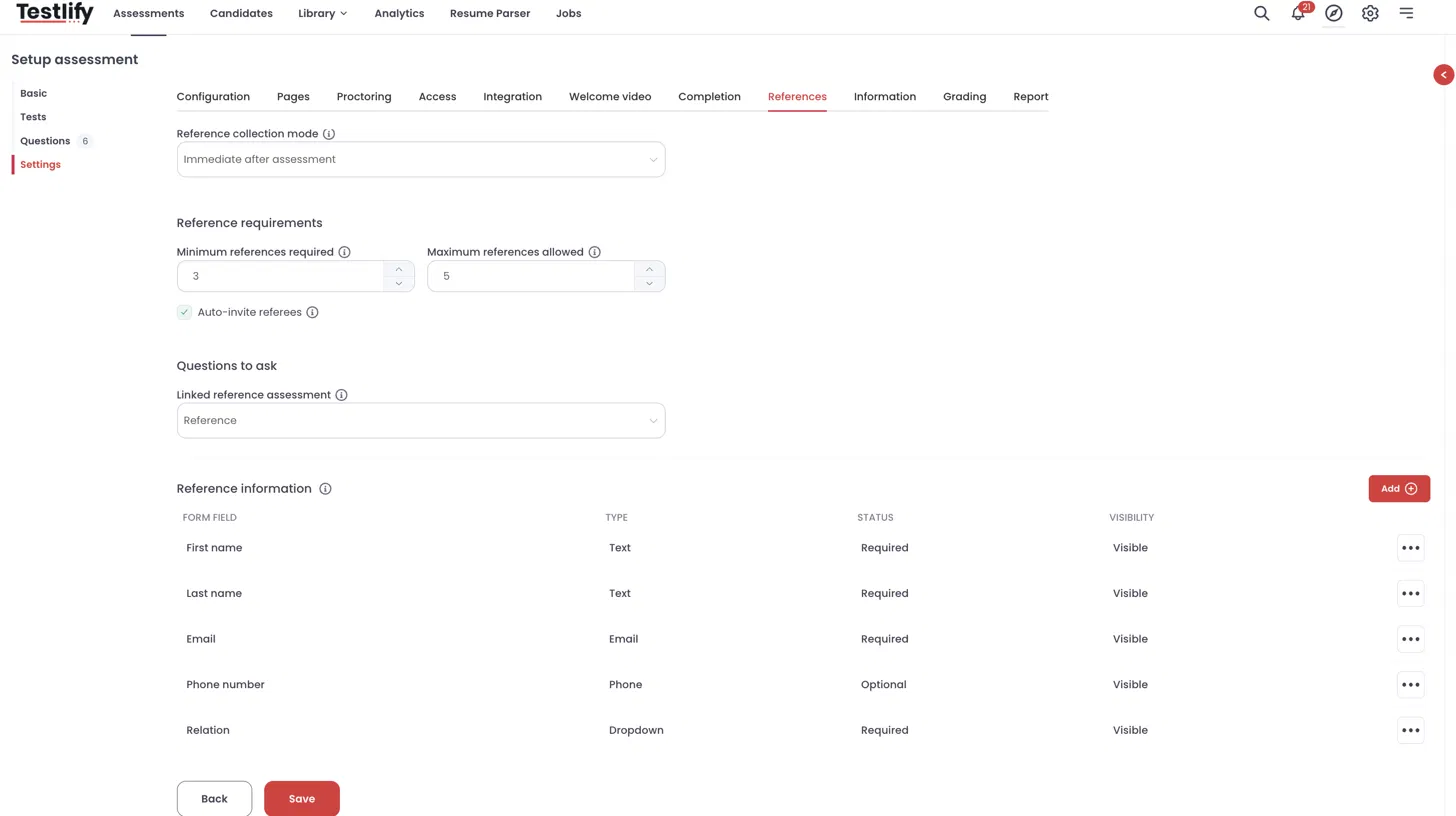
| Immediate after assessment | Right after they finish the assessment, before the feedback screen. No email is sent to the candidate. | Reference requirements, Auto-invite referees |
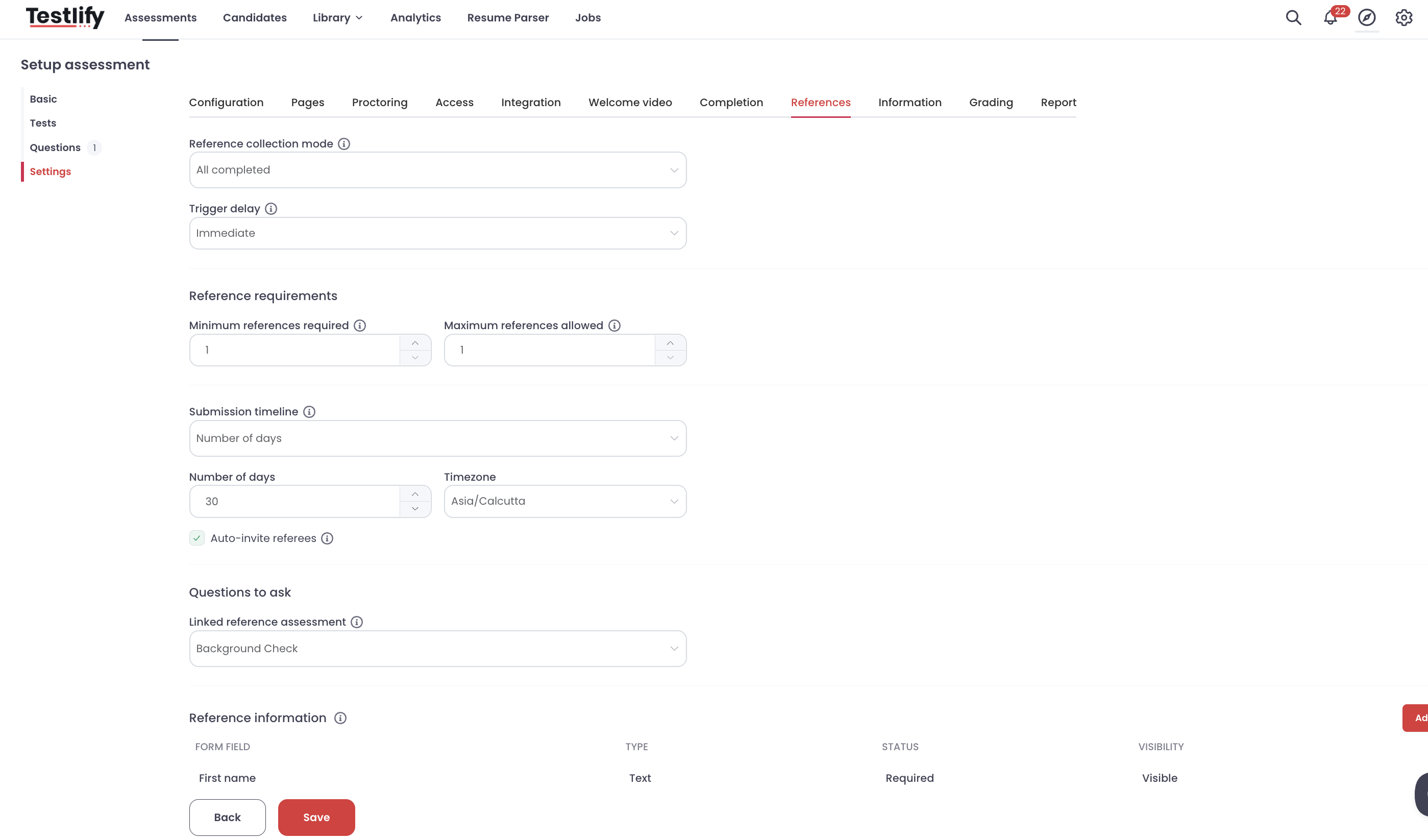
| All completed | Every candidate who completes the assessment, with no score or stage condition. | Trigger delay, Reference requirements, Submission timeline, Auto-invite referees |
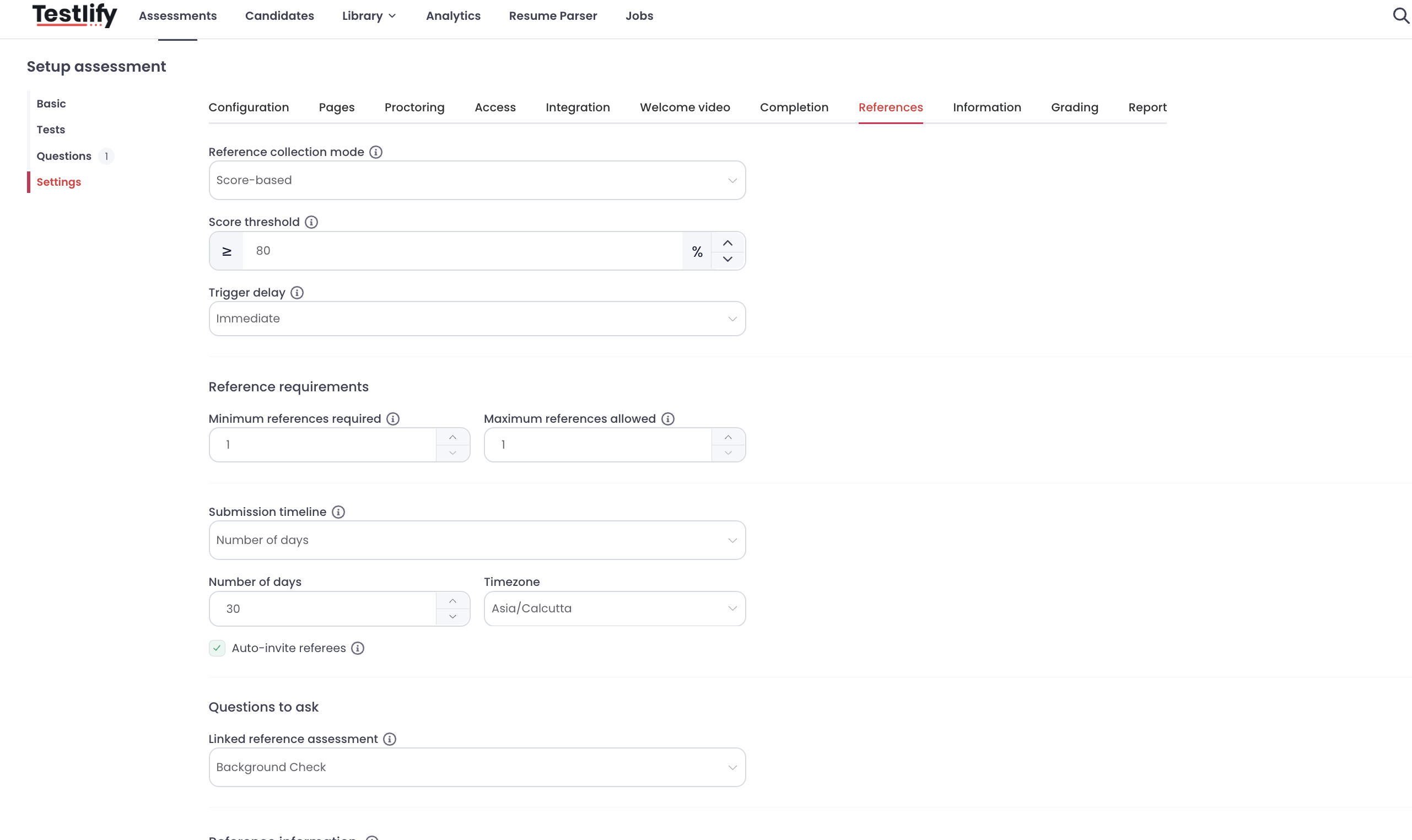
| Score-based | Only candidates who meet the score threshold (for example, 80% or higher). | Score threshold, Trigger delay, Reference requirements, Submission timeline, Auto-invite referees |
| Stage-based | When a candidate reaches the hiring stage you select (for example, Shortlisted). | Stage, Trigger delay, Reference requirements, Submission timeline, Auto-invite referees |
Immediate after assessment
All completed
Score-based
Stage-based
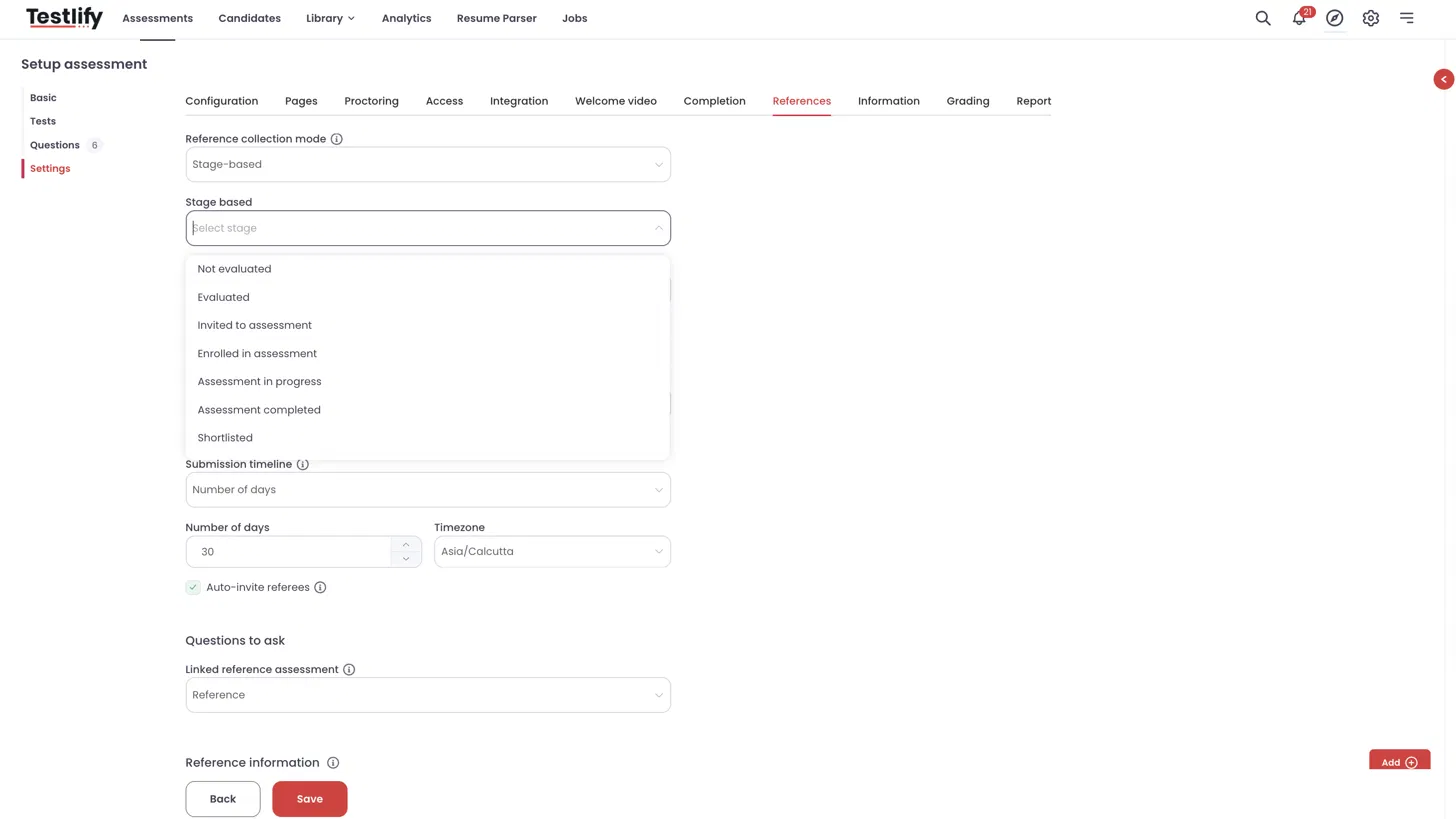
Step 3: Set the trigger delay
Trigger delay controls how long after the condition is met the candidate receives the reference request. It applies to All completed, Score-based, and Stage-based modes.
- Immediate: the request is sent as soon as the condition is met.
- Set by minutes, Set by hours, or Set by days: enter the delay period.
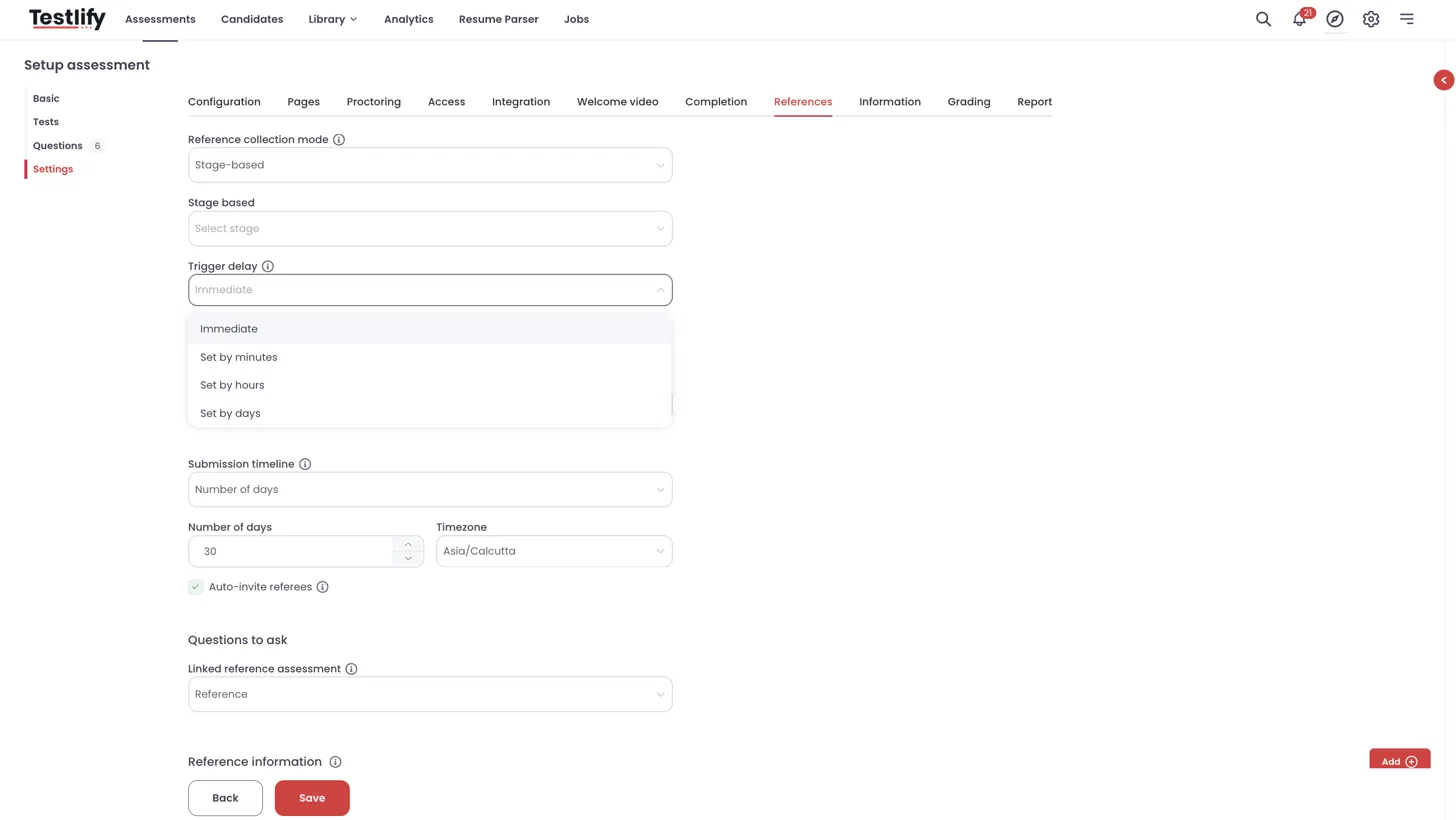
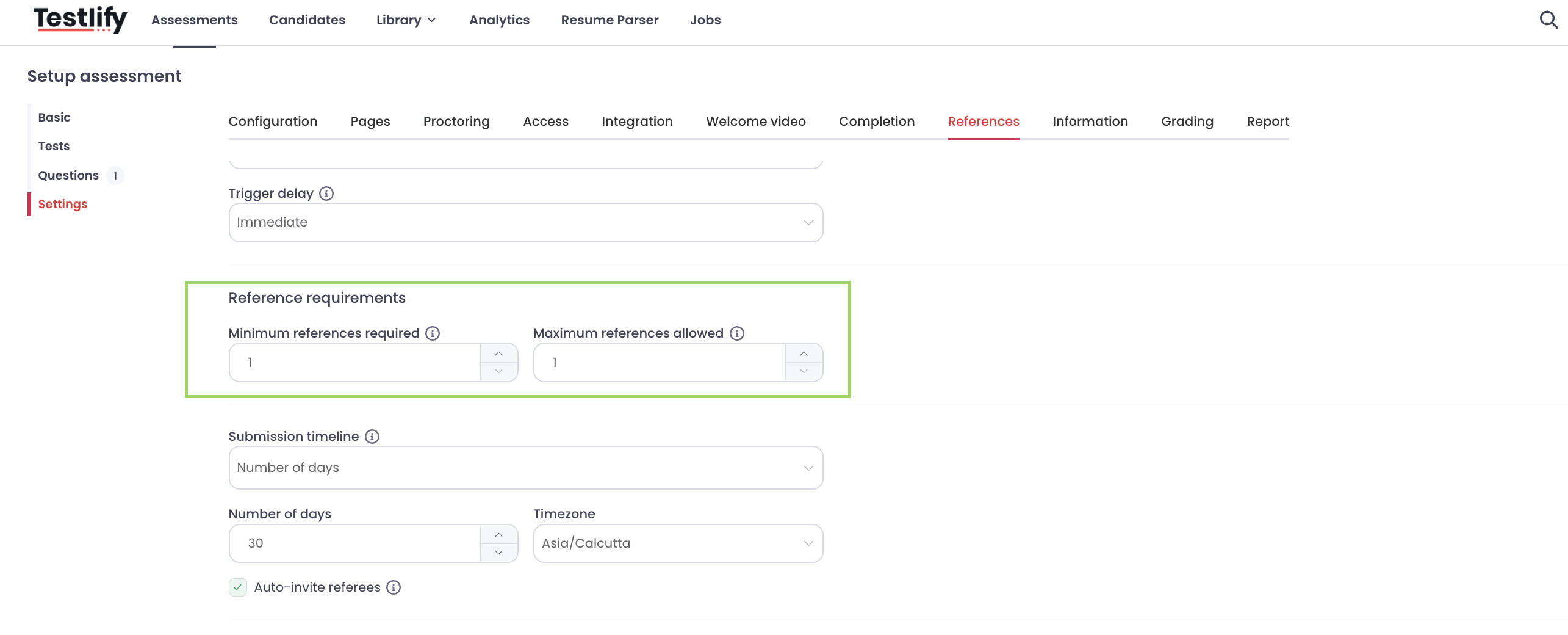
Step 4: Set reference requirements
- Minimum references required: the number of reference rows the candidate must fill in. These rows cannot be removed.
- Maximum references allowed: the most references a candidate can add.
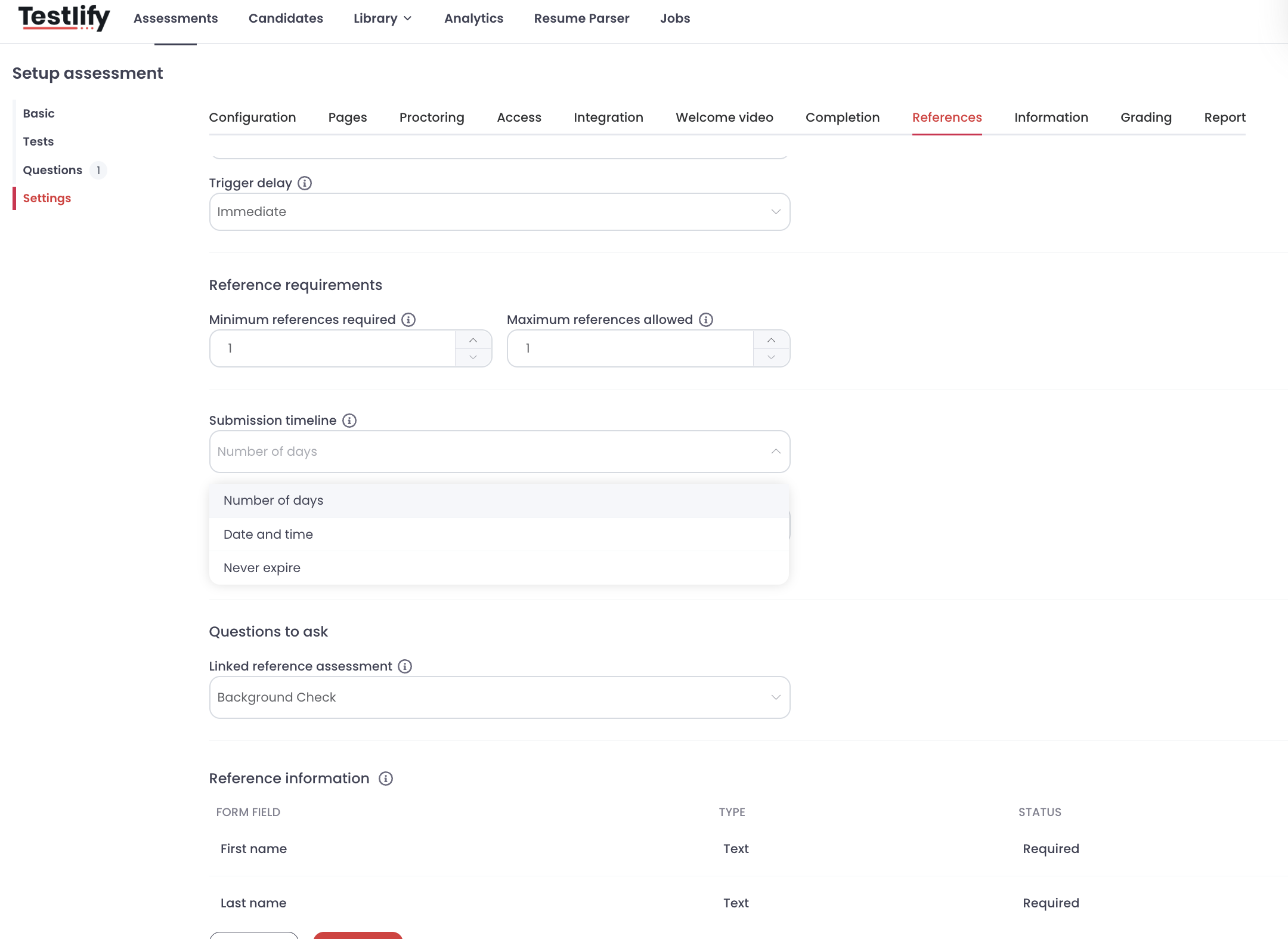
Step 5: Set the submission timeline
Choose when the reference request expires. This applies to All completed, Score-based, and Stage-based modes.
- Number of days: enter the number of days and select a time zone.
- Date & time: pick a date and select a time zone.
- Never expire: no expiry is set.
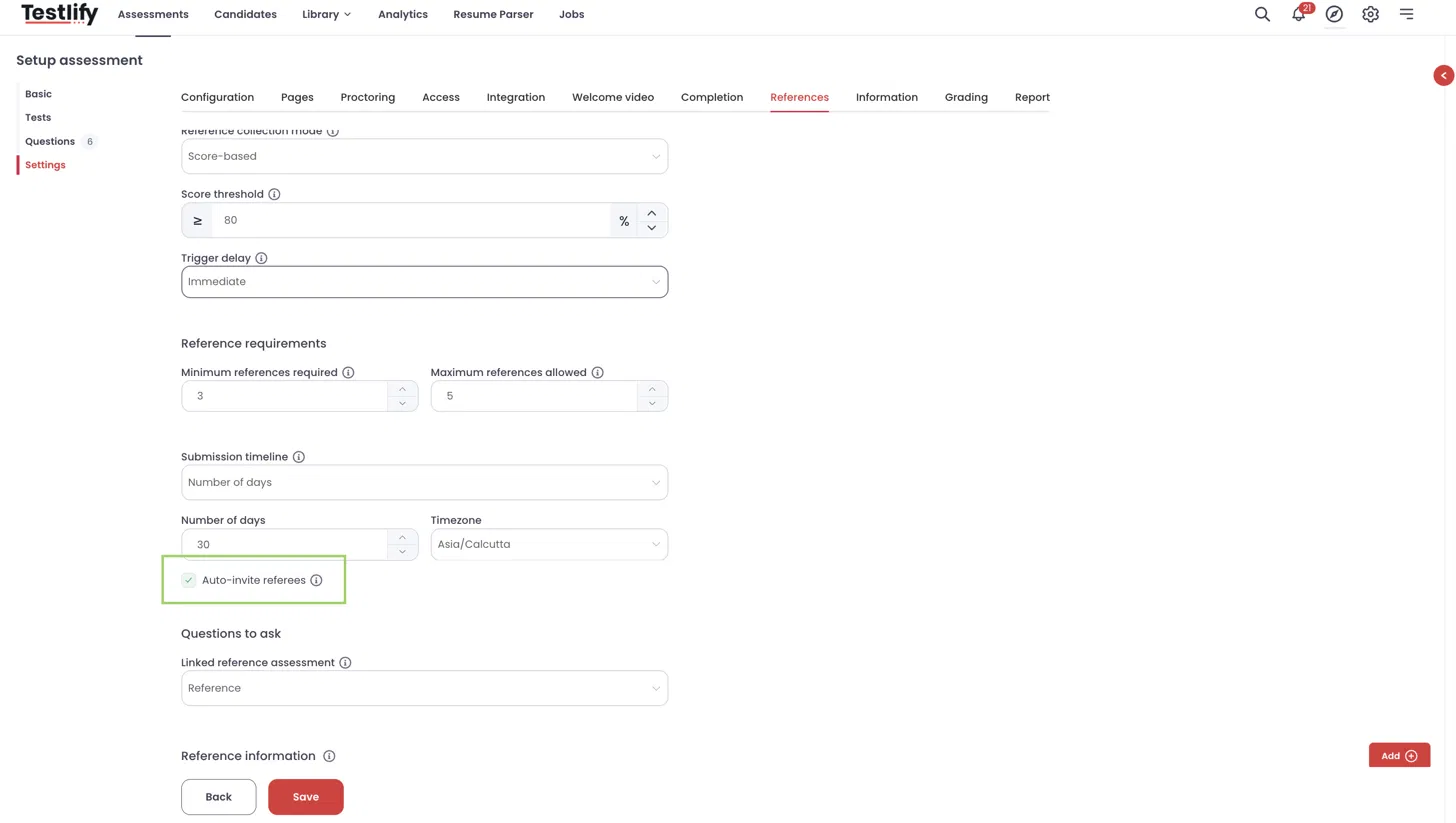
Step 6: Turn on auto-invite
Auto-invite referees is on by default. When it is on, referees are emailed automatically as soon as the candidate submits their references. When it is off, referees are not emailed automatically.
Step 7: Link the reference check assessment
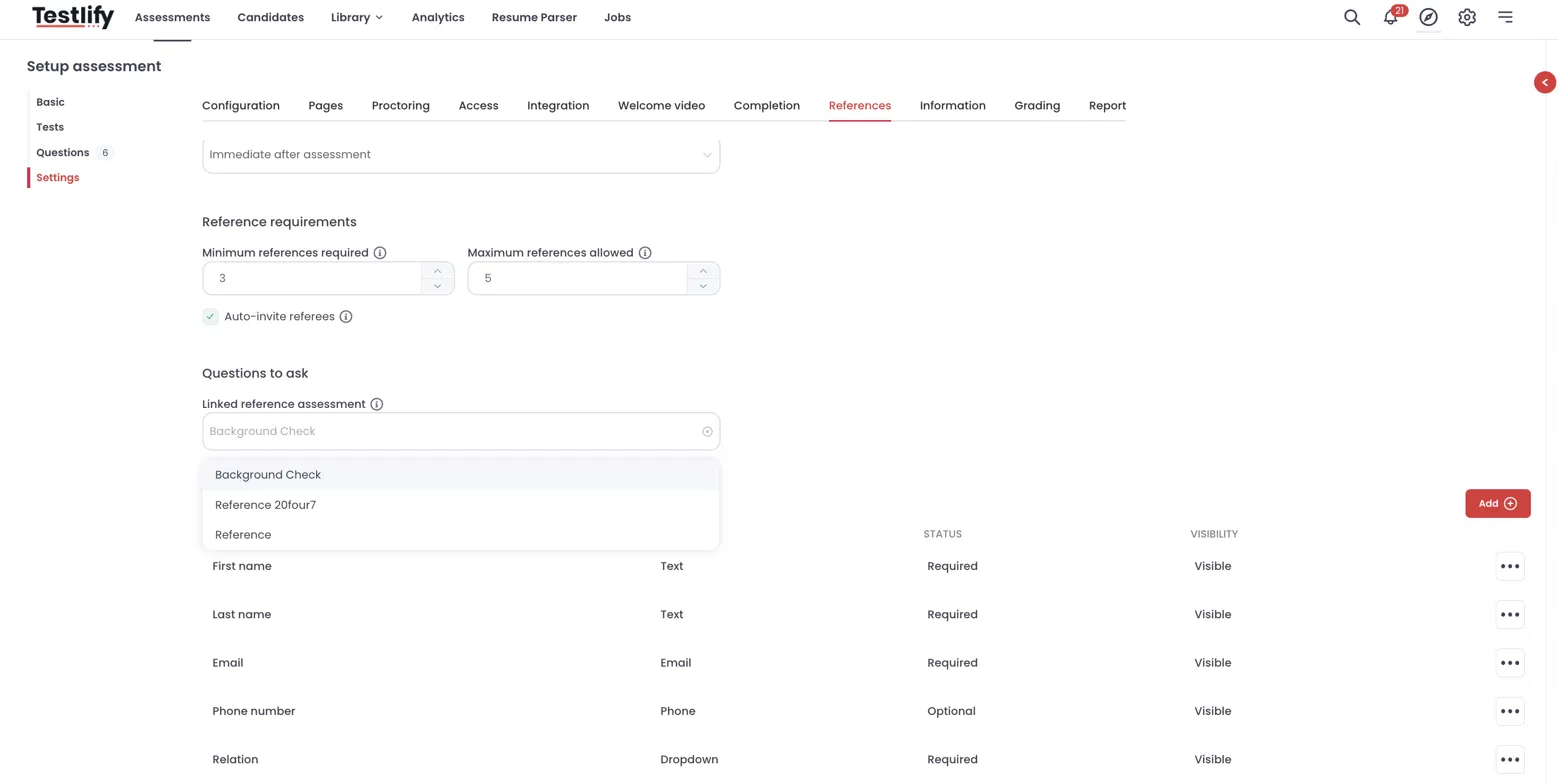
Under Questions to ask, select the reference check assessment you created in Part 1 from the Linked reference assessment dropdown. This list includes only reference check assessments. Referees are assigned this assessment automatically.
Step 8: Configure reference information fields
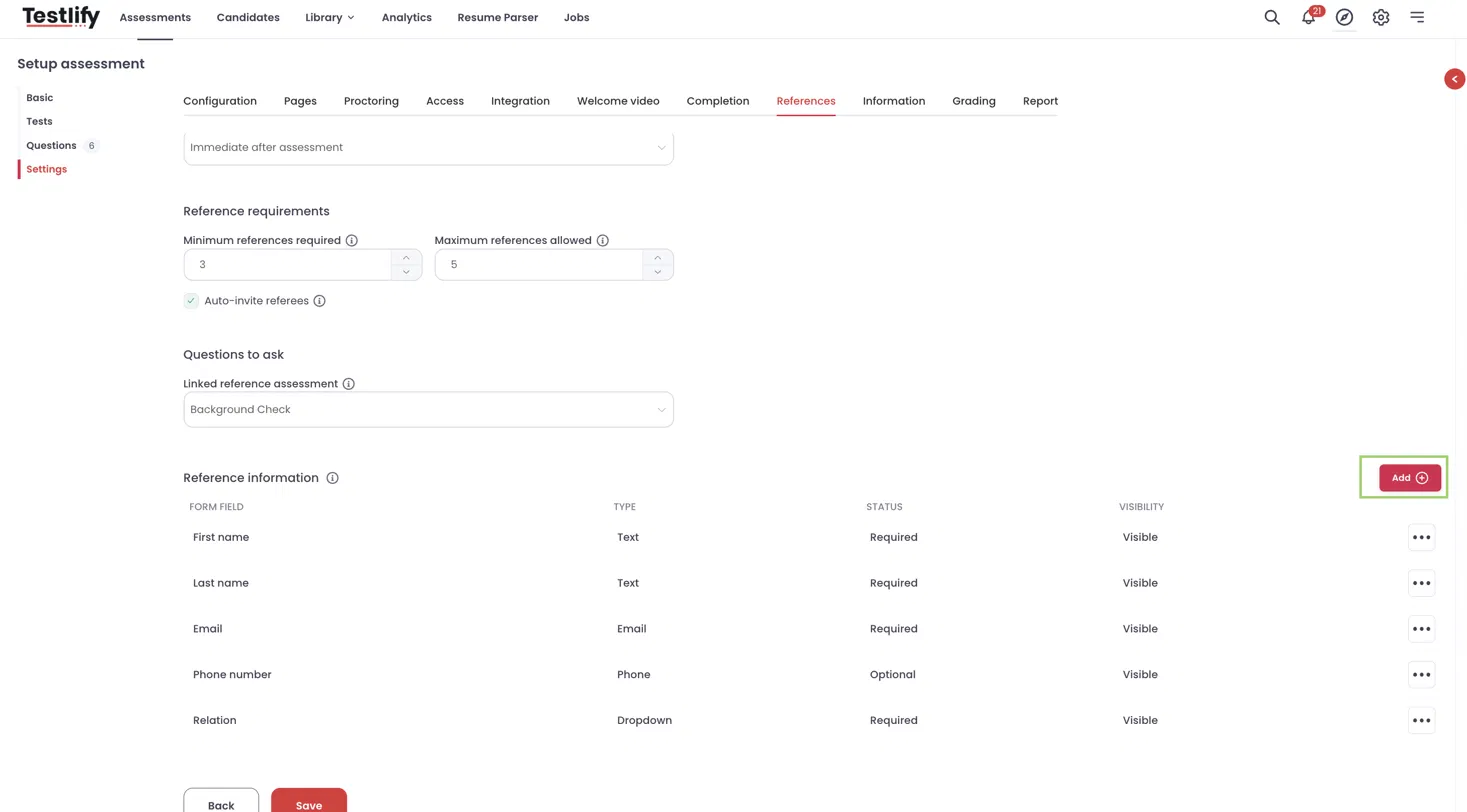
Choose what details candidates provide about each referee. The default fields are:
- First name, Last name, and Email (required)
- Phone number (optional)
- Relation (required): Manager, Direct Report, Colleague, Client, Business Partner, Academic, or Other (Professional)
To collect more details, click Add to create a custom field. The field key is generated from the label you enter, in lowercase. For example, a field labelled Location gets the key location. Required default fields cannot be deleted.
Click Save to apply your settings.
Candidate experience
When the reference request is triggered, the candidate sees the Provide reference details form. It shows one row per minimum reference required. The candidate can click Add reference to add more, up to the maximum allowed, then click Submit references.
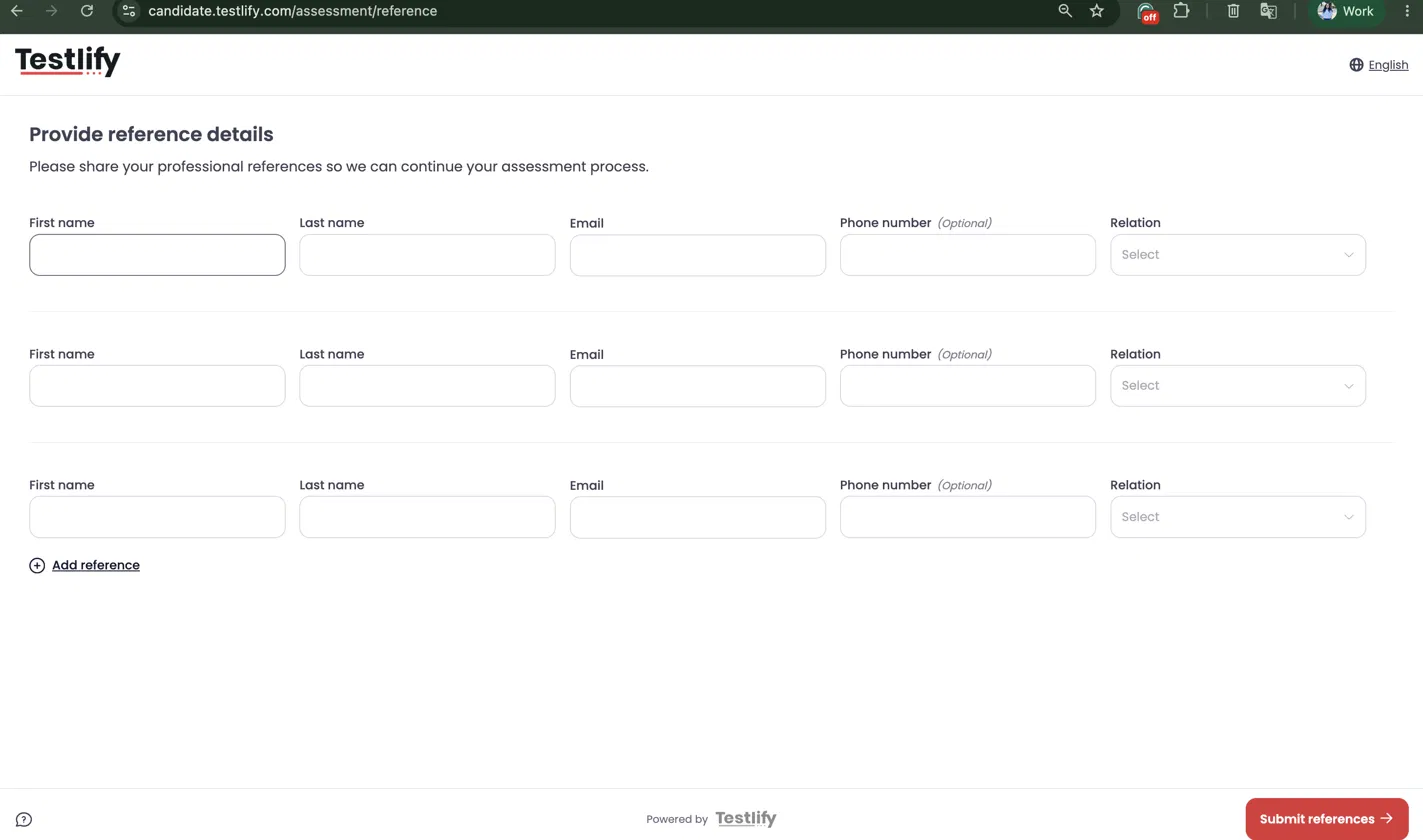
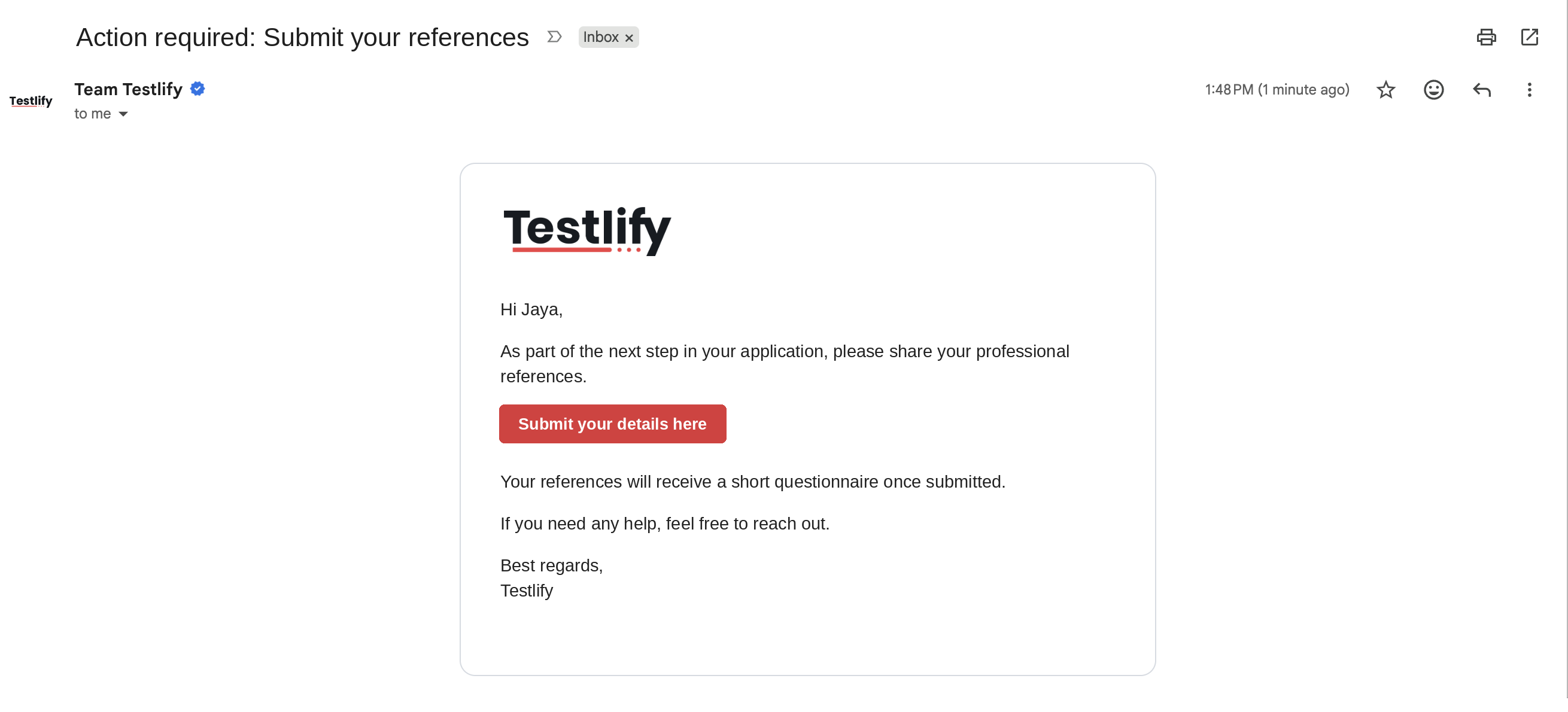
For all completed, Score-based, and Stage-based modes, the candidate receives an email with the subject Action required: Submit your references and a link to this form.
Referee experience
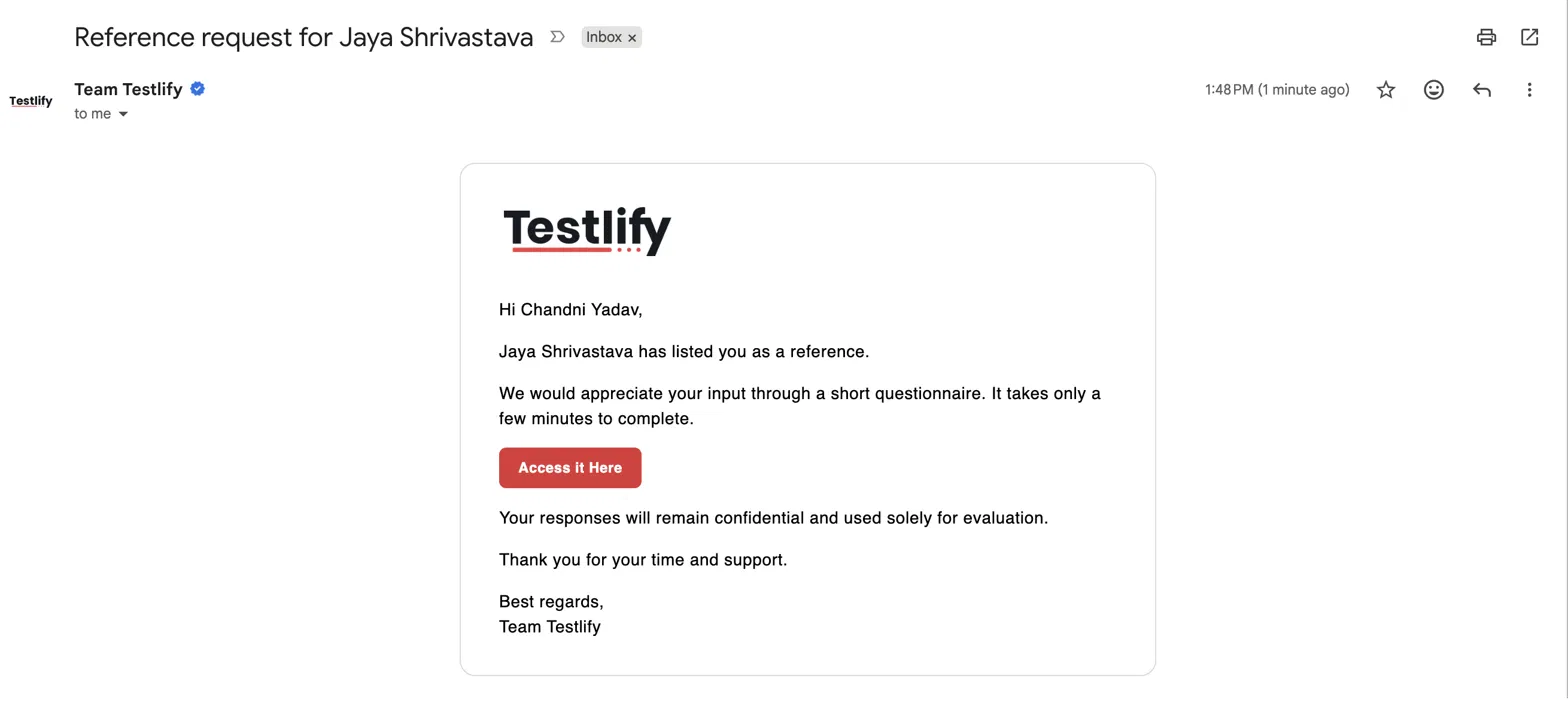
- Email: each referee receives an email. For example, if Jaya Shrivastava lists Chandni Yadav as a reference, Chandni receives:
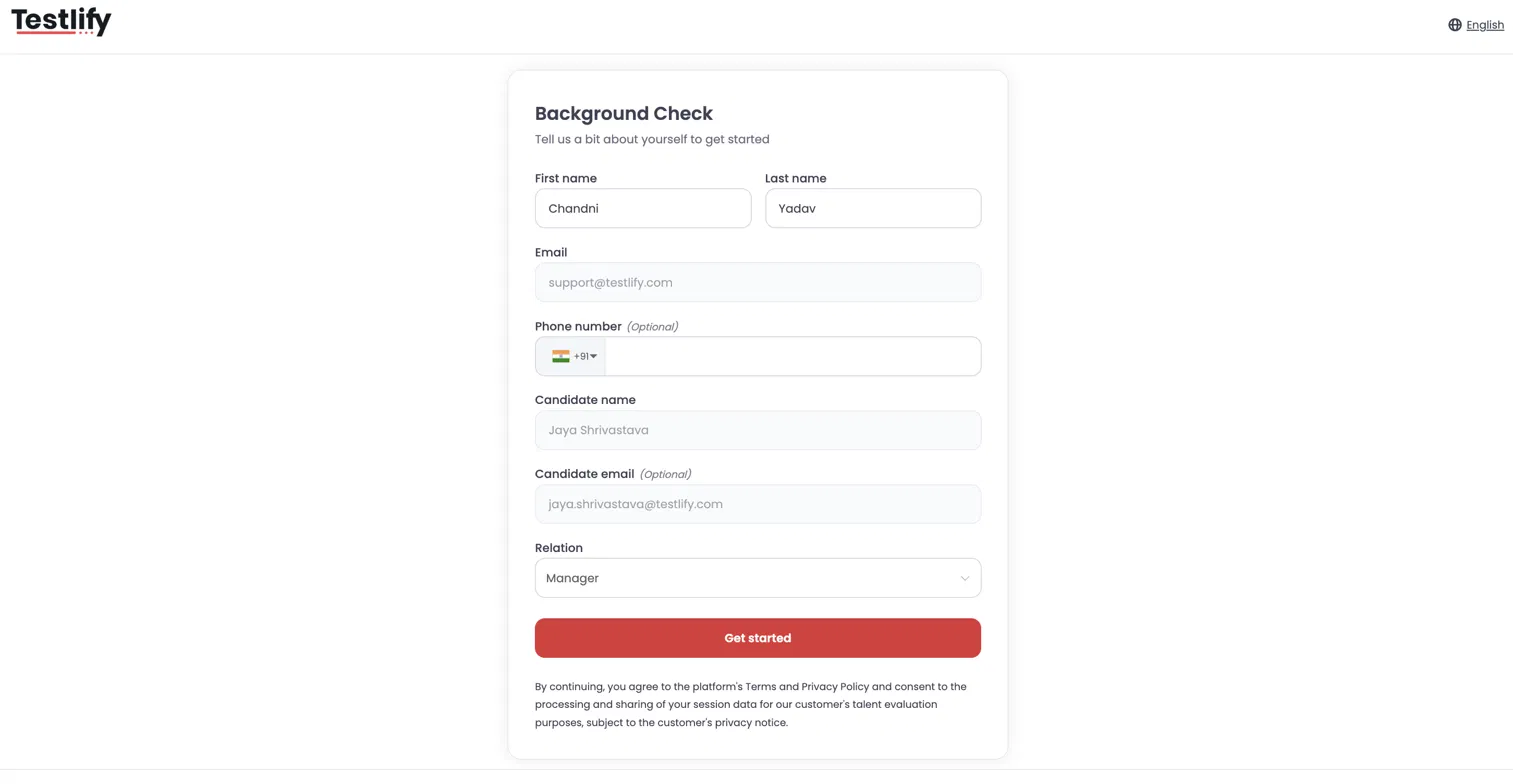
- Details page: the referee clicks Access it Here and sees their details pre-filled from what the candidate entered. Email and candidate name are locked. The referee confirms the details and clicks Get started.
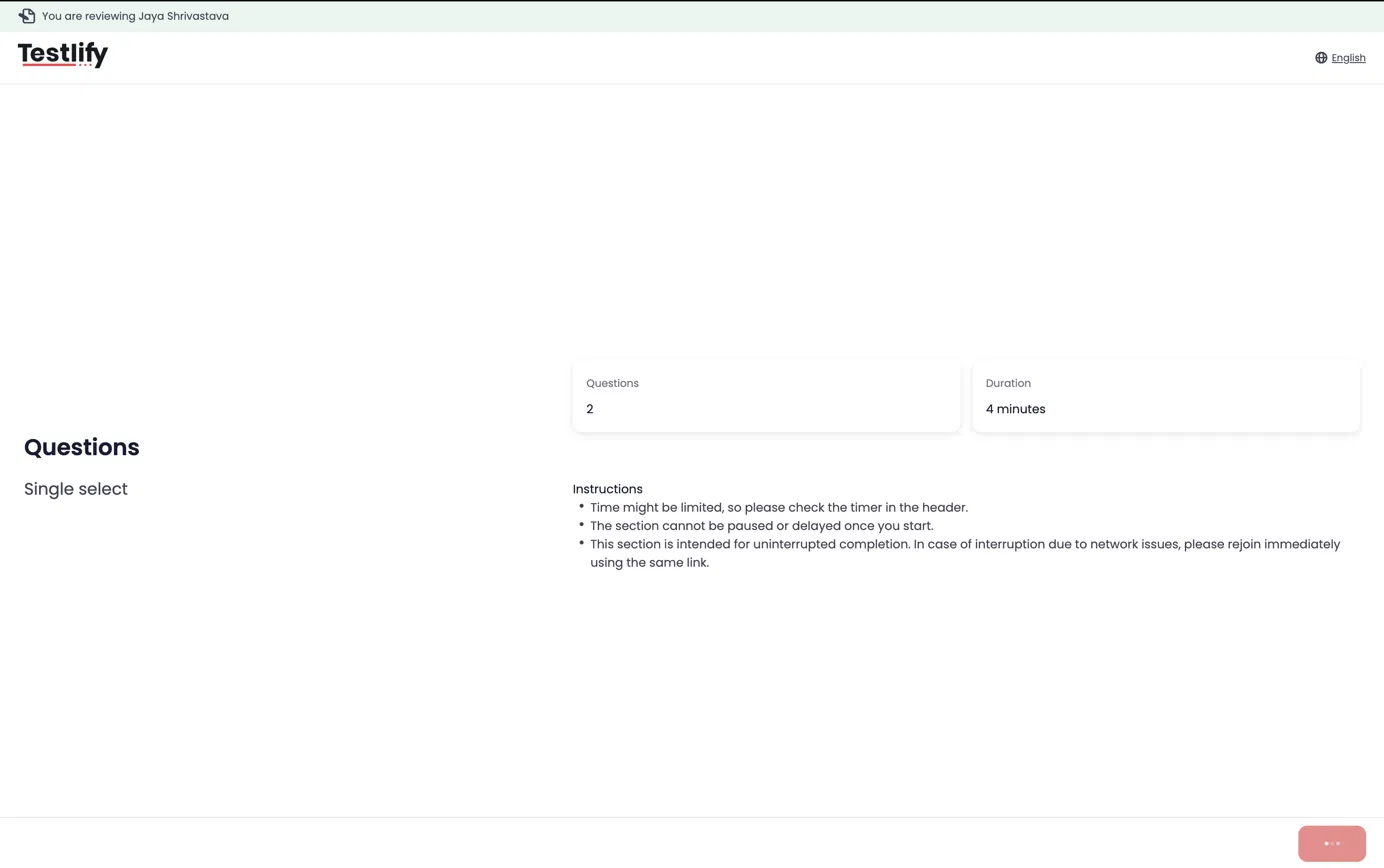
- Questionnaire: the referee answers the questions from the linked reference check assessment. A banner at the top shows which candidate they are reviewing.
Track references on the Candidate Detail Page
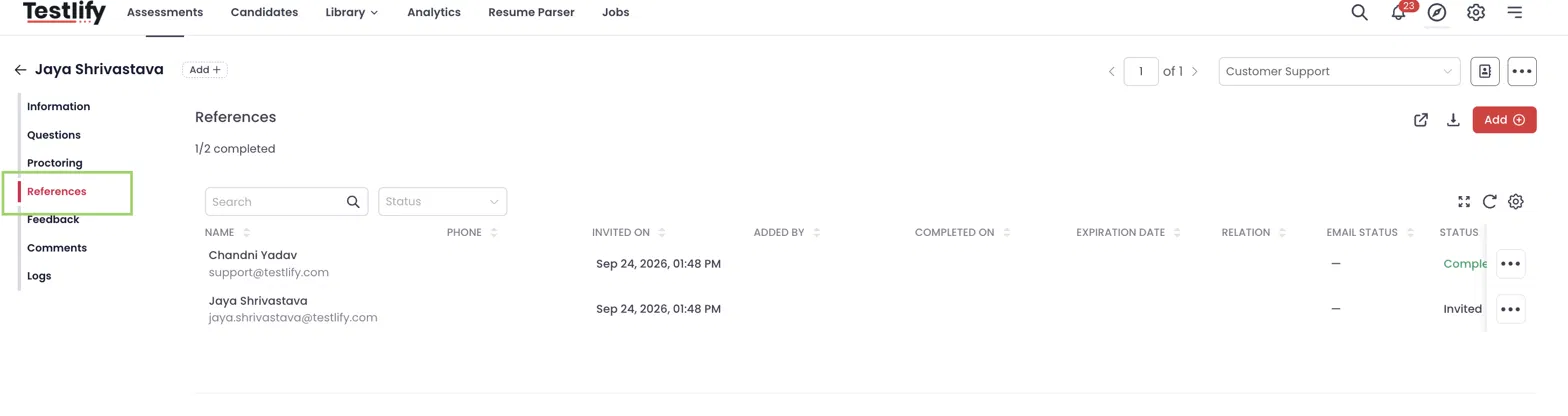
Open a candidate and select the References tab to see:
- Completion status, for example 1/2 completed
- Each referee's invite date, who added them (candidate or employee), completion date, expiration date, relation, email status, and status
From here you can open the linked assessment, download the reference report, or click Add to add a reference manually.
Credit usage
Reference checks consume credits separately from the candidate's assessment credit.
-
1 credit is consumed when a referee enrolls for the reference check assessment.
Credits are based on the number of referees who actually enroll, not the maximum number of references allowed. For example, if the maximum is 5 and only 3 referees enroll, 3 credits are used.
FAQs
Can a candidate submit fewer references than the minimum?
No. The form shows one row per minimum reference required, and these rows cannot be removed.
Can I add a reference for a candidate myself?
Yes. Open the candidate, go to the References tab, and click Add. You can also invite referees directly from the reference check assessment page.
Can I share a public link to a reference check assessment?
No. Public invite links are not available for reference check assessments. Referees are invited by email only.
A referee did not receive the email. What should I check?
Check the Email status column in the candidate's References tab, and confirm Auto-invite referees is turned on in Settings → References.
When does a reference request expire?
It follows the submission timeline you set: a number of days, a specific date and time, or never.
Can I invite referees in bulk?
Yes. Use Bulk invite on the reference check assessment page. The CSV maps each referee to their candidate.