
Set Shareable Link Expiry for Candidates
Introduction
The Set Shareable Link Expiry feature allows you to manage expiration dates for candidate shareable links, helping improve data security and access control.
This is especially useful for organizations that prefer to export assessment results rather than provide ongoing direct access to the platform.
You can configure shareable link expiry in two ways:
- For specific candidates only — through the Assessment Display Page
- For all candidates at once — through the Assessment Settings
Follow the steps below based on your preferred method.
Method 1: Set Shareable Link Expiry for Specific Candidates
Use this option when you want to update the expiry date for selected candidates only.
Step 1: Open the Assessment Display Page
Navigate to the assessment where you want to manage shareable link expiry.
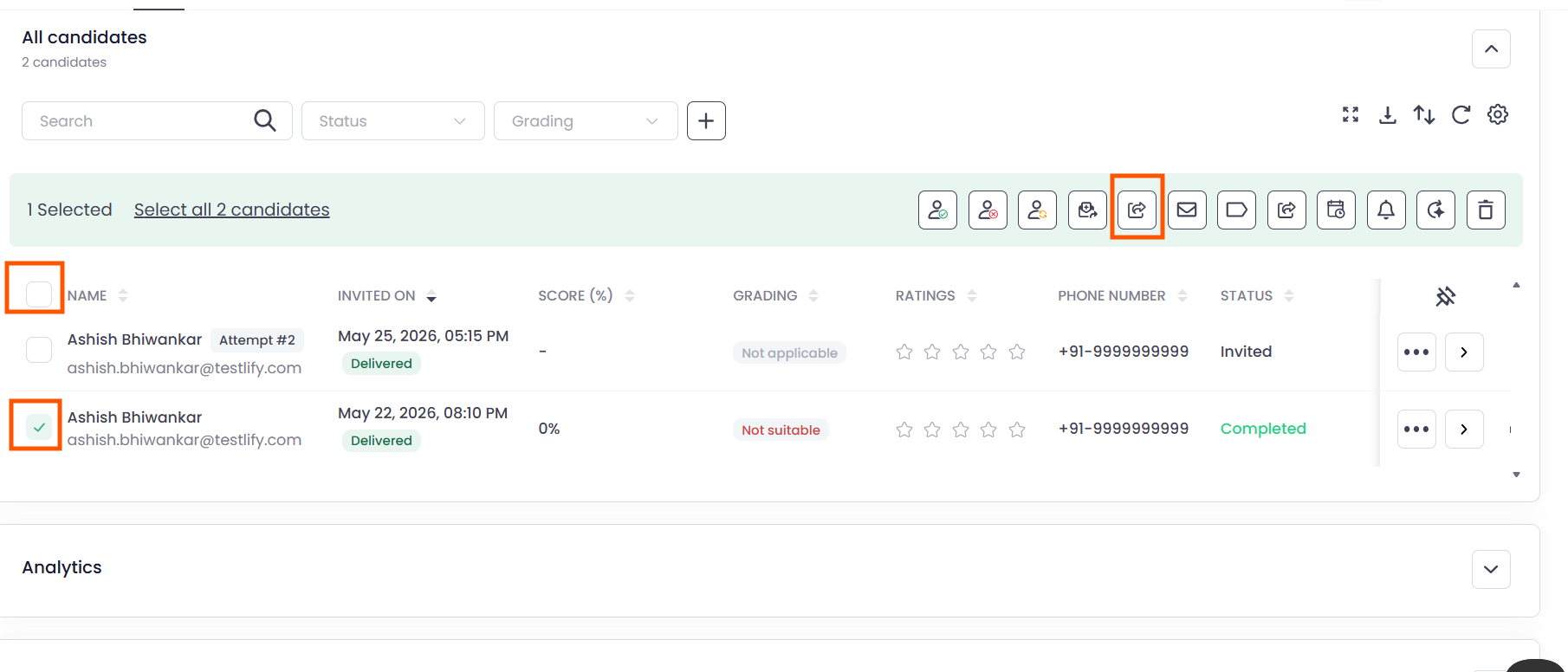
Step 2: Select Candidate(s)
- Choose the candidate(s) whose shareable link expiry you want to modify.
-
Click Set Shareable Link Expiry.
Step 3: Configure Expiry Settings
You can choose one of the following options:
Option 1: Never Expire
Select Never Expire if you want the shareable link to remain active permanently.

Option 2: Expires At
To set a custom expiry date:
- Select Expires At
- Choose the preferred expiry date
- Select the desired time
- Choose the appropriate timezone
Once configured, click Save to apply the changes.

Method 2: Set Shareable Link Expiry for All Candidates
Use this option when you want to apply the same expiry settings to all candidates in the assessment.
Step 1: Open Assessment Settings
- Go to the assessment where you want to configure shareable link expiration.
- Click Settings.
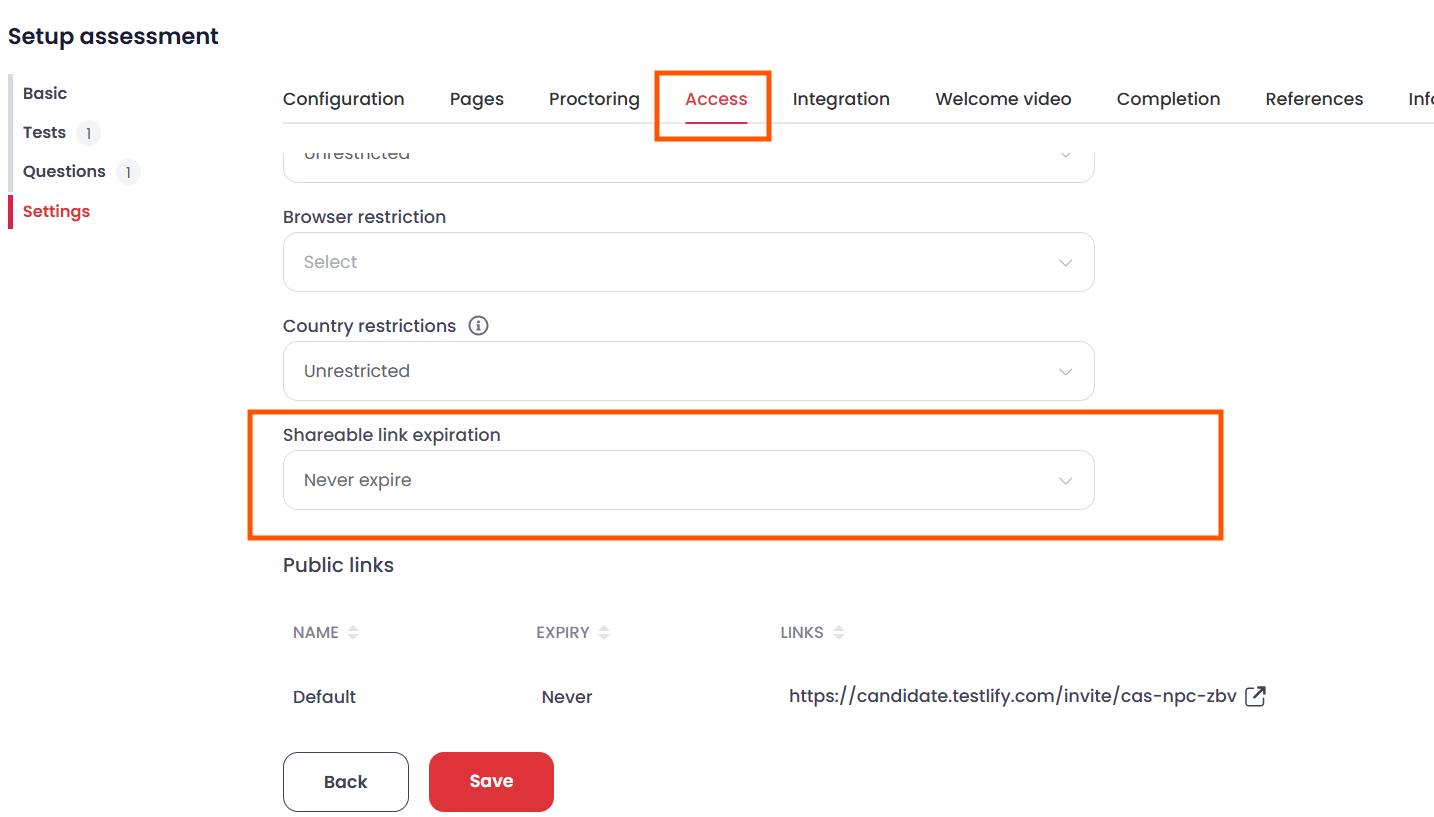
Step 2: Navigate to the Access Tab
- Open the Access tab within the assessment settings.
-
Scroll down to locate Shareable Link Expiration.
Step 3: Set Expiry Details
Configure the following:
- Select your preferred expiry date
- Choose the desired time
- Select the appropriate timezone

After completing the setup, click Save to apply the changes for all candidates.
Conclusion:
The Set Shareable Link Expiry feature helps you efficiently control candidate access to shared assessment results while supporting stronger security and compliance requirements.
Depending on your needs, you can either:
- Update expiry settings for specific candidates individually, or
- Apply the same expiry settings in bulk for all candidates.