
How to Cancel Your Testlify Subscription
We’re sorry to see you go! If you need to cancel your Testlify subscription, you can do so directly from your workspace settings. Please follow the step-by-step guide below.
Canceling your subscription will stop any future billing cycles. However, it is very important to understand that cancellation results in permanent data loss.
Once your subscription is canceled and the 24–48 hour processing window is complete:
- You will lose access to all data link assessments you created.
- You will lose access to all candidate data.
- You will lose access to all company tests you created.
- You will no longer be able to view your hiring history.
- You will lose access to candidate evaluations and notes.
- You will lose all saved workflows and templates.
-
Any unused credits will be forfeited and cannot be refunded or transferred.
Please note:
- Cancellation is irreversible for the current billing cycle.
- No refunds are issued for partial months, unused time, or unused credits.
- If you wish to keep any data, please export or save it before canceling your subscription.
Step-by-Step Cancellation Guide
Follow these steps carefully to cancel your subscription:
Step 1: Log in to Your Workspace
Go to app.testlify.com and log in using your registered email address and the OTP (One-Time Password) sent to your inbox.
Step 2: Open the Menu
Once logged in, look at the top right corner of your screen. Click on the three small horizontal lines (☰) to open the navigation menu.

Step 3: Access Billing Settings
From the dropdown menu that appears, select Billing.

Step 4: Find the Cancel Option
On the Billing page, you will find an option that says Cancel Subscription. Click on it.

Step 5: Follow Instructions & Confirm
- You will be asked to provide a reason for cancellation (optional but appreciated).
- A warning message will appear reminding you about permanent data loss (assessments, candidate data, tests, hiring history, evaluations, notes, workflows, templates, and unused credits).
- Read all instructions carefully.
-
Click Confirm Cancellation to finalize your request.
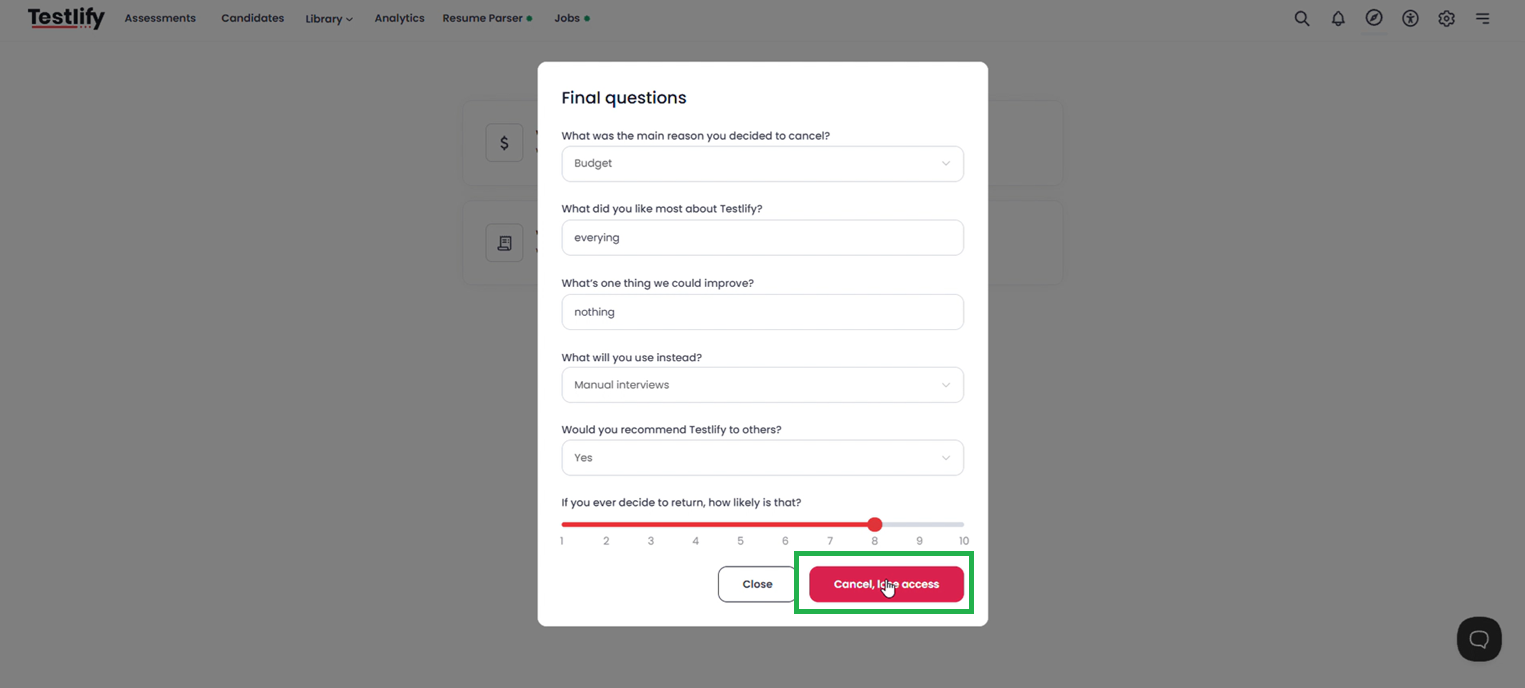
✅ Once confirmed, your subscription will be canceled within 24–48 working hours. After this period, all data listed above will be permanently removed. You will receive an email confirmation once the cancellation is fully processed.
Conclusion
Canceling your Testlify subscription is irreversible and results in the complete loss of your assessments, candidate data, company tests, hiring history, evaluations, notes, workflows, templates, and any unused credits. Please ensure you have exported or saved any necessary information before proceeding with cancellation.
If you have any questions or need help exporting your data before canceling, our support team is ready to assist.
Need Further Assistance?
Please reach out to us at: support@testlify.com