
How to Export Questions from a Test Library Test (CSV)
Overview
You can export questions from a Test Library test in CSV (Excel) format. Since library tests are read-only, you’ll first need to create a copy before downloading.
Steps to Export Questions
- Go to Library → Tests
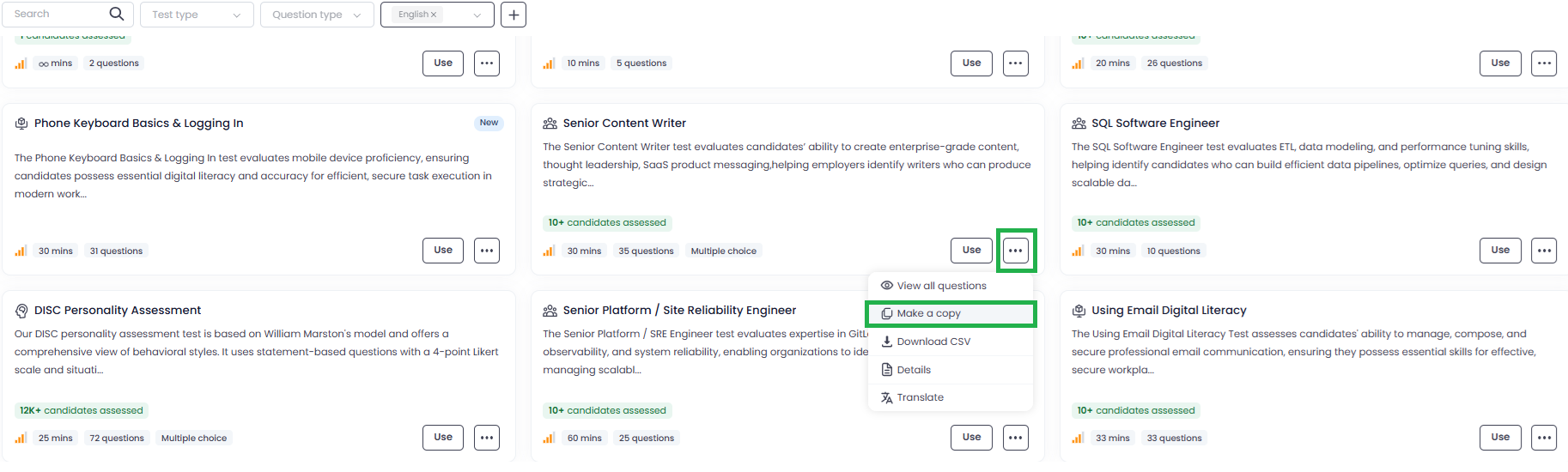
- Find the Test Library test you want to export
- Click on the three-dot menu (⋯)
- Select Make a Copy
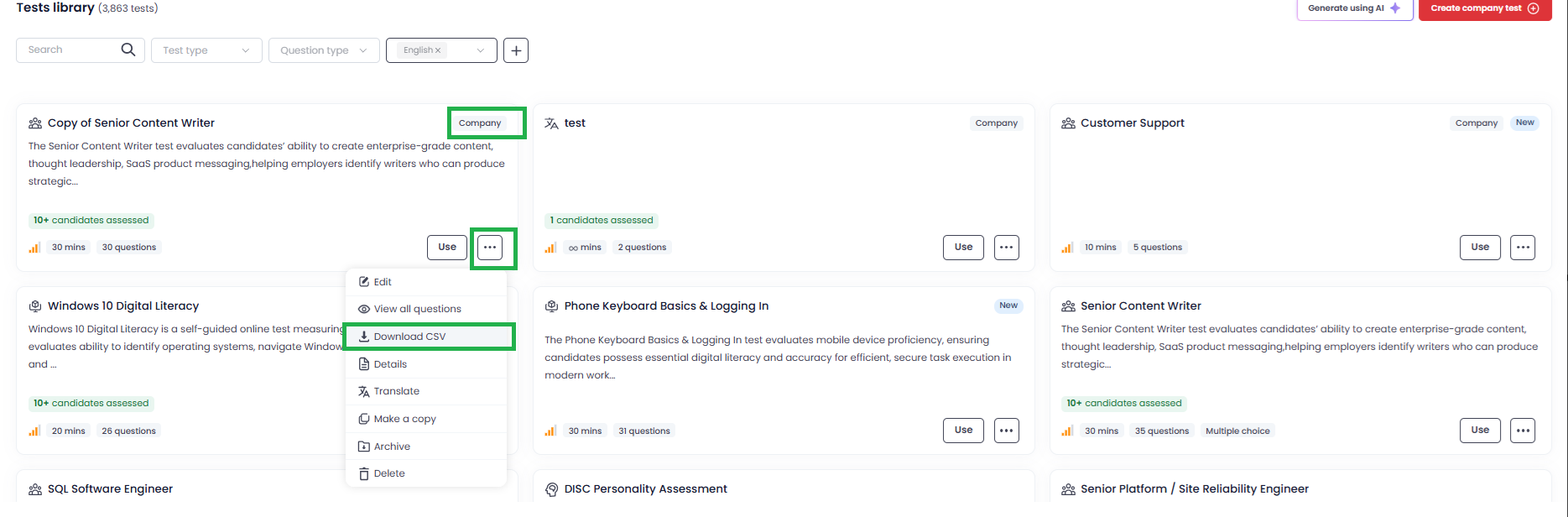
- Open the copied test
- Click on the three-dot menu (⋯) again
- Select Download CSV
What You’ll Get
- All test questions in CSV (Excel) format
- Organized data for easy review and editing
Important Notes
- You cannot directly export from a Test Library test
- Creating a copy is required to enable CSV download
If you need help modifying or analyzing the exported questions, feel free to reach out to support@testlify.com