
How to Automatically Schedule Invites for Sequential Assessments
Streamline your hiring workflow by automating the transition between candidate assessments. Testlify’s Schedule Invite feature allows you to set up a "hands-off" recruitment funnel where successful candidates are automatically invited to their next evaluation. By setting specific score thresholds and timing delays, you ensure that only top-performing talent moves forward without needing manual intervention from your team. This not only saves valuable time but also provides a faster, more professional experience for your candidates.
Step-by-Step Guide to Scheduling Invites
Follow these steps to set up automated, scheduled invites based on candidate performance:
-
Login to Your Workspace: Visit app.testlify.com and sign in using your registered email address and the OTP (One-Time Password) sent to your inbox.
-
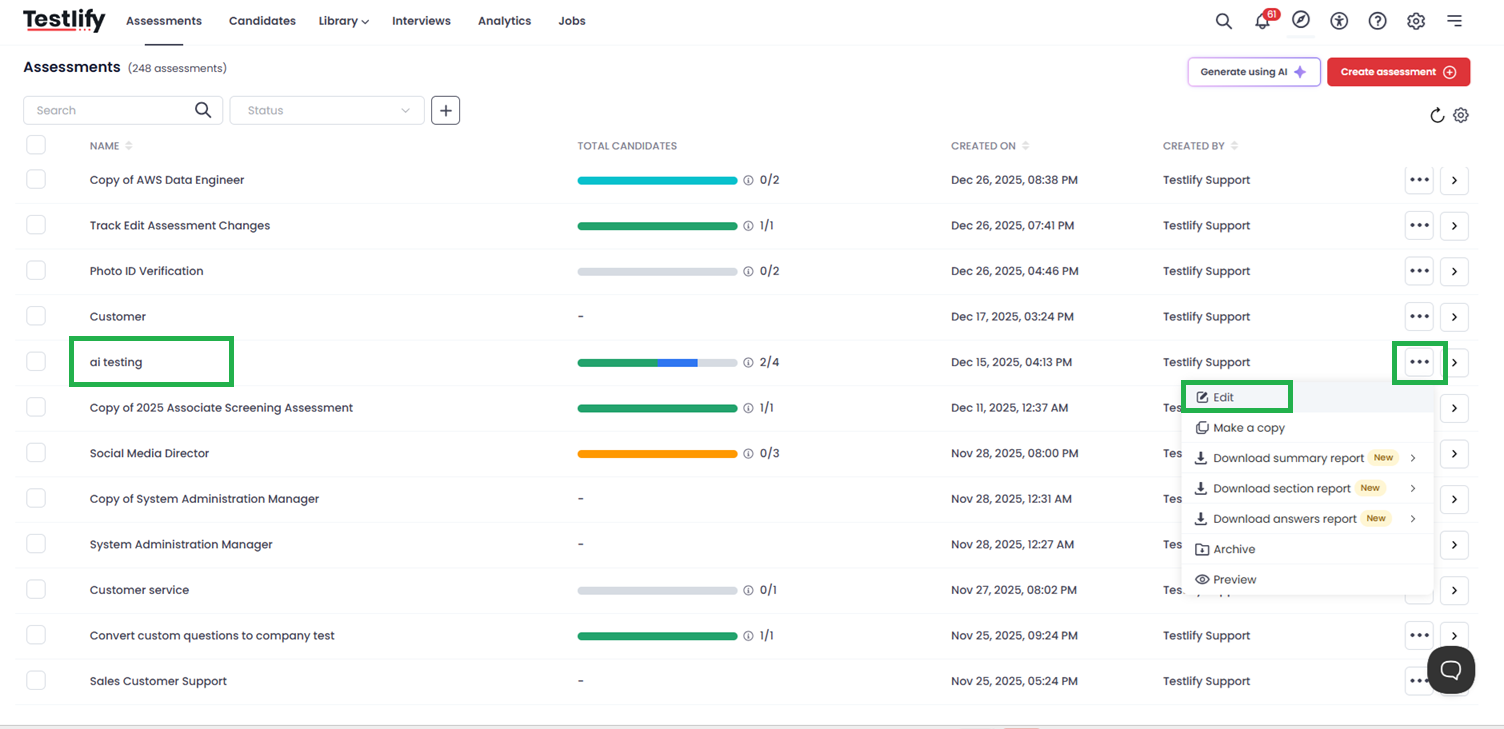
Select Your Assessment: Browse or use the search bar to find the specific assessment for which you want to set up automated invitations.
-
Enter Edit Mode: Click on the assessment to open it, then click the Edit button to modify the assessment settings.
-
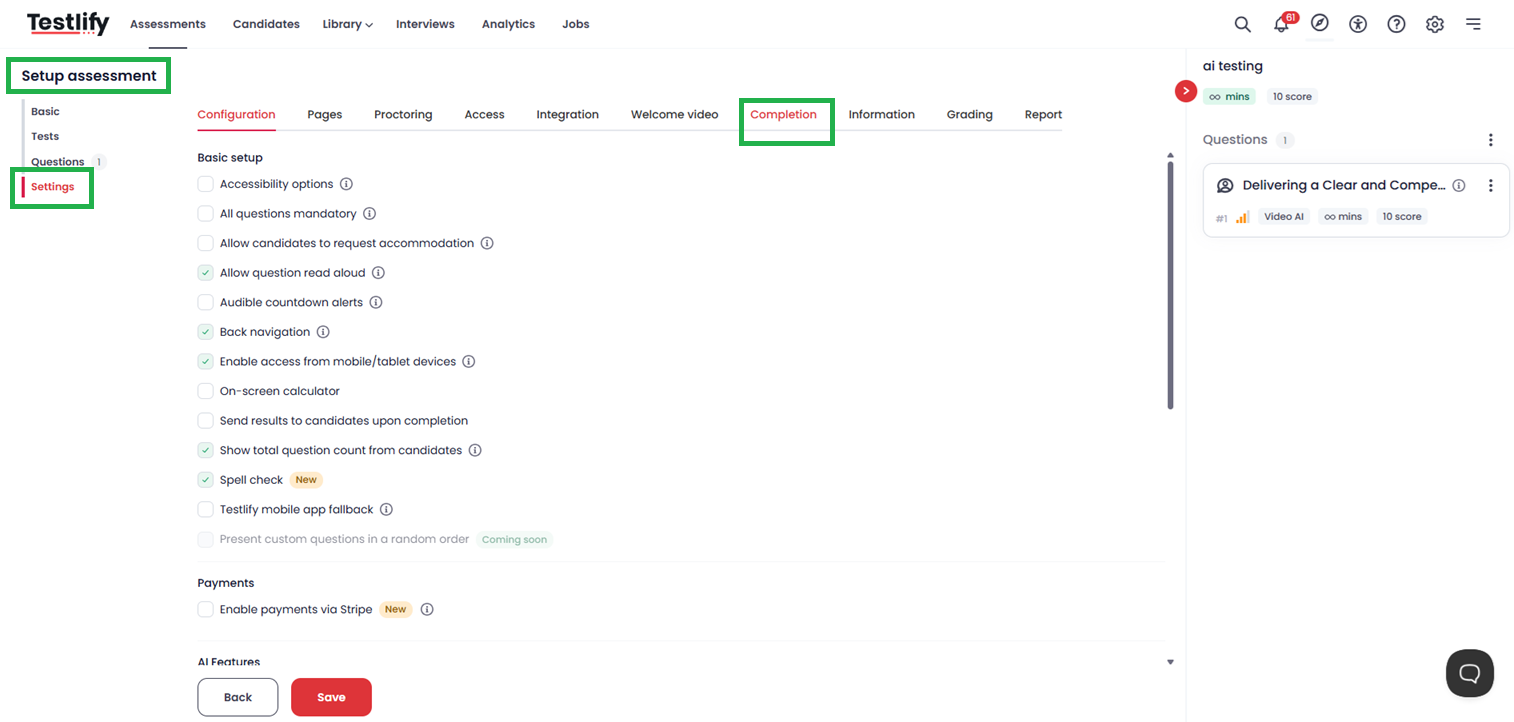
Navigate to Completion Settings: Inside the assessment editor, click on the Settings tab and then select the Completion sub-tab.
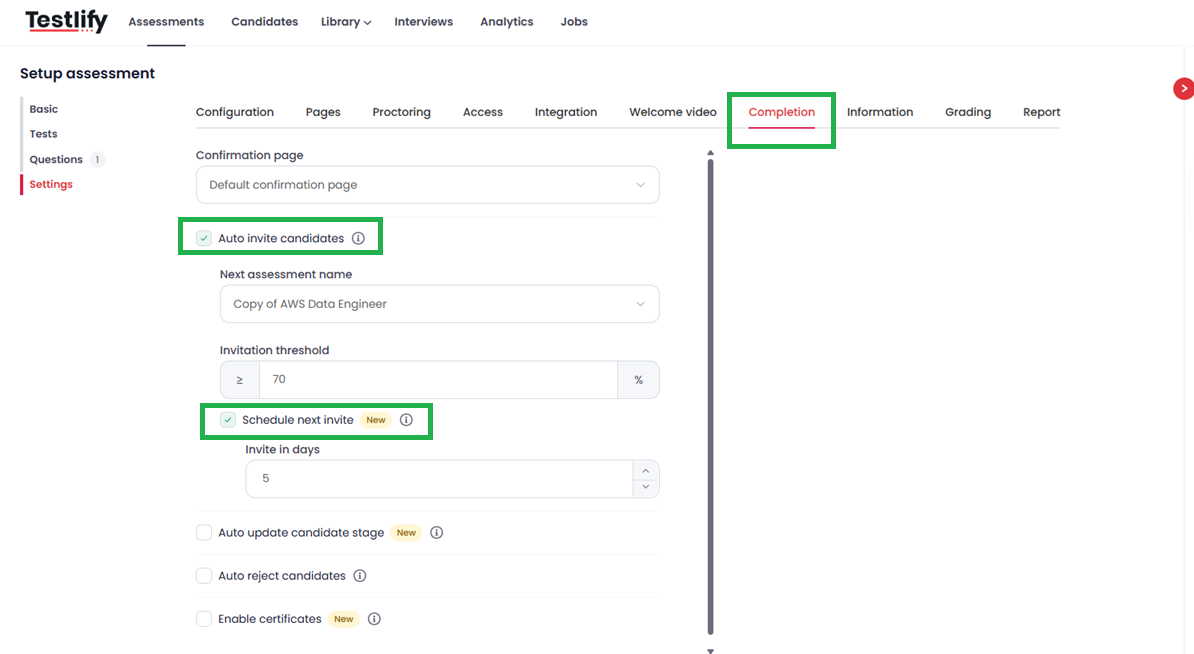
- Configure Auto-Invite Logic:
- Toggle on the Auto invite candidate option.
- Select Next Assessment: Choose the assessment you want the candidate to take next from the dropdown.
- Set Threshold: Define the minimum score a candidate must achieve in the current assessment to qualify for the next one.
-
Schedule Next Invite: Select this option and use the dropdown to choose the number of days you want the system to wait before sending the next invite to qualifying candidates.
-
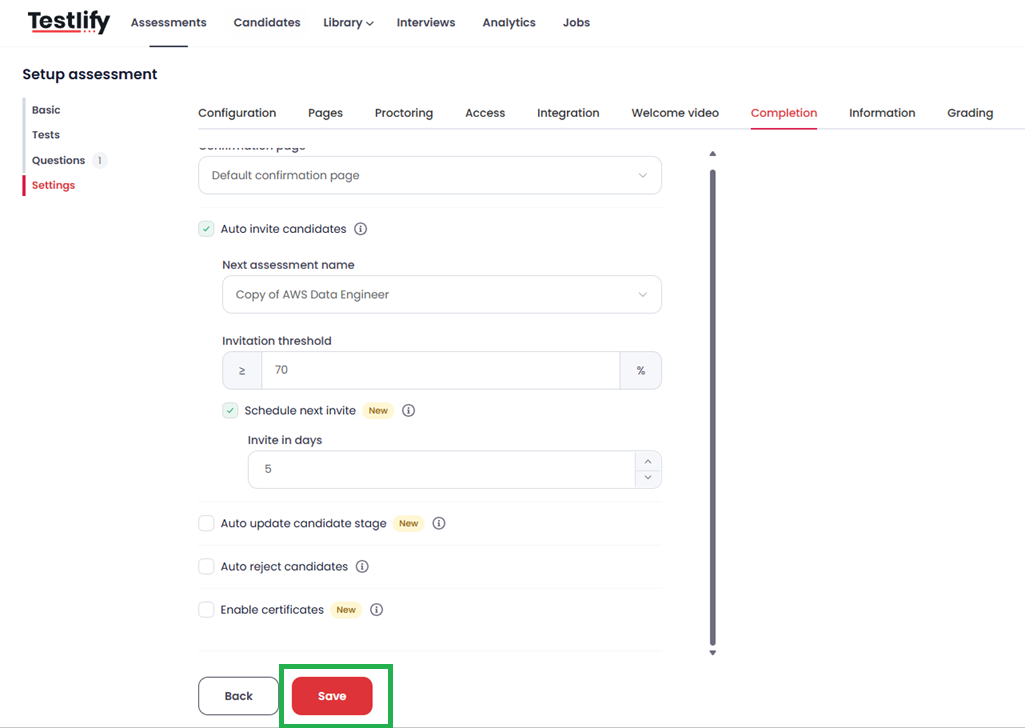
Save Your Changes: Click the Save button at the bottom of the page to activate your automated schedule.
Conclusion
By automating your invitation process, you create a seamless "filter" for your recruitment pipeline. Candidates who meet your standards are kept engaged with timely follow-ups, while your team can focus on reviewing the results of high-potential prospects rather than managing manual emails.
Frequently Asked Questions (FAQ)
What happens if a candidate scores below the threshold? Candidates who do not meet the minimum score you set will not receive the scheduled invite for the next assessment. They will simply finish the current stage without further automated action.
Can I change the delay period after the assessment is live? Yes, you can edit these settings at any time; however, the new timing will only apply to candidates who complete the assessment after the change is saved.
Is there a limit to how many assessments I can chain together? No, you can continue this logic across multiple assessments to build a comprehensive multi-stage evaluation funnel.
Further Support
Need help setting up your recruitment workflow? Our support team is here to assist you.
- Email us: support@testlify.com
- Live Chat: Available directly through your Testlify dashboard.