
Set Up Notification Recipients for Assessments
The Recipients for Notifications feature lets you control who receives alerts when candidates are invited to an assessment. Testlify automatically includes the recruiter who sent the invite — eliminating missed communications and duplicate notifications during the hiring process.
Before you begin
- You need access to the Configuration tab in Testlify's assessment setup.
- At least one recruiter must be assigned as the inviter for auto-selection to work.
- This setting applies per assessment — configure it each time you create or update an assessment's notification preferences.
How to set up notification recipients
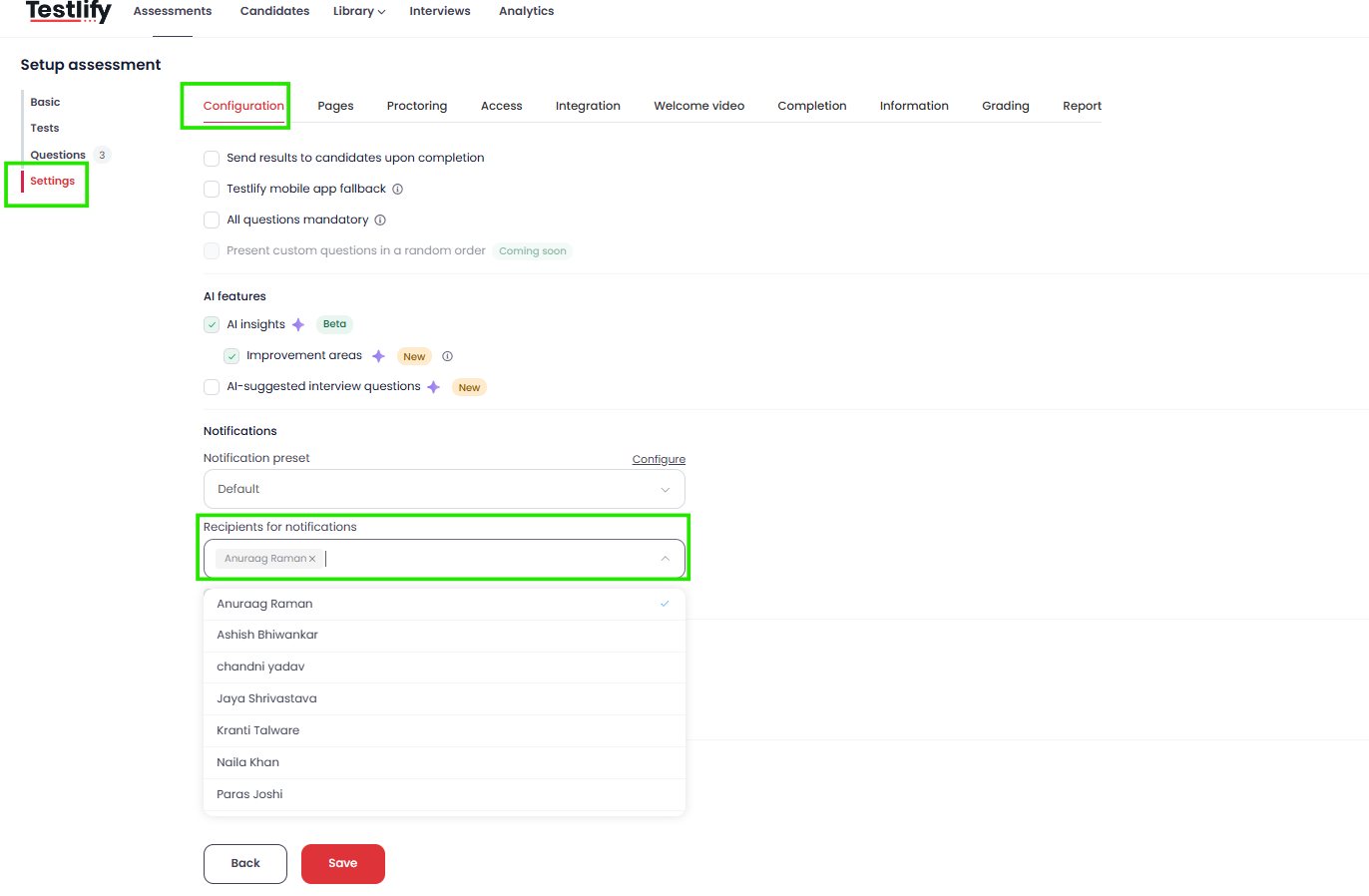
- Open your assessment's Configuration tab: Navigate to the assessment in Testlify and click the Configuration tab.
- Select recipients: In the Recipients for notifications section, choose the team members who should receive alerts about candidate progress and assessment activity.
- Enable "Notify user who invited": Check the Notify user who invited checkbox to automatically notify the recruiter who triggered the invite. You do not need to add them as a manual recipient — Testlify includes them automatically. If they are already in your manual list, Testlify skips the duplicate so no one receives the same alert twice.
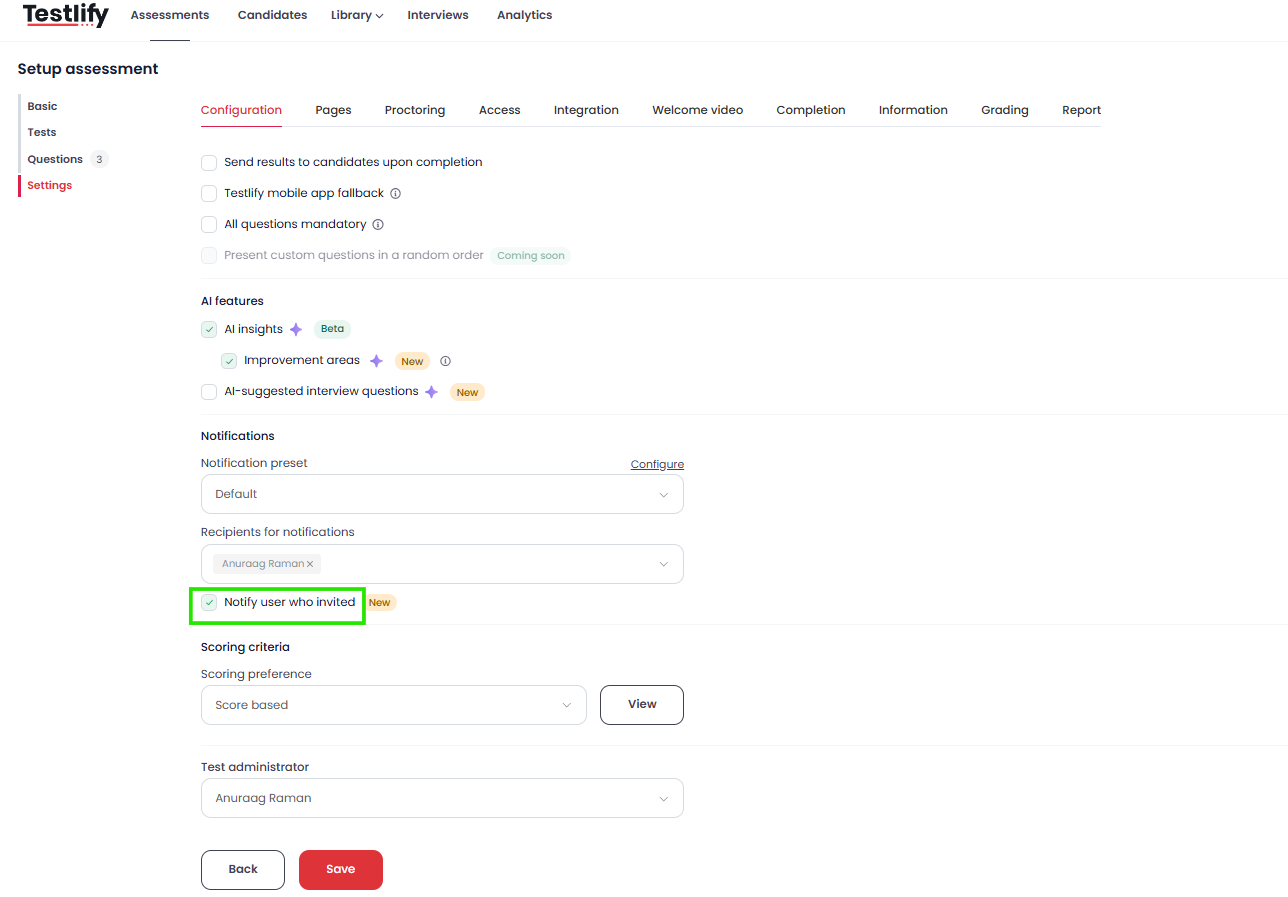
Tip: Enable this checkbox as a default step on every assessment you create to keep the inviting recruiter in the loop — regardless of who set up the assessment or how many team members are involved.
Key benefits
- Auto-selection: Testlify detects who sent the invite and adds them as a recipient automatically — no extra manual steps required.
- Fewer errors: Eliminates the risk of forgetting the inviting recruiter or accidentally omitting a key stakeholder from the notification list.
- No duplicate alerts: If the inviter is already a manually selected recipient, Testlify sends only one notification so inboxes stay uncluttered.
- Time savings: Less manual configuration during assessment setup lets your team focus on evaluating candidates rather than managing notification lists.
Need help? Contact support.