
How to Create an Assessment Using AI
Before you begin
Make sure you are logged in to your Testlify workspace with an account that has Create Assessment permission. Have your job role, required skills, and approximate test duration ready before you start.
Create an AI-powered assessment
-
Open the AI creation tool. Click Create Test using AI in the top-right corner of the Assessments page.

-
Enter assessment details. Type a descriptive Test Name, add a Description that explains the role or skill being evaluated, and set the Duration.


-
Generate questions. Click Generate using AI. Testlify AI will suggest questions based on the details you provided.

-
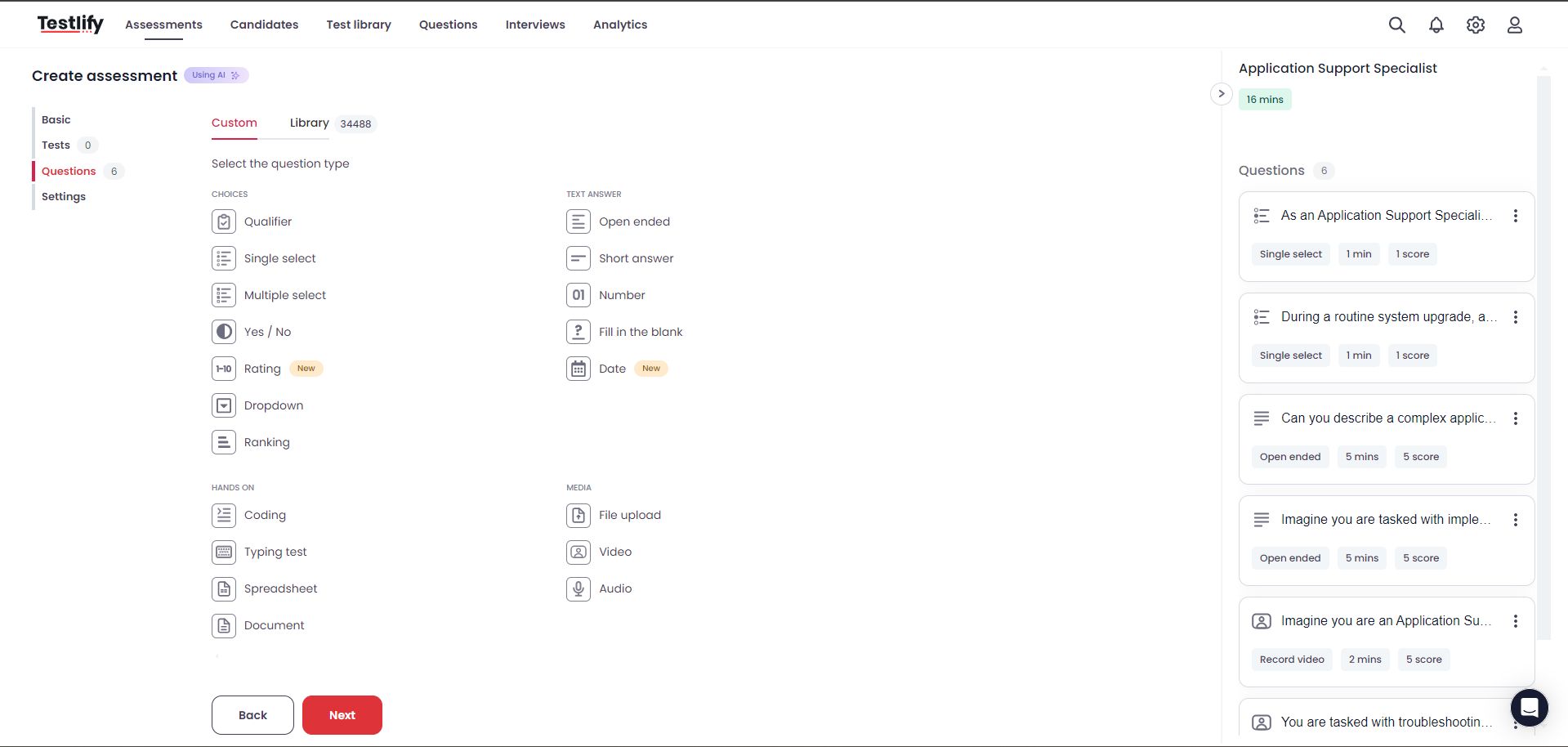
Review and customize questions. Select from AI-suggested questions, click Custom to write your own, or click Library to browse Testlify's question library and add targeted questions.
-
Configure scoring and proctoring. Set your scoring method, per-question time limits, and proctoring options — such as webcam monitoring or screen recording — to match your requirements.

-
Save and generate the assessment. Click Save. Testlify AI will finalize the assessment — this may take a few minutes. The assessment becomes available as soon as generation is complete.

-
Invite candidates. Once the assessment is ready, send invitations to candidates and start reviewing their results.
Tip: Combine AI-generated questions with custom questions to target the exact skills and competencies required for the role.
Need help? Contact support.