
How to Upgrade Your Subscription on Testlify
Upgrading your Testlify subscription gives you access to more candidate credits, additional user seats, and greater flexibility for your hiring needs. You can manage your plan at any time directly from your workspace.
Before you begin
- You must be logged in as an Admin or Owner of your Testlify workspace.
- Have your payment details ready — Credit Card or Apple Pay are accepted.
Steps to upgrade your subscription
-
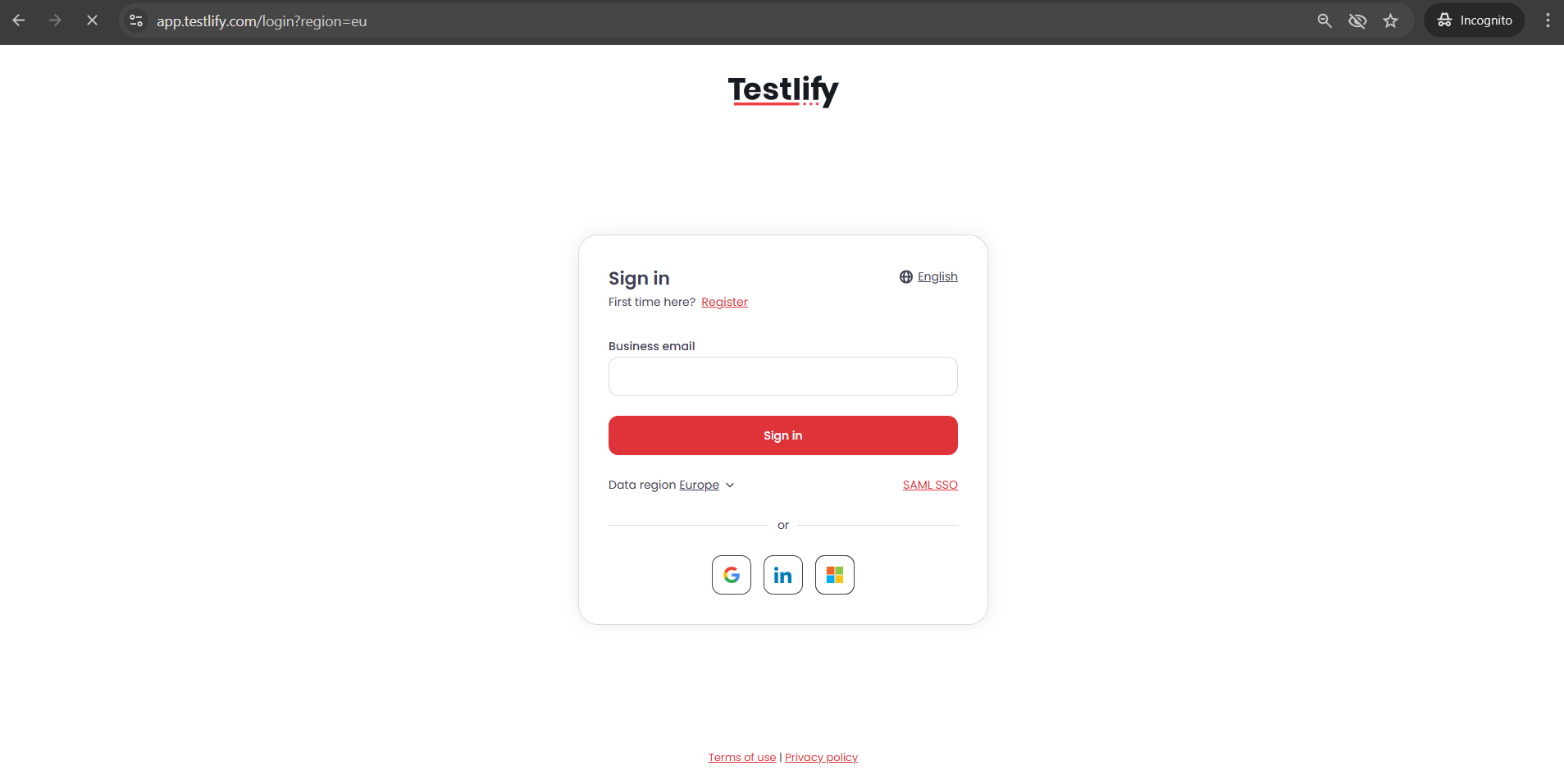
Log in to your workspace.
Go to https://app.testlify.com. Enter your email address, retrieve the OTP sent to your inbox, and use it to log in.
-
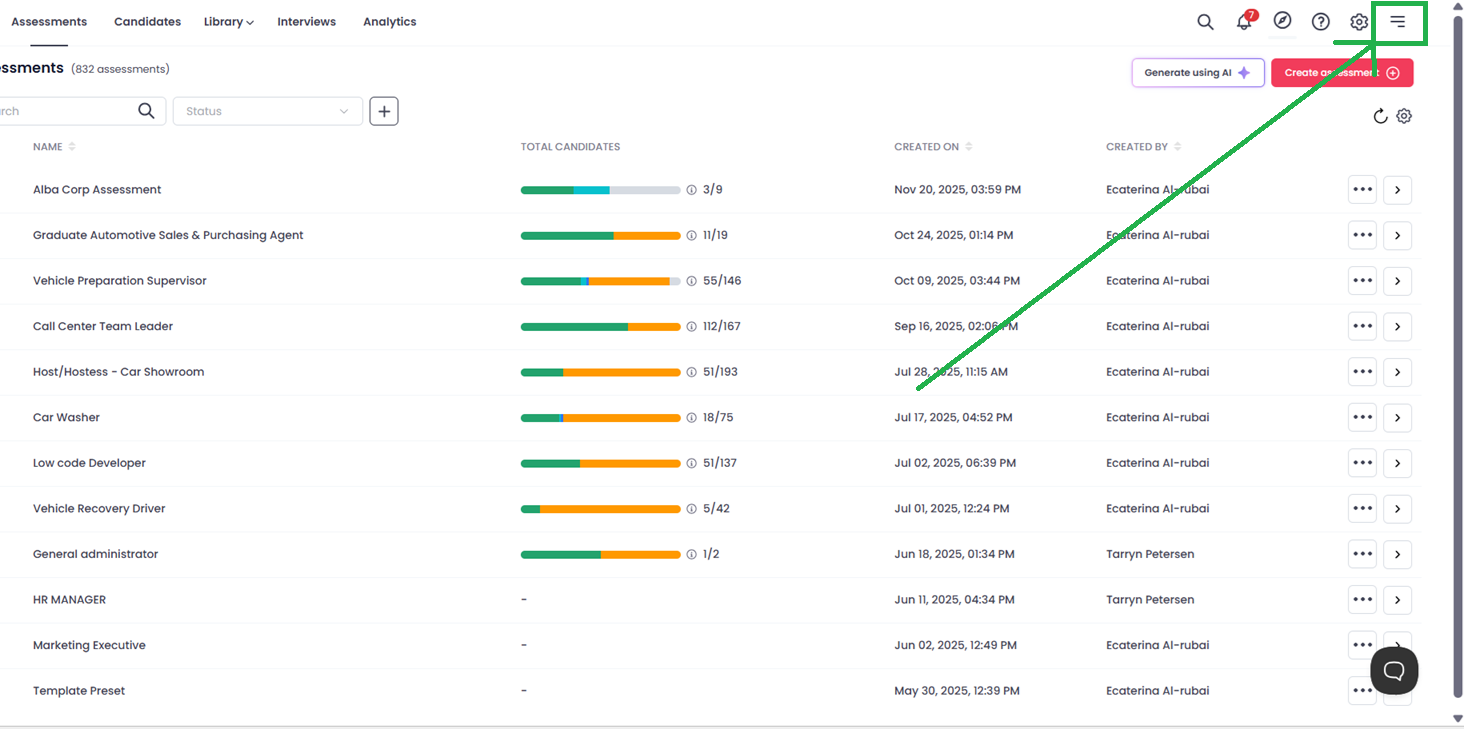
Open your Workspace menu.
Click the three horizontal lines (☰) in the top-right corner of your screen to open the menu.
-
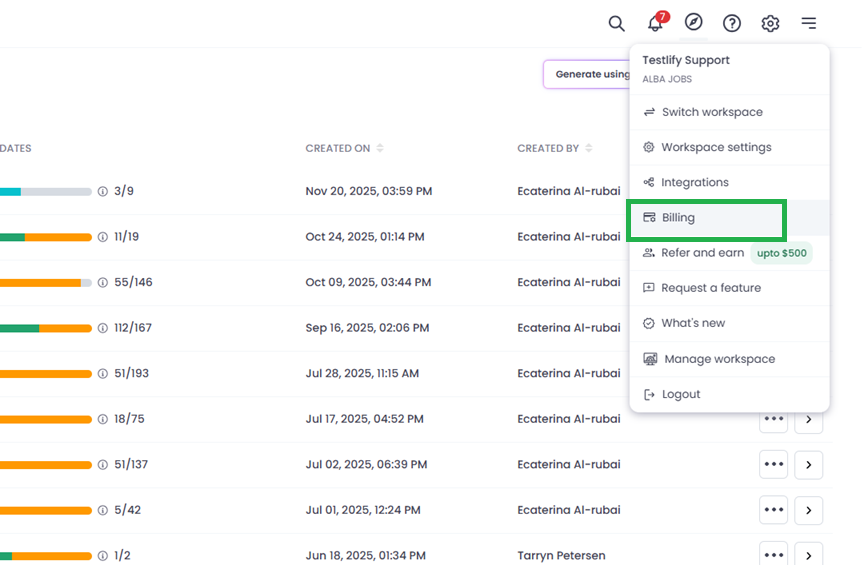
Go to Billing.
From the menu, click Billing to access your subscription and payment settings.
-
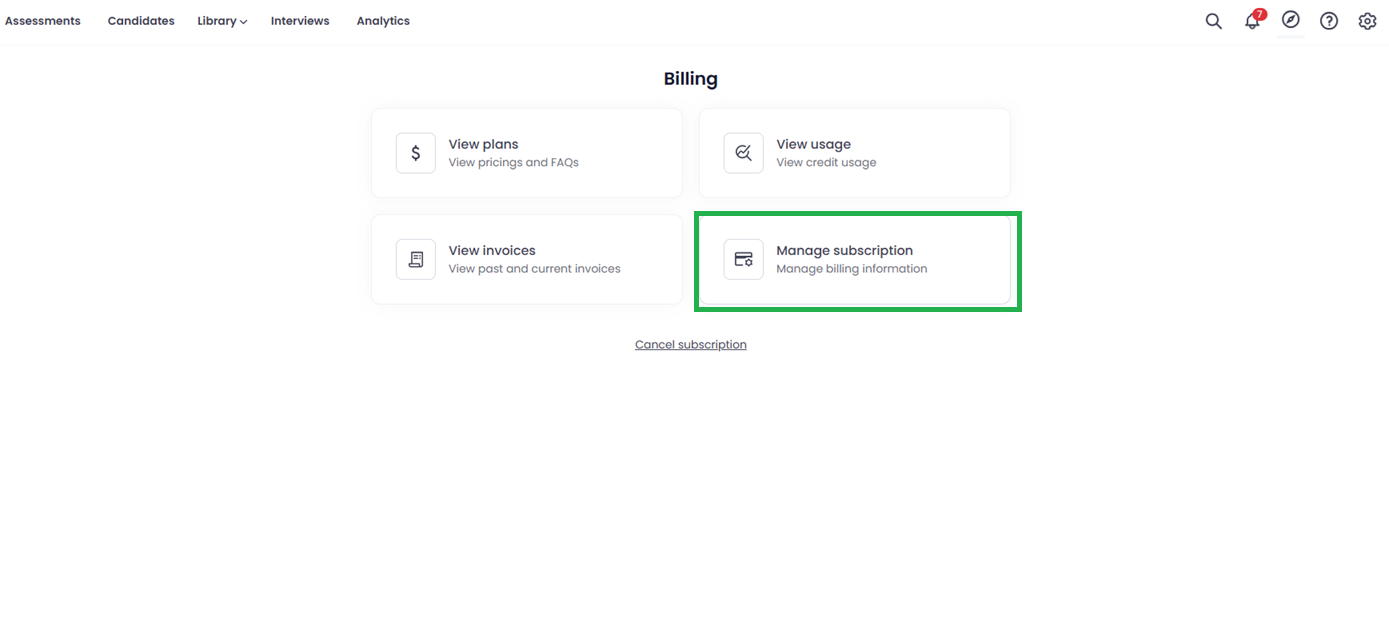
Select Manage Subscription.
On the Billing page, click Manage Subscription (the 4th option). This opens the plan selection page.
-
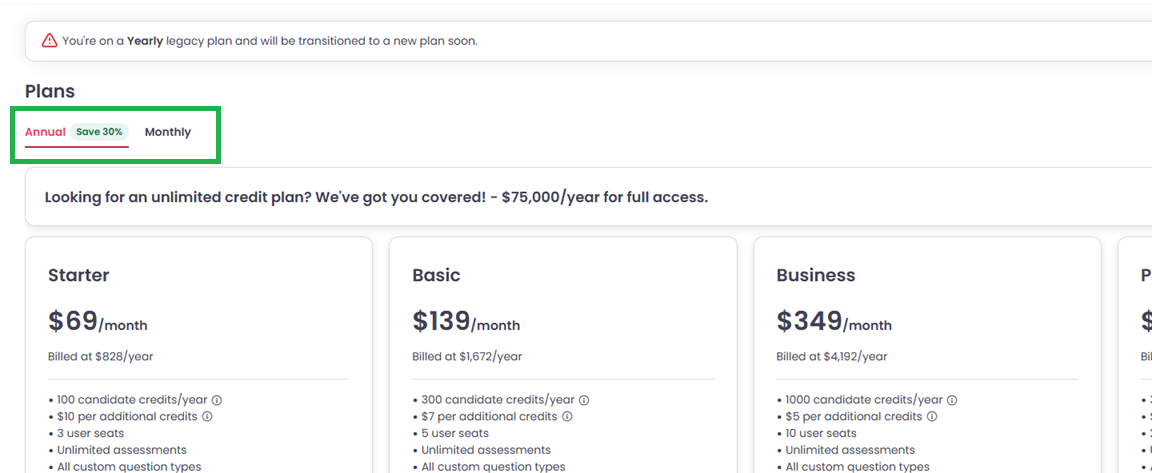
Choose your billing cycle.
Select either:
- Monthly — billed each month
- Annual — billed once a year, typically at a discounted rate
-
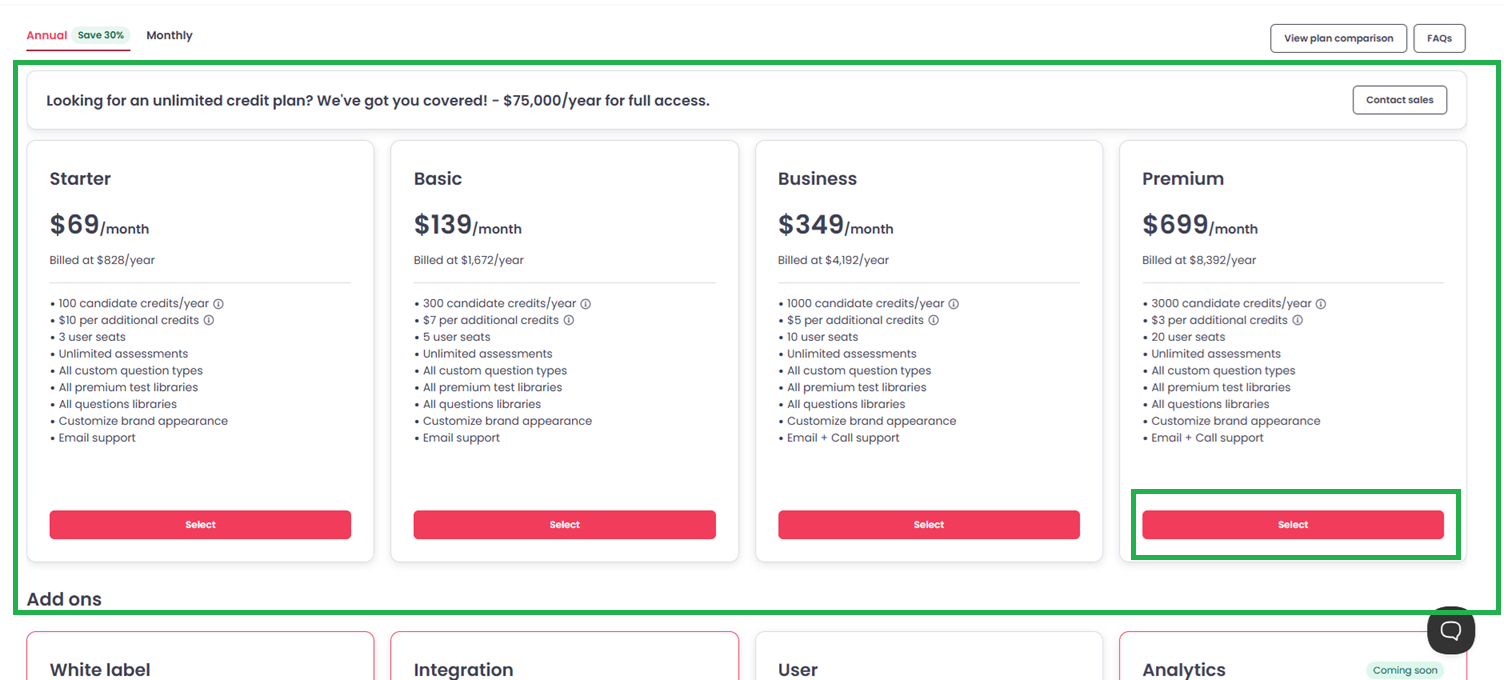
Select your plan.
Browse the available plans and click the one you want to upgrade or downgrade to.
-
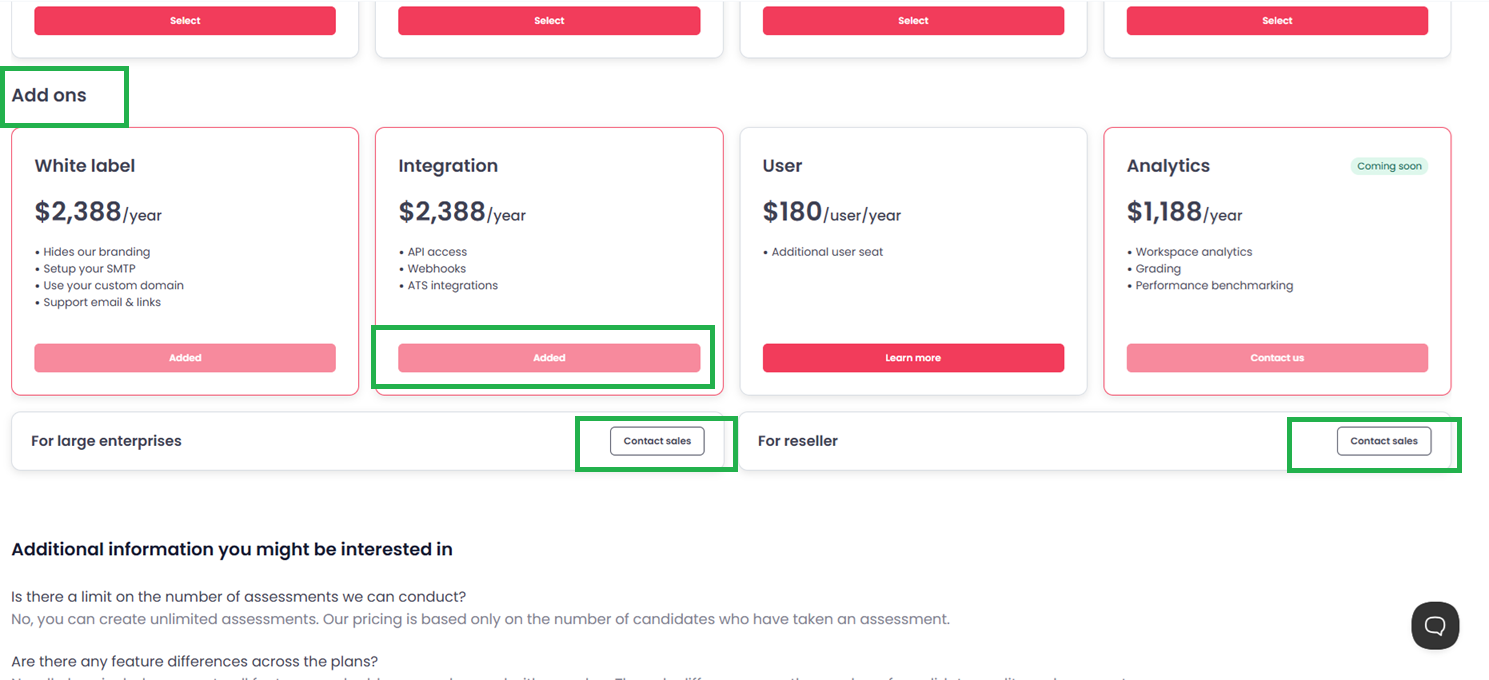
Add optional add-ons (if needed).
Scroll down to view available add-ons:
- Additional candidate credits
- Extra user seats
- AI features
Enable any add-ons your workspace requires before proceeding.
-
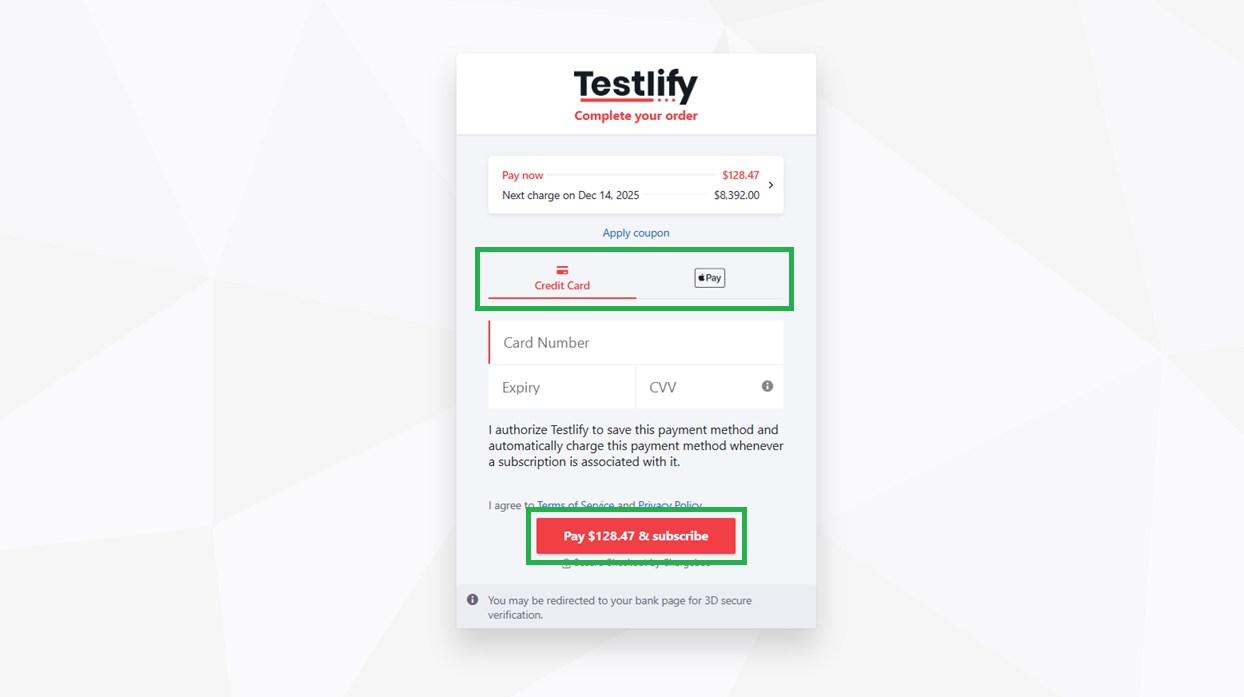
Complete your payment.
Choose your payment method (Credit Card or Apple Pay), enter your payment details, then click Subscribe. Your new plan activates immediately.
Tip: Annual plans cost less over time than monthly plans. If you expect to use Testlify for the full year, the annual billing cycle offers better value.
Frequently asked questions
-
Is there a limit on the number of assessments I can create?
No. You can create unlimited assessments. Pricing is based only on the number of candidate credits used — that is, how many candidates actually take an assessment. -
Are there feature differences between plans?
No. All paid plans include full access to Testlify features. The only differences between plans are the number of candidate credits and user seats included. Add-ons can be purchased on any plan. -
Can I upgrade my plan at any time?
Yes. Upgrades take effect immediately, and billing adjusts automatically to reflect the new plan. -
Do you offer discounts for non-profits or educational institutions?
Yes. Testlify offers a 25% discount for qualifying organizations. Contact support with the relevant documentation and the discount will be applied to your account. -
What is your refund policy?
For full details on eligibility and terms, visit the Refund Policy page or contact support.
Need help? Contact support.