
Start and Extend Your Testlify 7-Day Free Trial
Testlify's 7-day free trial gives you full access to every premium feature — assessments, AI insights, ATS integrations, and team collaboration — with no credit card required. If you need more time, extend your trial for an additional 7 days at no charge.
Before you begin
- You need an active Testlify account.
- To extend the trial, your account must have the Subscription & Billing role assigned.
What you get during the free trial
Your trial includes full, unlimited access to all premium features:
- Unlimited assessments — technical, cognitive, soft skills, and AI-powered question types
- Up to 10 candidate invites — with full reports, result downloads, hiring stage management, and Trust Insights
- 1,800+ test library — coding, language proficiency, personality, cognitive abilities, and situational judgment tests (SJT)
- ATS integrations — connect your ATS and test your full hiring workflow end-to-end
- Team collaboration — add members, assign roles, and co-review assessments without limits
- Admin controls — full access to Workspaces, Permissions, Roles, and Account settings
Need more than 10 candidate invites? Contact support@testlify.com.
How to extend your free trial
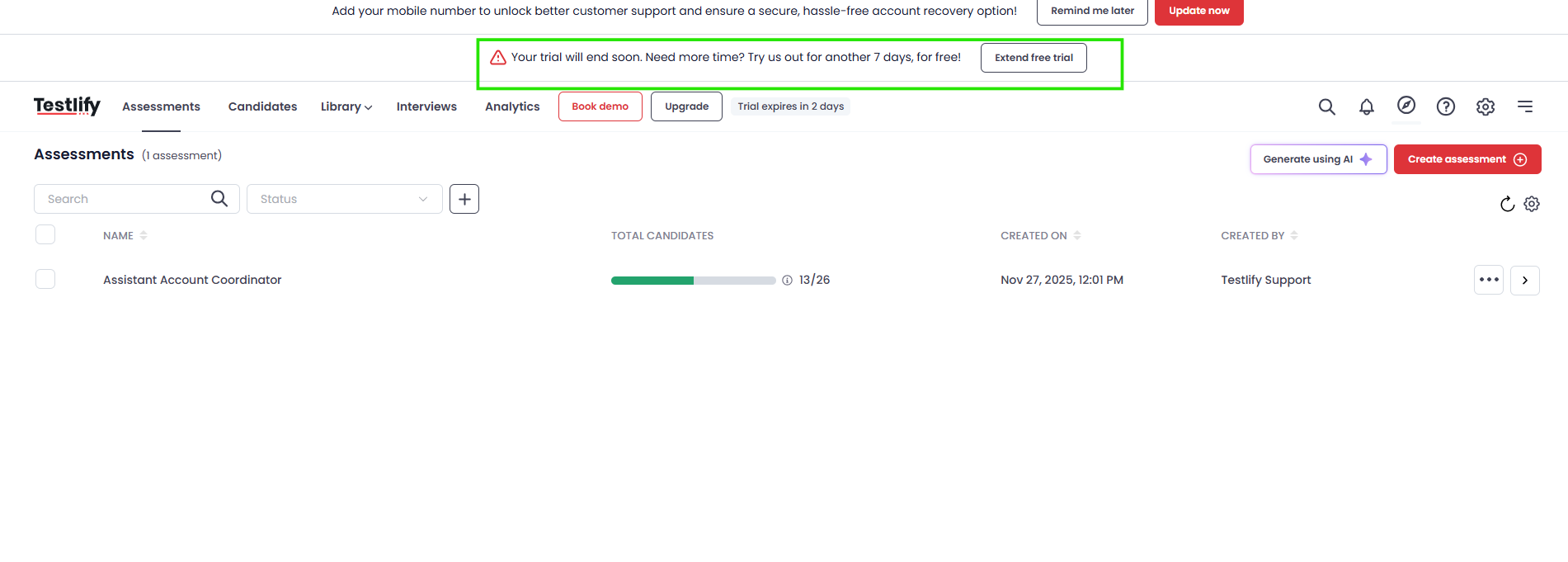
The extension option appears when your trial has 2 days remaining. Follow these steps:
-
Locate the trial banner — A banner appears at the top of every page:
"Your trial will end soon. Need more time? Try us out for another 7 days, for free!"Click Extend Free Trial.
-
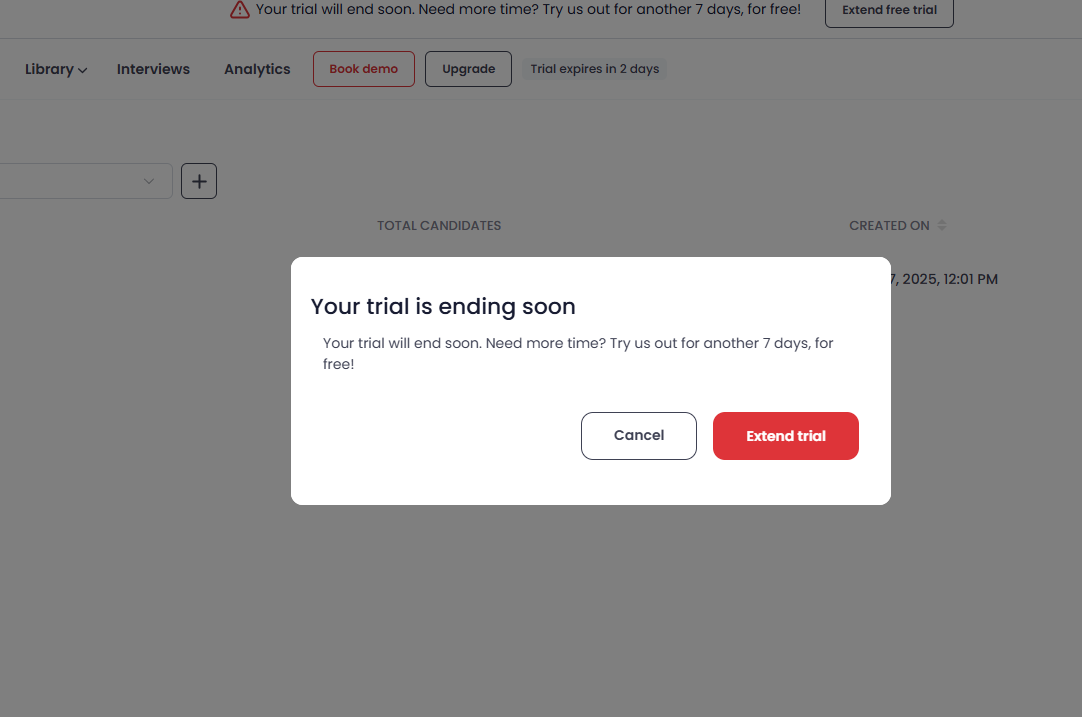
Confirm the extension — Click Extend Trial on the confirmation dialog.
- Check your inbox — You will receive a confirmation email once the extension is active.
- Verify your new expiry date — Go to Billing → View Usage to confirm your updated trial end date.
Tip: The extension banner stays visible on all pages until your trial expires — you won't miss it.
Frequently asked questions
How long is the free trial?
The standard trial is 7 days. With the one-time extension, you get up to 14 days total.
Do I need a credit card?
No. Neither the trial nor the extension requires a credit card.
How many candidates can I invite?
Up to 10 candidates during the trial. Contact support@testlify.com if you need more.
Can I extend the trial more than once?
No. Each account gets one automatic 7-day extension. For additional time, contact support.
Will I lose my data after the trial ends?
No. Your data is retained, but assessments and invites will be locked until you upgrade to a paid plan.
What if my trial has already expired?
Contact support@testlify.com for assistance.
Need help? Contact support.