
How to Reactivate Your Testlify Subscription
Before you begin
You need an existing Testlify account that has been paused or cancelled. Make sure you have access to your registered email address — you will log in via OTP.
How to Reactivate Your Subscription
-
Log in to your workspace: Go to app.testlify.com and sign in using your registered email address and OTP.
-
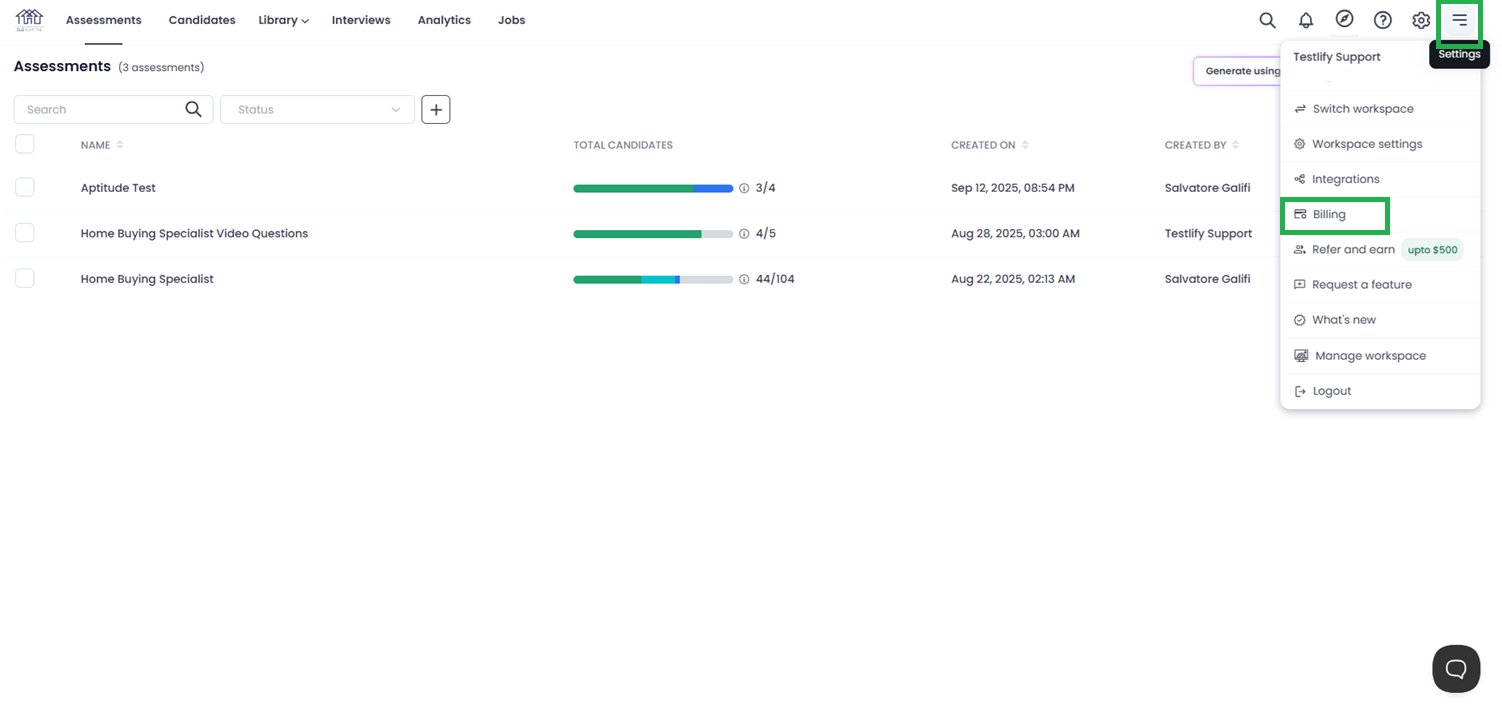
Open Billing: Click the three-dot menu (...) in the top navigation bar and select Billing.
-
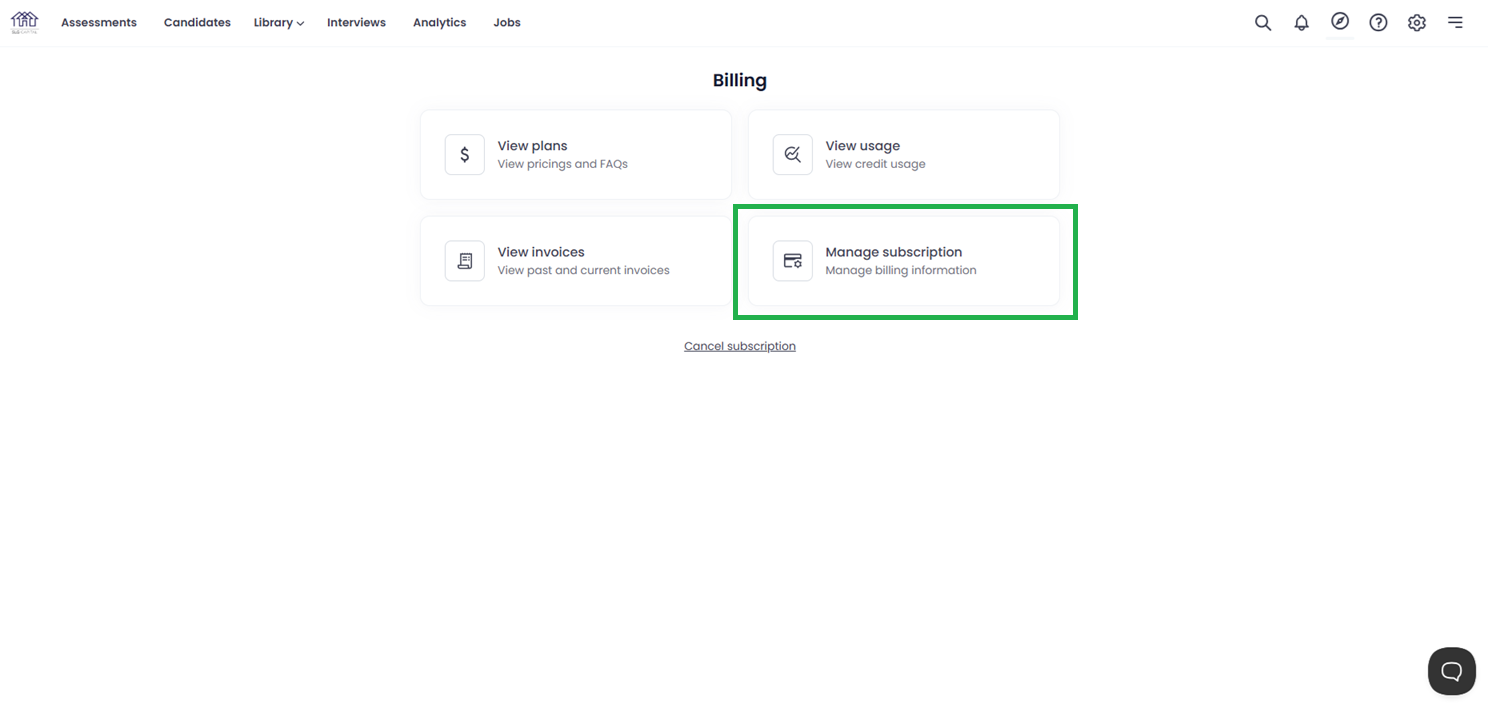
Click Manage Subscription: In the billing dashboard, click Manage Subscription.
-
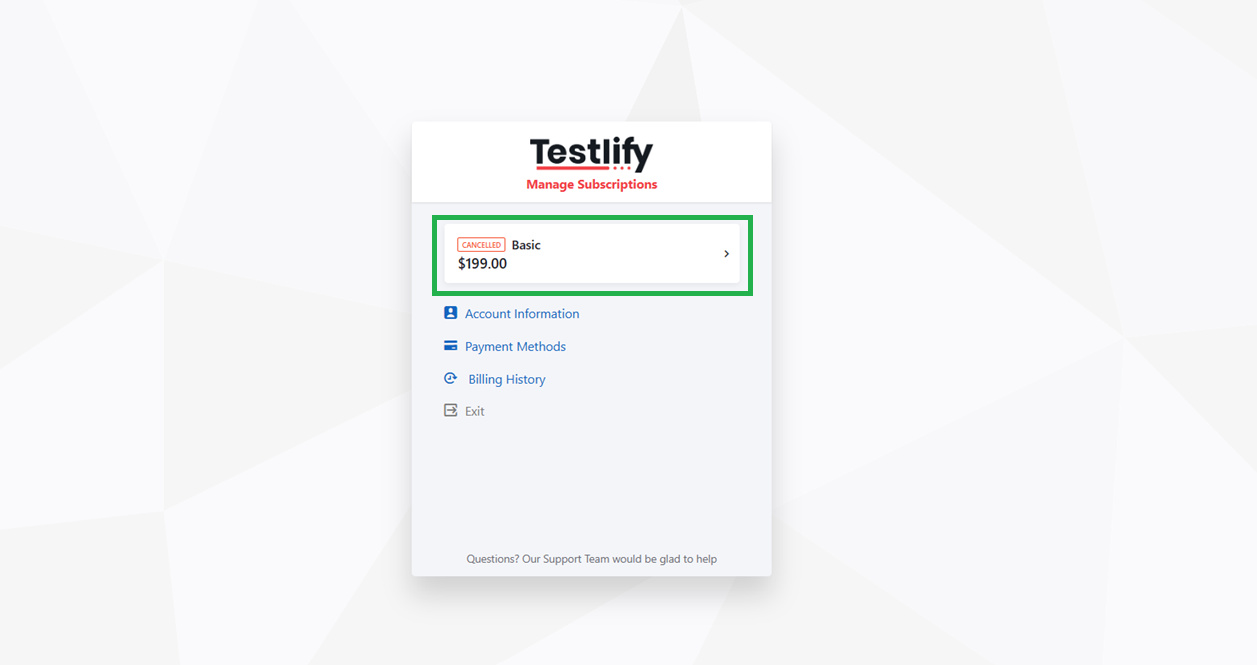
Select your plan: Click your Plan Name to review the subscription details.
-
Confirm reactivation: Click Reactivate Your Subscription to restore access.
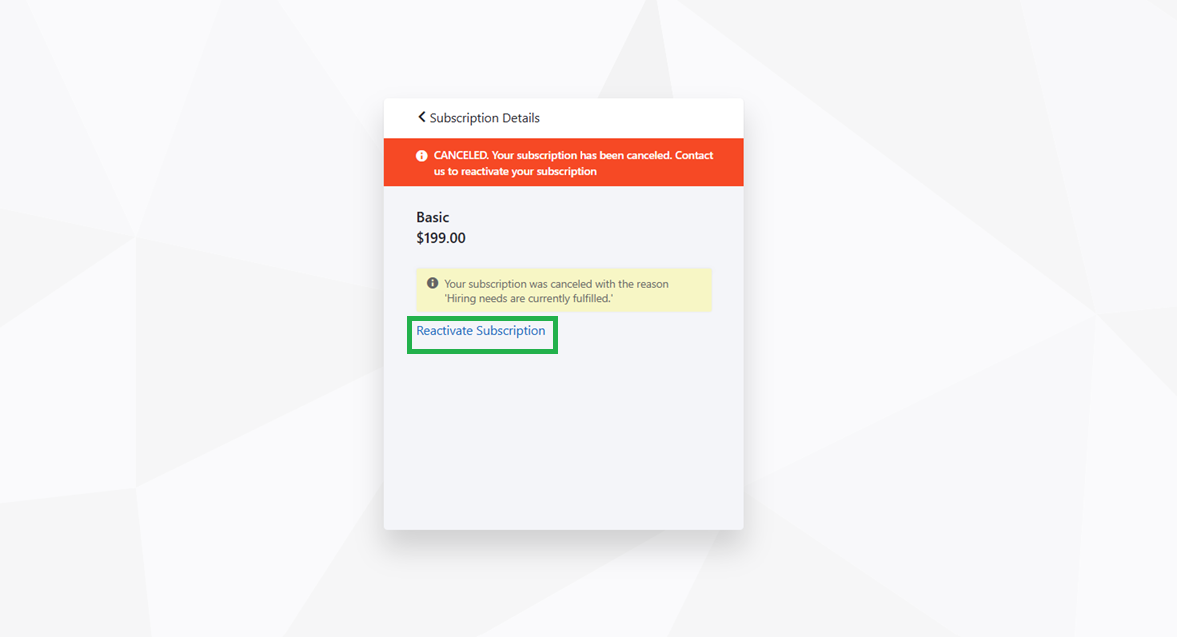
Tip: If the Reactivate Your Subscription button is not visible, your subscription may have fully expired rather than been paused. Contact support to restore your account.
Note: After reactivation, you will receive a confirmation email and all plan features will be available immediately.
Need help? Contact support.