
How to Select Your Data Region When Registering on Testlify
Selecting the correct Data Region during registration determines where your data is stored and helps meet local compliance requirements. This setting cannot be changed after registration — choose carefully.
Select your data region
- On the Register page, enter your first name, last name, business email, and phone number.
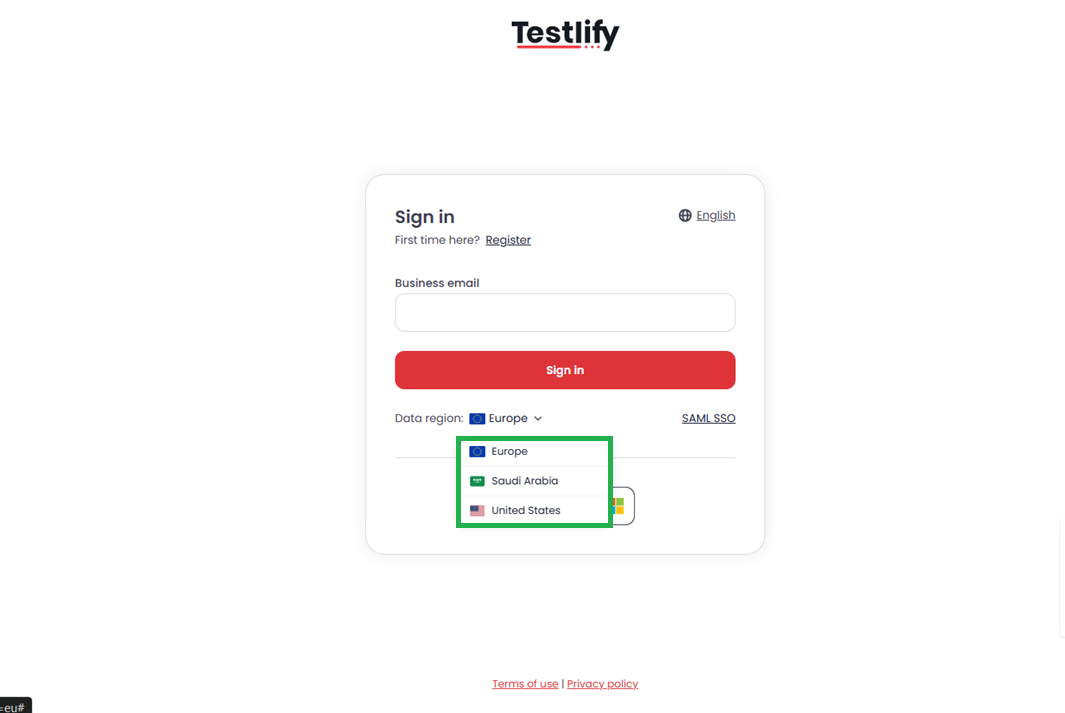
- Below the phone number field, open the Data Region dropdown.
- Select the region where your organization primarily operates — for example, Europe, Saudi Arabia, or USA.
- Click Register to complete sign-up.
After registration
Your selected region is permanently linked to your account. You will not be prompted to choose a region again when you log in.
Need help? Contact support.