
How to Cancel Your Testlify Subscription
Before you begin
- Download any data or reports you need before canceling — access ends immediately after cancellation.
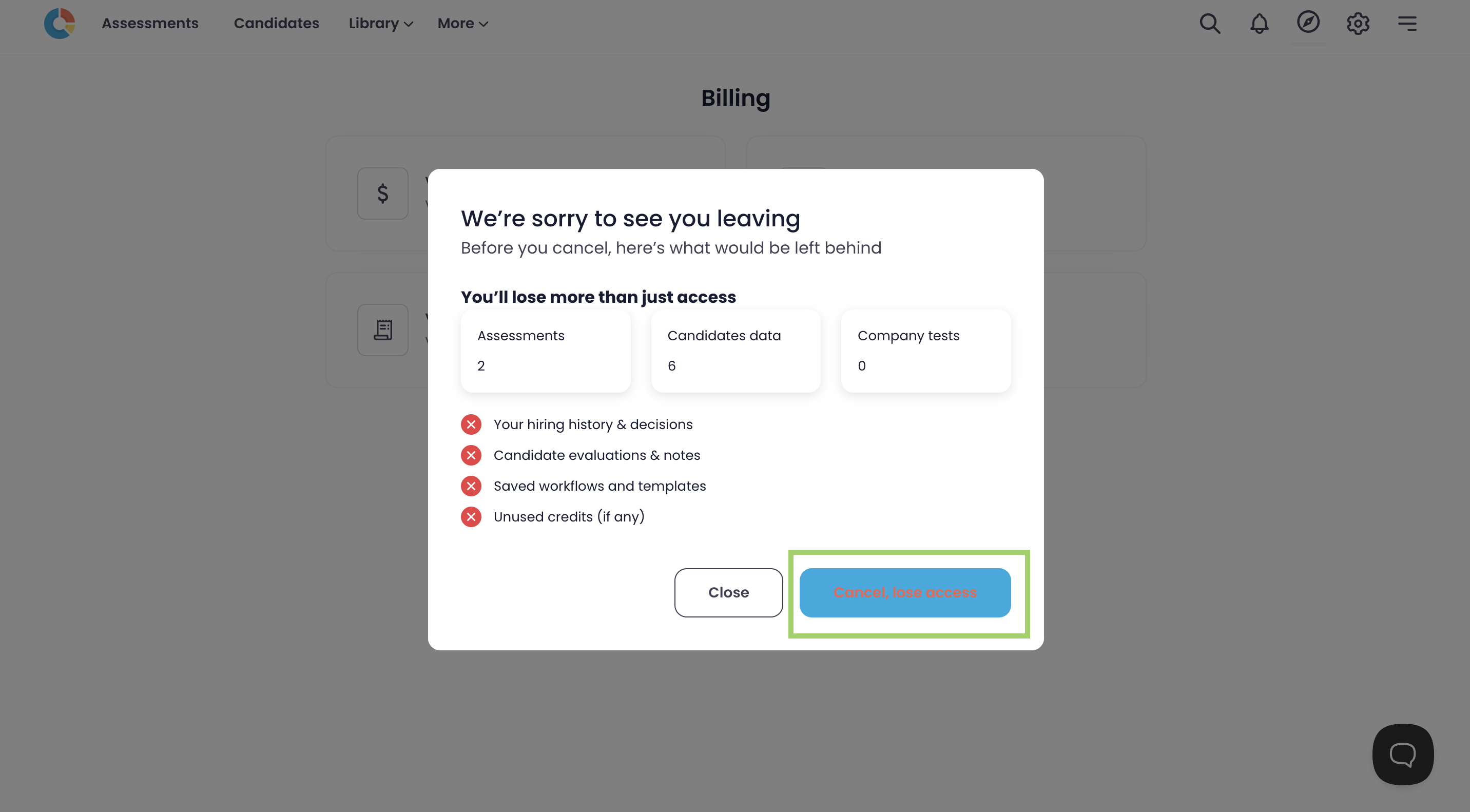
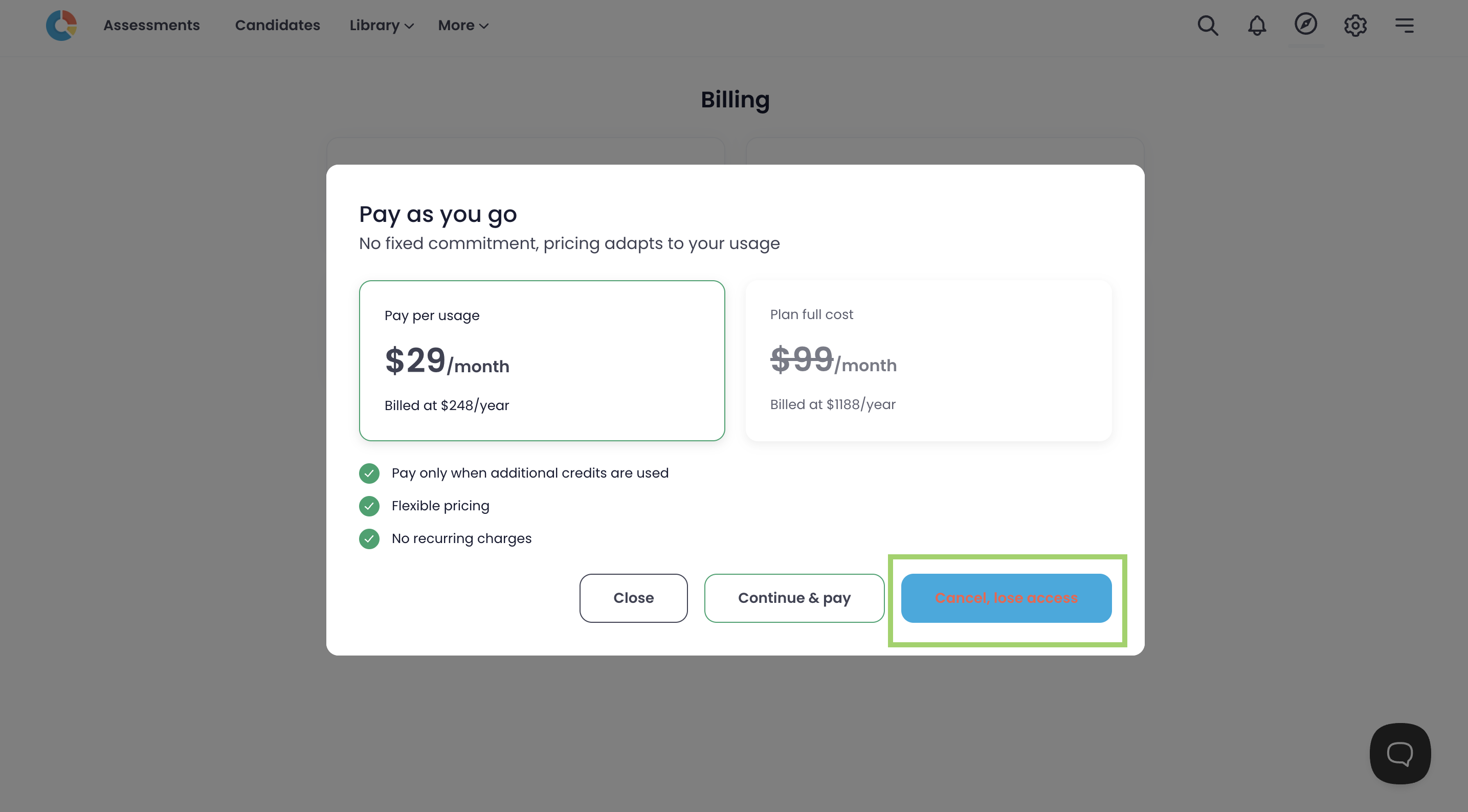
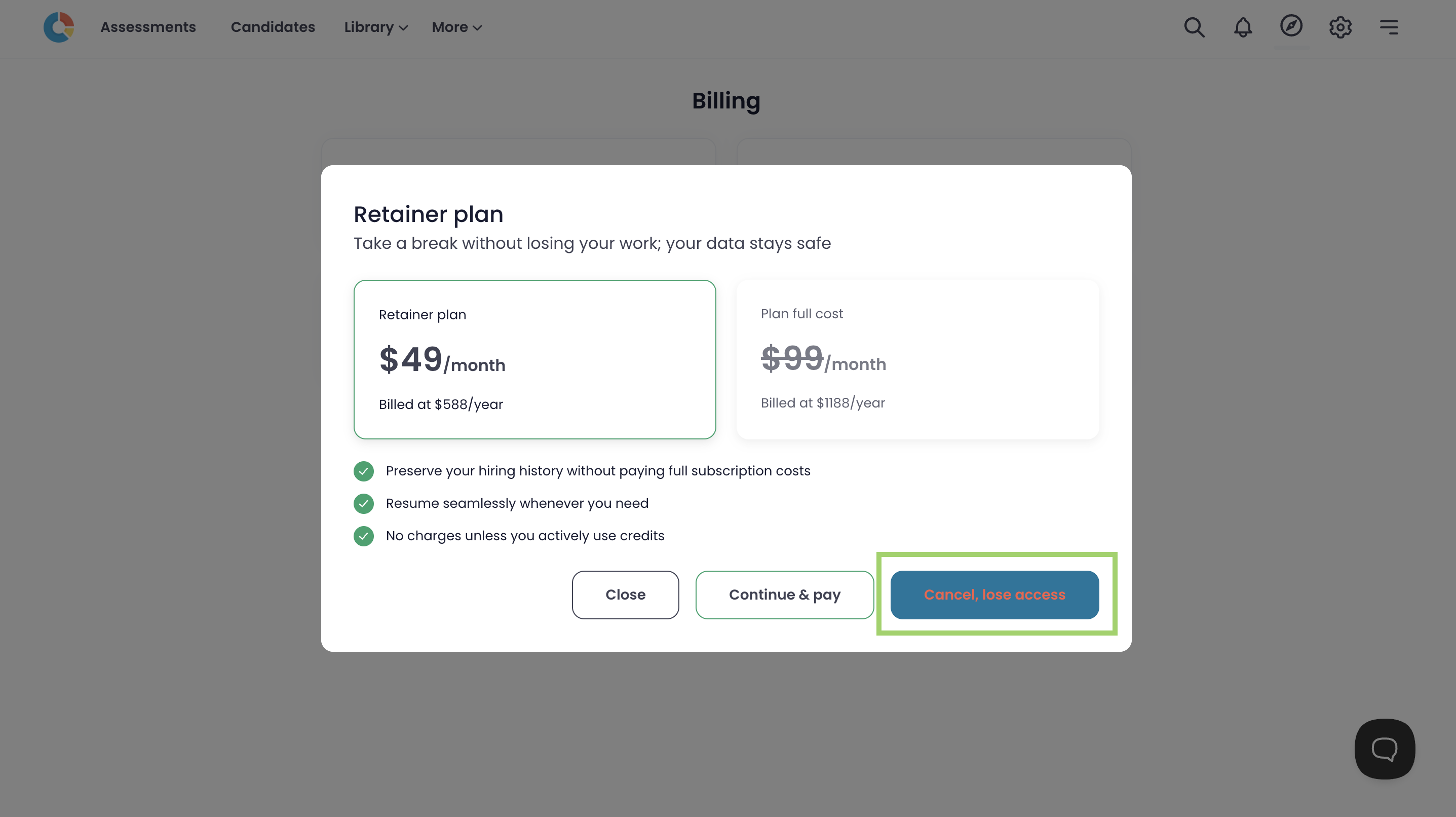
- Tip: Testlify shows two retention offers during the cancellation flow (a discount and a retainer plan). Dismiss each by clicking Cancel, lose access.
Steps to cancel your Testlify subscription
- Log in to your Testlify account.
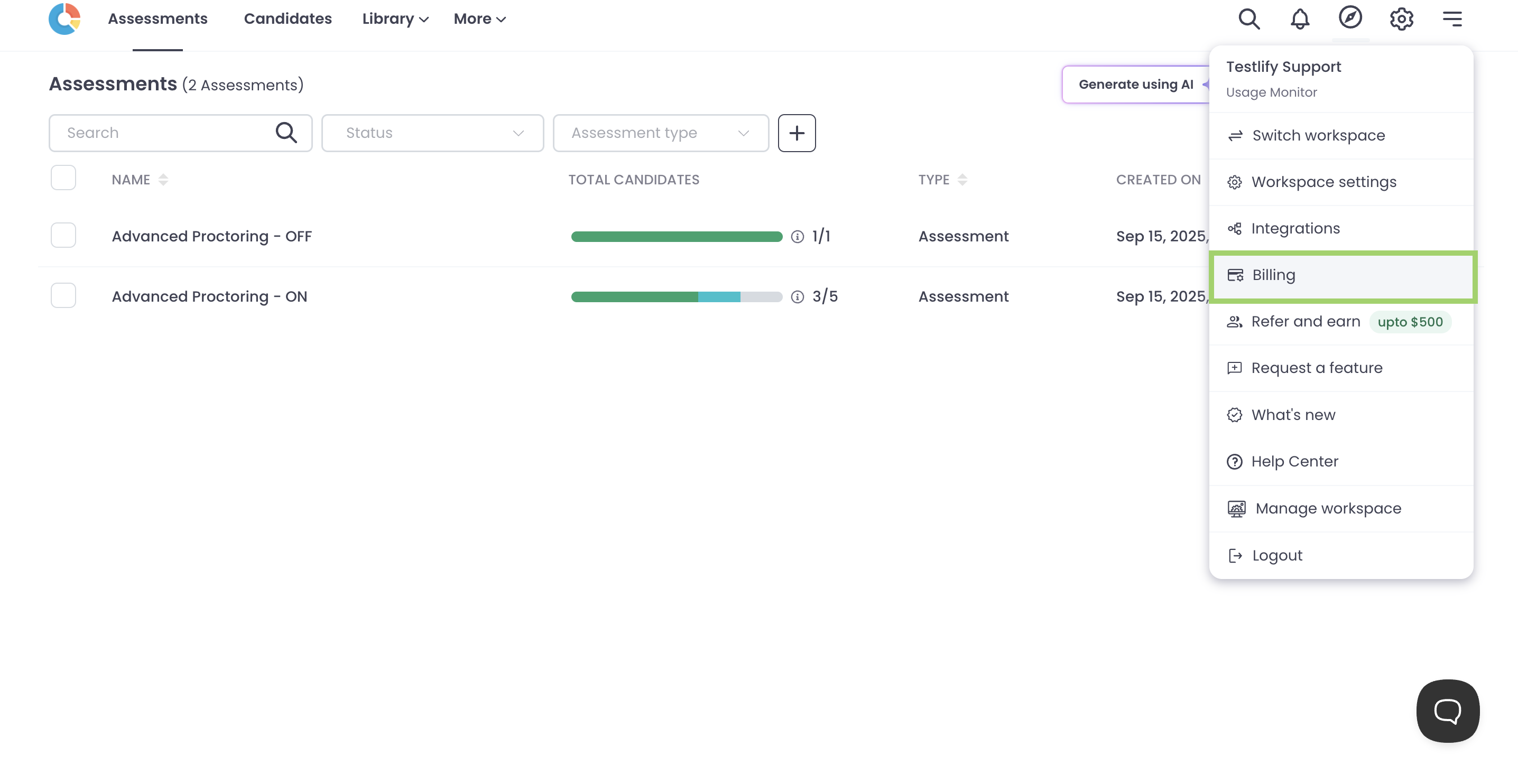
- Click the three horizontal lines (hamburger menu) in the top-right corner of the screen.
-
Select Billing from the menu.
-
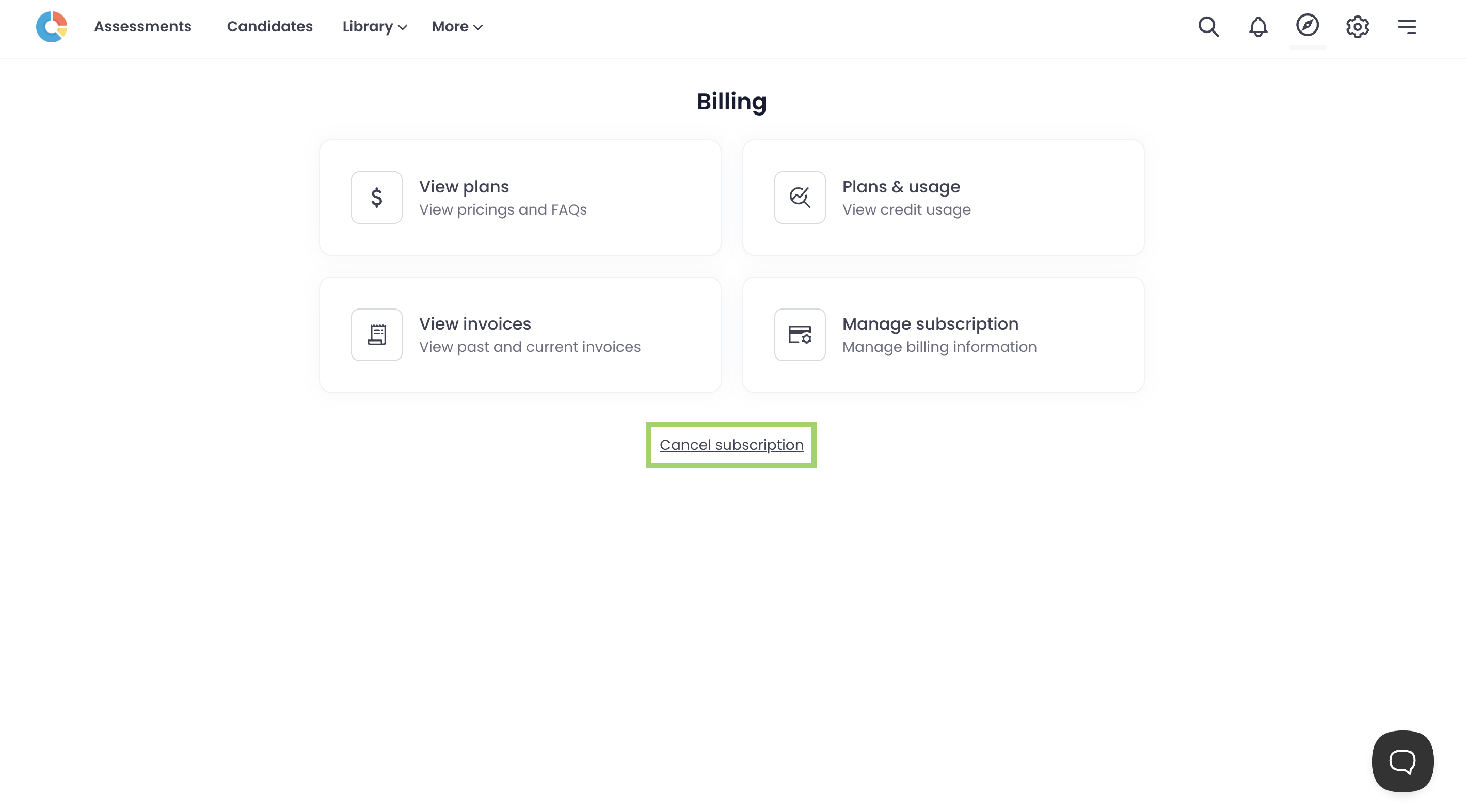
Click Cancel Subscription.
-
Review the access you will lose in the popup, then click Cancel, lose access to proceed.
-
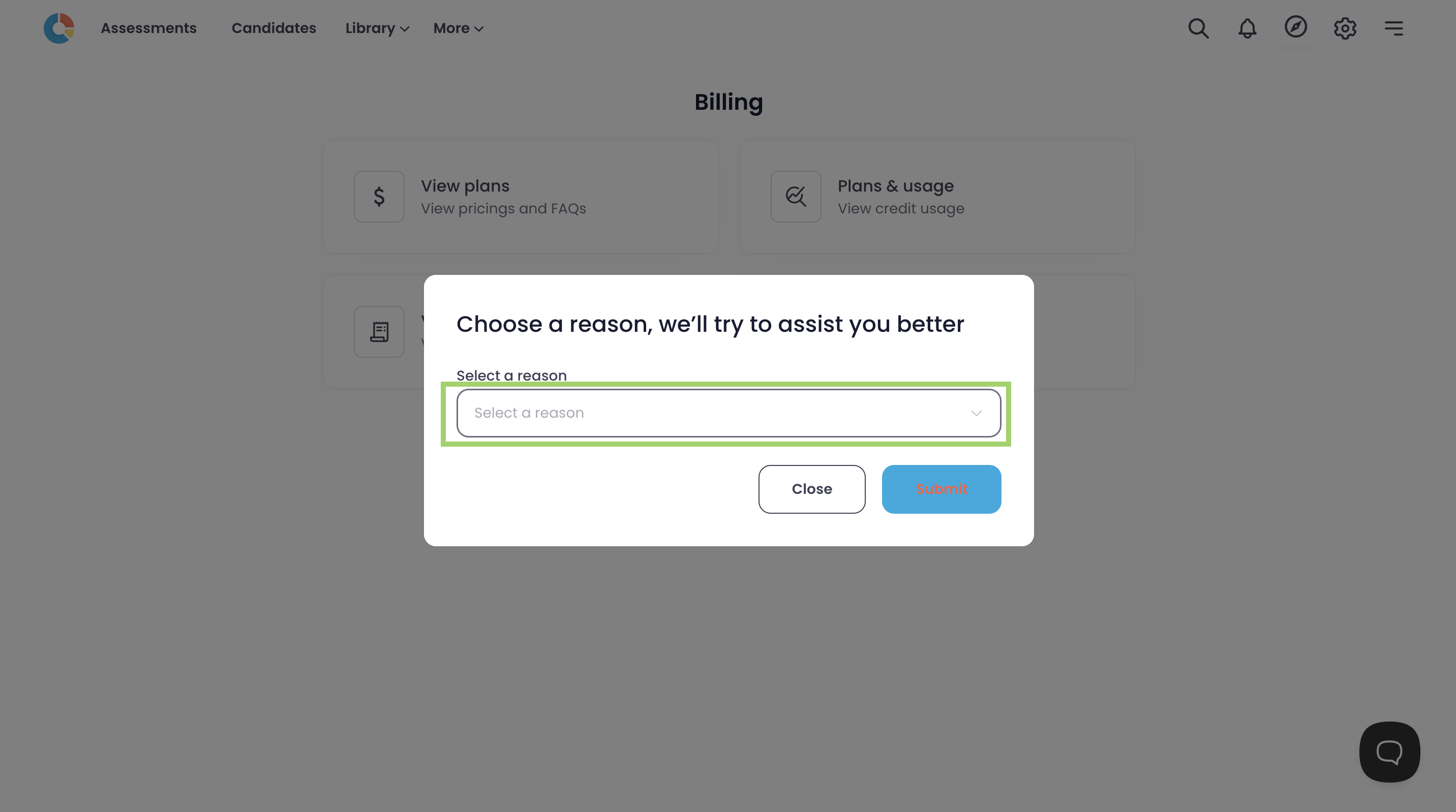
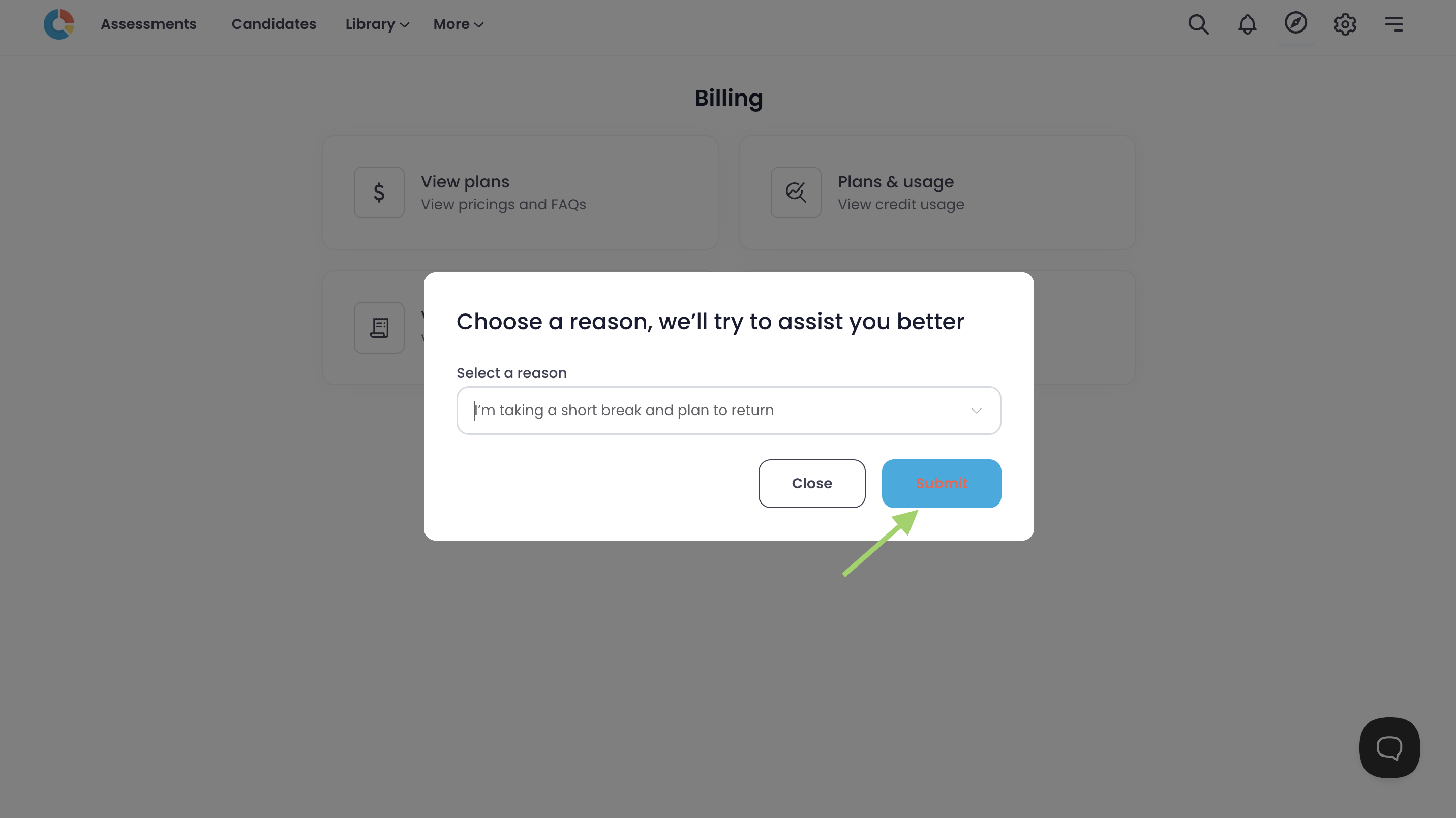
Select a cancellation reason from the dropdown and click Submit.
-
A discount offer for the Pay-per-usage plan appears. Click Cancel, lose access to decline and continue.
-
A retainer plan offer appears. Click Cancel, lose access to decline and continue.
-
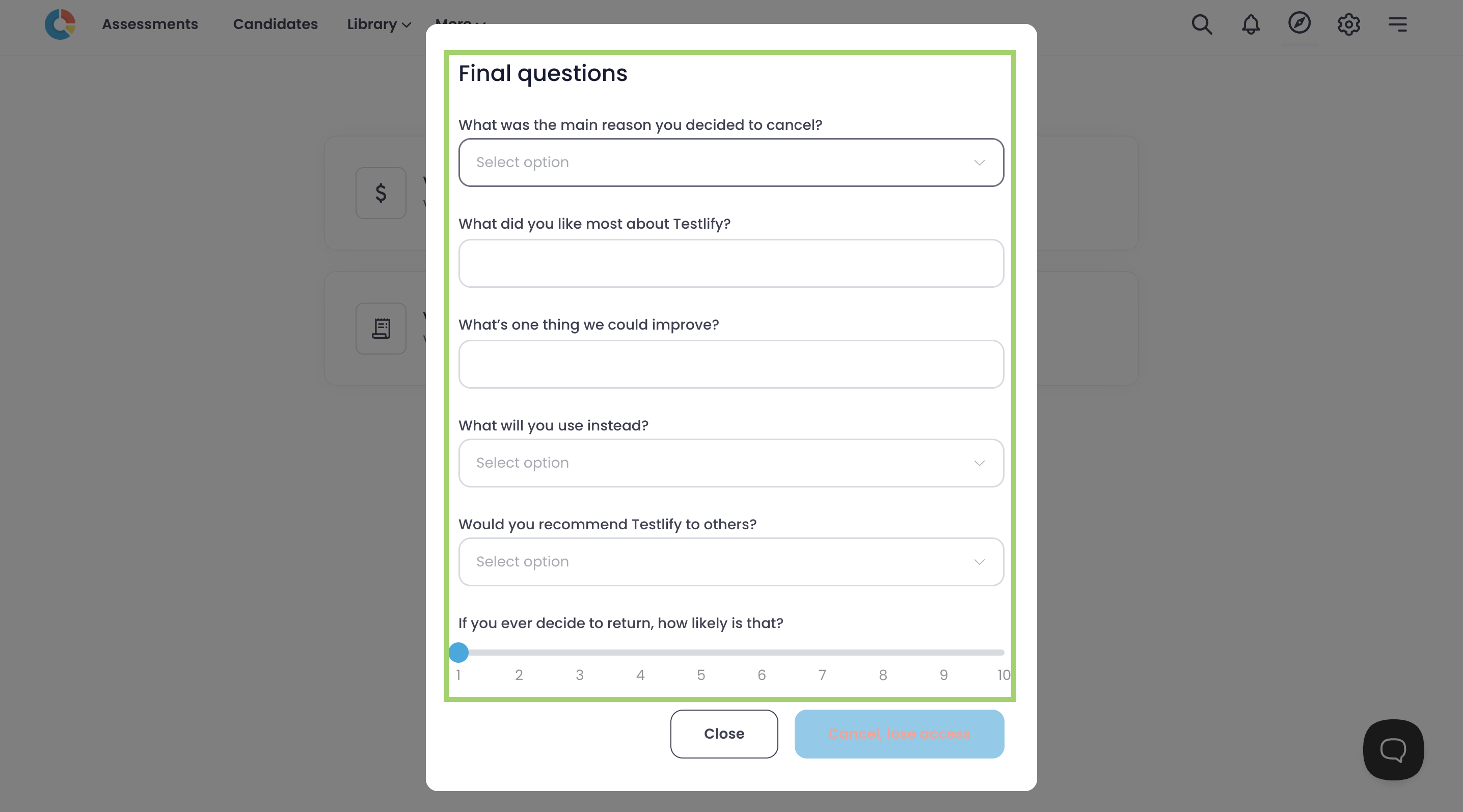
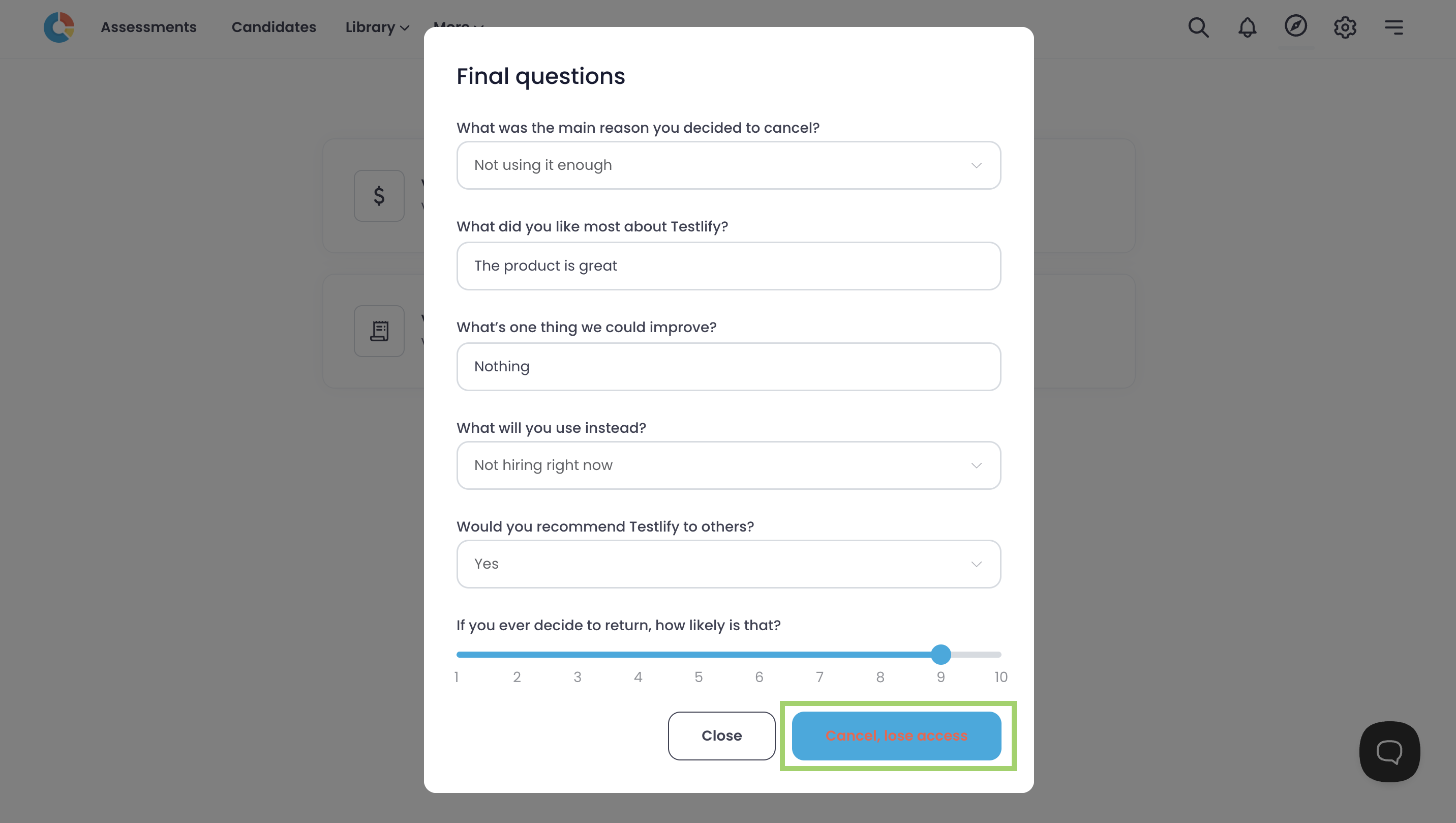
Complete the final questionnaire and click Cancel, lose access.
-
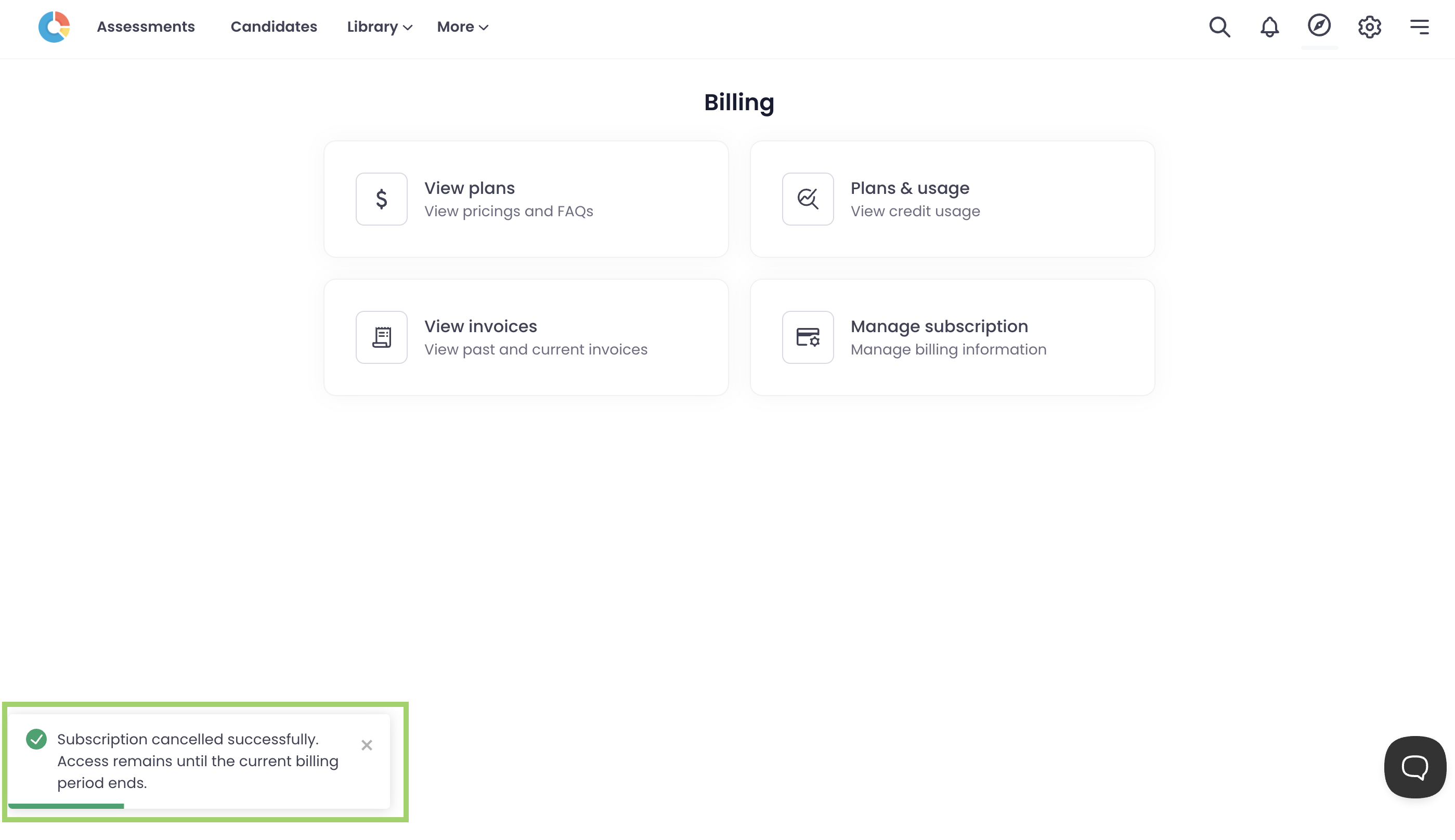
A confirmation popup appears — your subscription is now successfully cancelled.
After cancellation
- Account access is restricted immediately after cancellation.
- You can still reach support via live chat or email at support@testlify.com.
Need help? Contact support.