
How to Find and Apply for Jobs on Testlify
Welcome to Testlify! This guide will walk you through the process of registering on our platform, finding the right job opportunities, and submitting your application to employers.
Step 1: Register Your Account
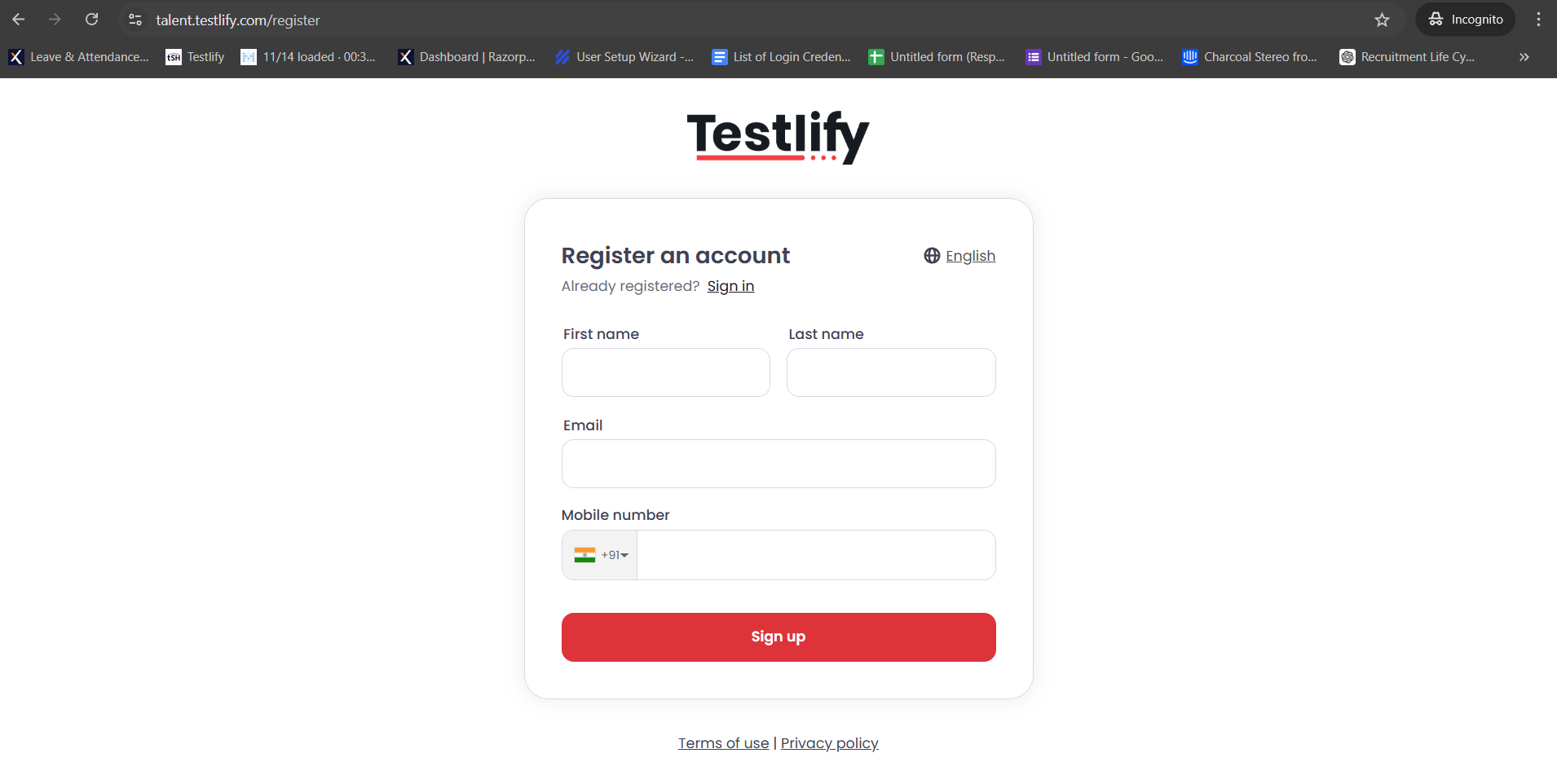
To get started, you need to create a candidate profile.
- Visit the candidate sign-in page: https://talent.testlify.com/
- Click on the option to register a new account.
- Enter your First name and last name, email address, and mobile number.
-
Use the One-Time Password (OTP) sent to your mobile or email to complete the login process.
Step 2: Complete Your Profile
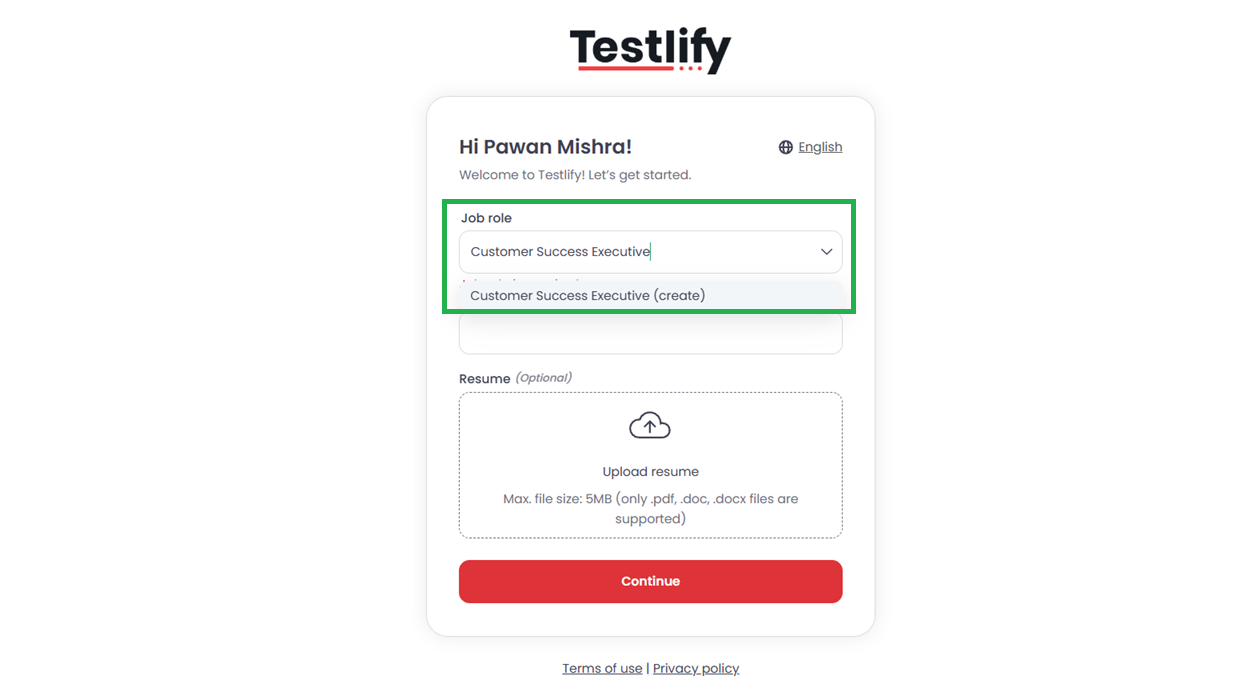
After logging in for the first time, you'll be prompted to provide more details to help match you with relevant jobs.
- Enter the job role you are looking for and select the correct match from the dropdown menu.
-
You have the option to add your LinkedIn profile URL and upload your resume. While these fields are optional, providing them gives employers a more complete view of your experience and increases your chances of being noticed.
Step 3: Navigate the Candidate Dashboard
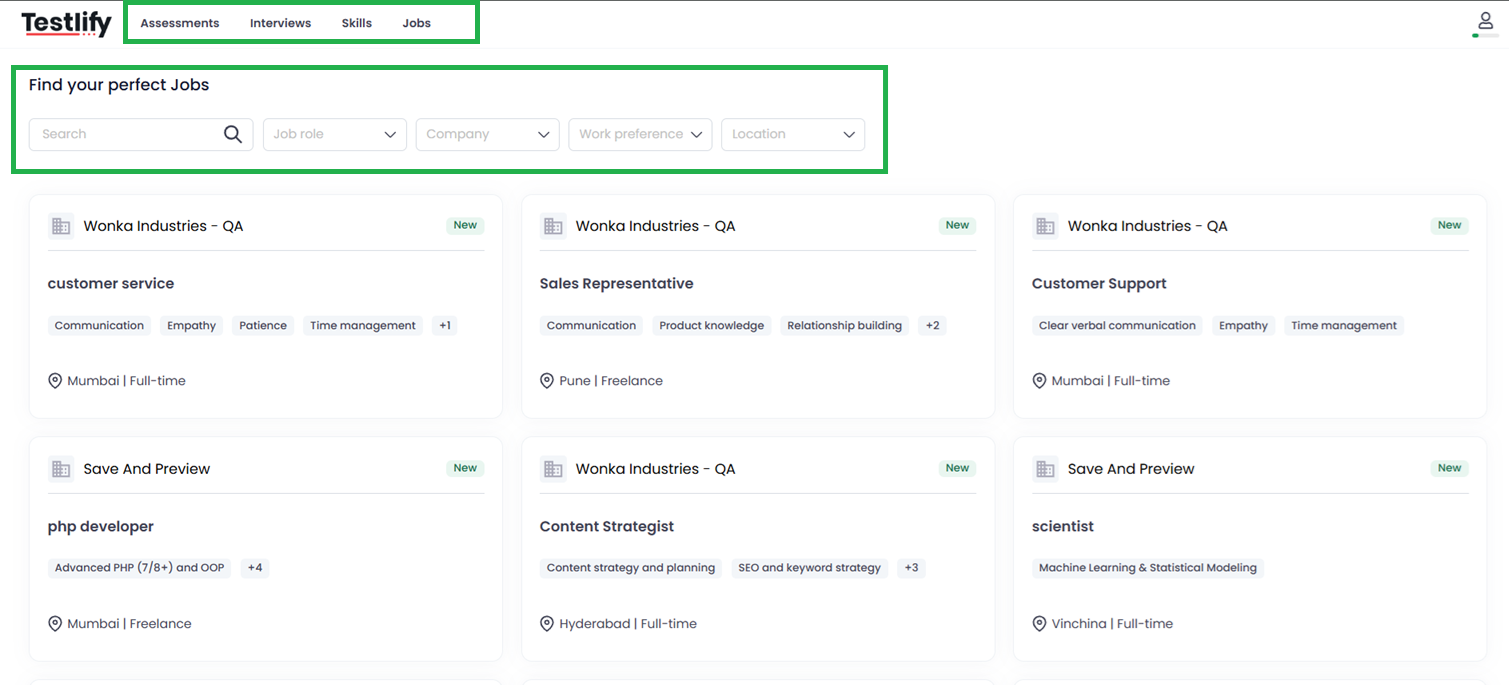
Once your profile is set up, you will land on your main dashboard, which is organized into four key tabs:
- Assessment Tab: Here you will find any skill assessments or tests you have been invited to by an employer as part of an application.
- Interview Tab: This section will show any scheduled or upcoming interviews that clients have invited you to.
- Skill Tab: You can view and manage all the skills associated with your profile in this section.
-
Jobs Tab: This is where you can actively search for new opportunities.
Step 4: Find and Apply for a Job
Follow these steps to submit an application:
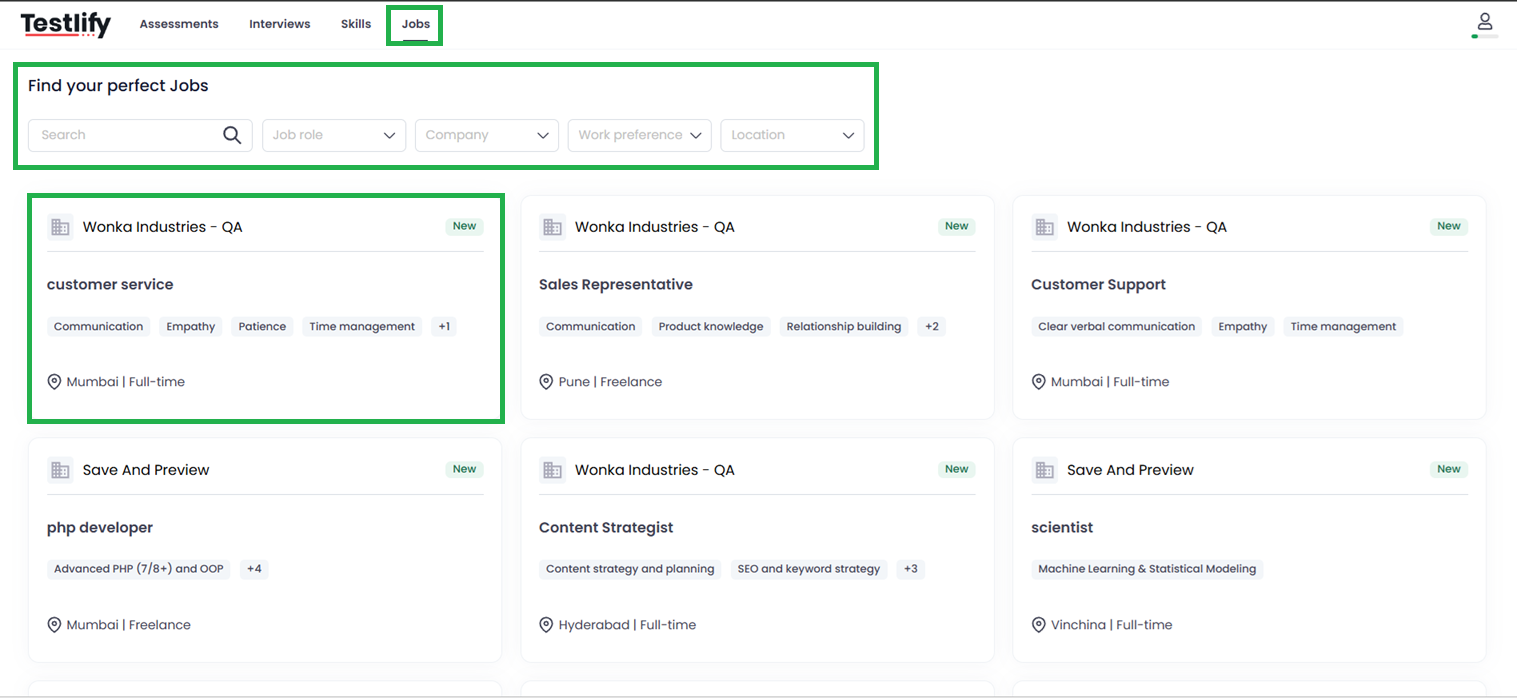
- Go to the Jobs tab.
- Use the available filters (such as role, skills, or location) to narrow down the list and find positions that match your requirements.
-
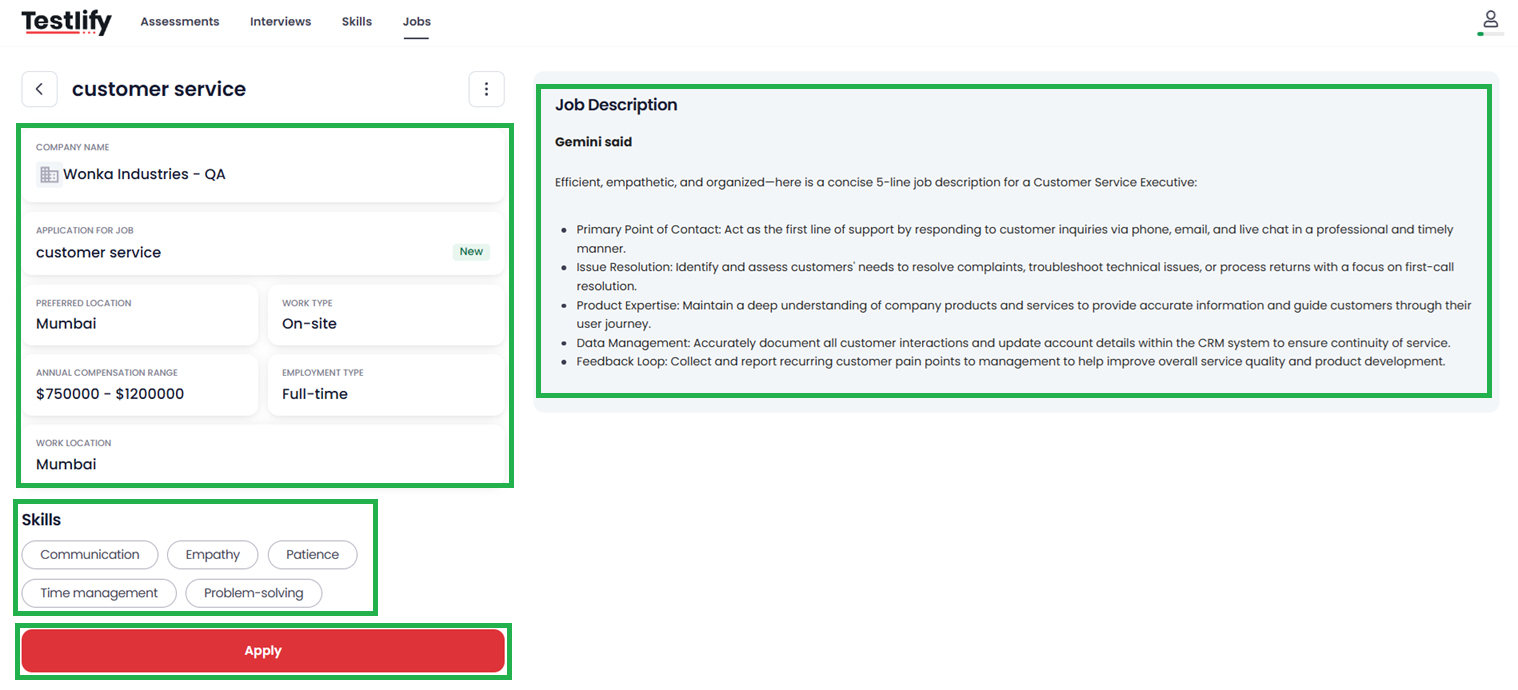
Once you find a job that interests you, click on the job title to open the full description.
- Read the job description carefully to ensure it's a good fit.
- Click the "Apply" button.
-
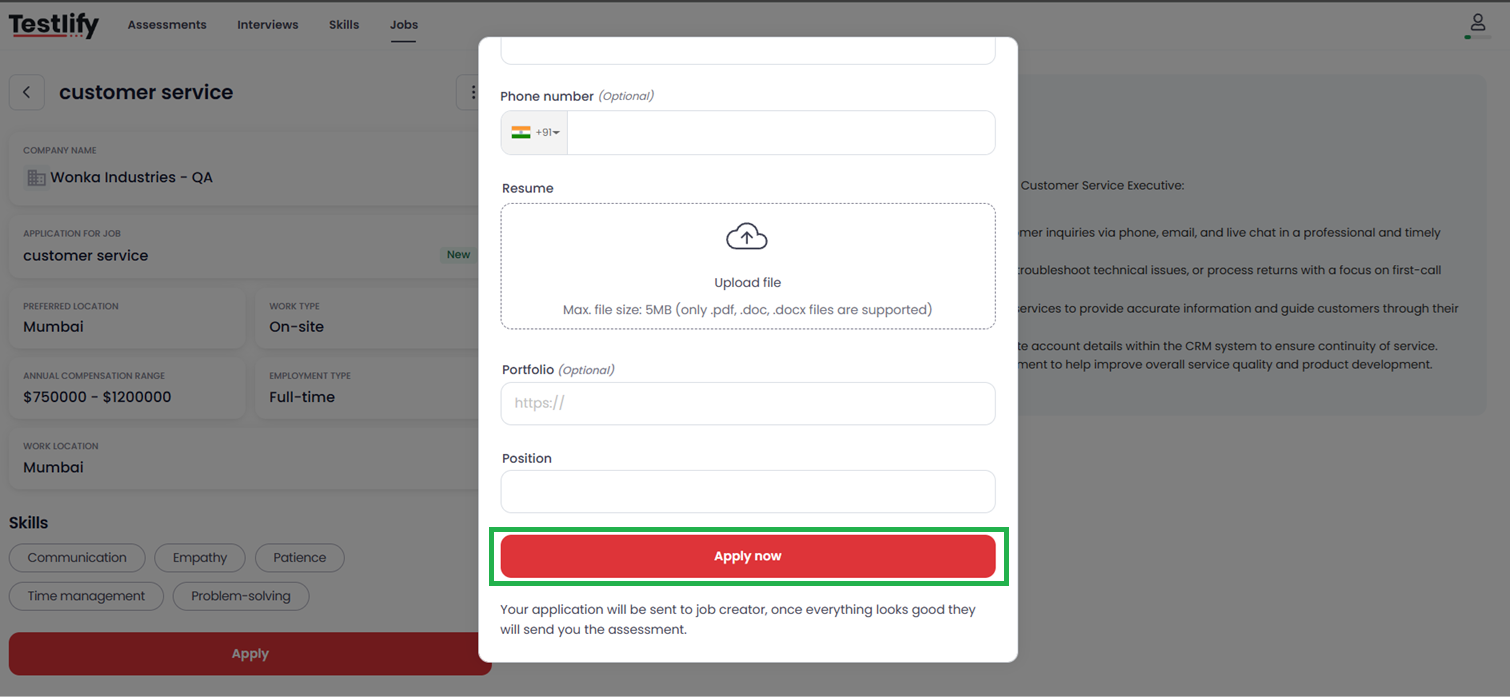
A form will appear. Enter any requested details and confirm your submission by clicking "Apply" again.
-
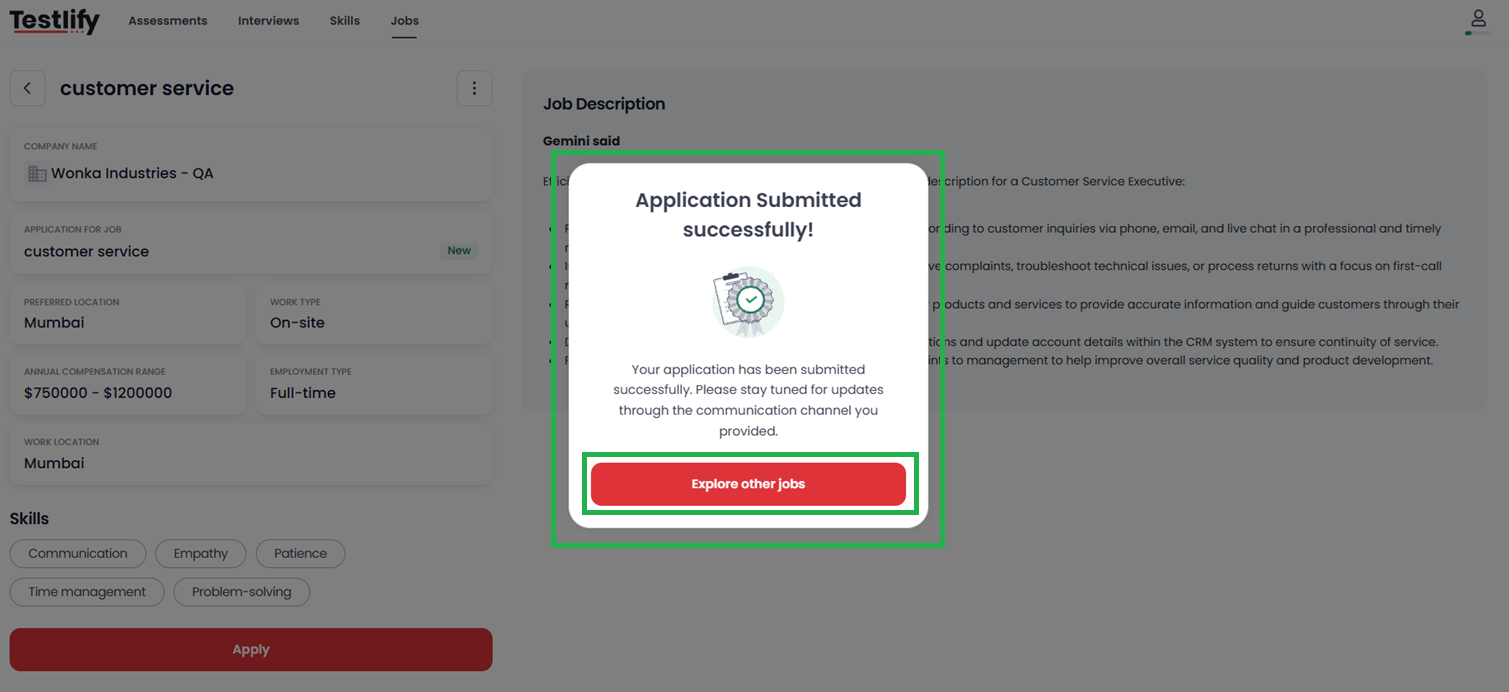
You will then see a confirmation page acknowledging that your application has been successfully submitted.
What Happens Next?
Your application is now complete. The employer will review your profile and application. They will get back to you directly based on their recruitment timeline and requirements.
Need Further Assistance?
If you encounter any issues during the registration or application process, please don't hesitate to contact our support team at talent@testlify.com.
We wish you the best of luck in your job search!